
As we move through the 21st century, technology continues to advance at an exponential rate. Today, we expect things that people would only have dreamed of in a not-so-distant past. One of those things is how we connect our smartphones to our vehicles. The goal is, of course, ultimate convenience, and above all, safety.
The days of fumbling with tangled USB cables or dealing with glitchy charging ports are effectively over. But you might think this type of convenience is reserved only for new car models. Well, you’d be wrong.
The Co-Pilot You Need: What is CarPlay and Why is it Important?

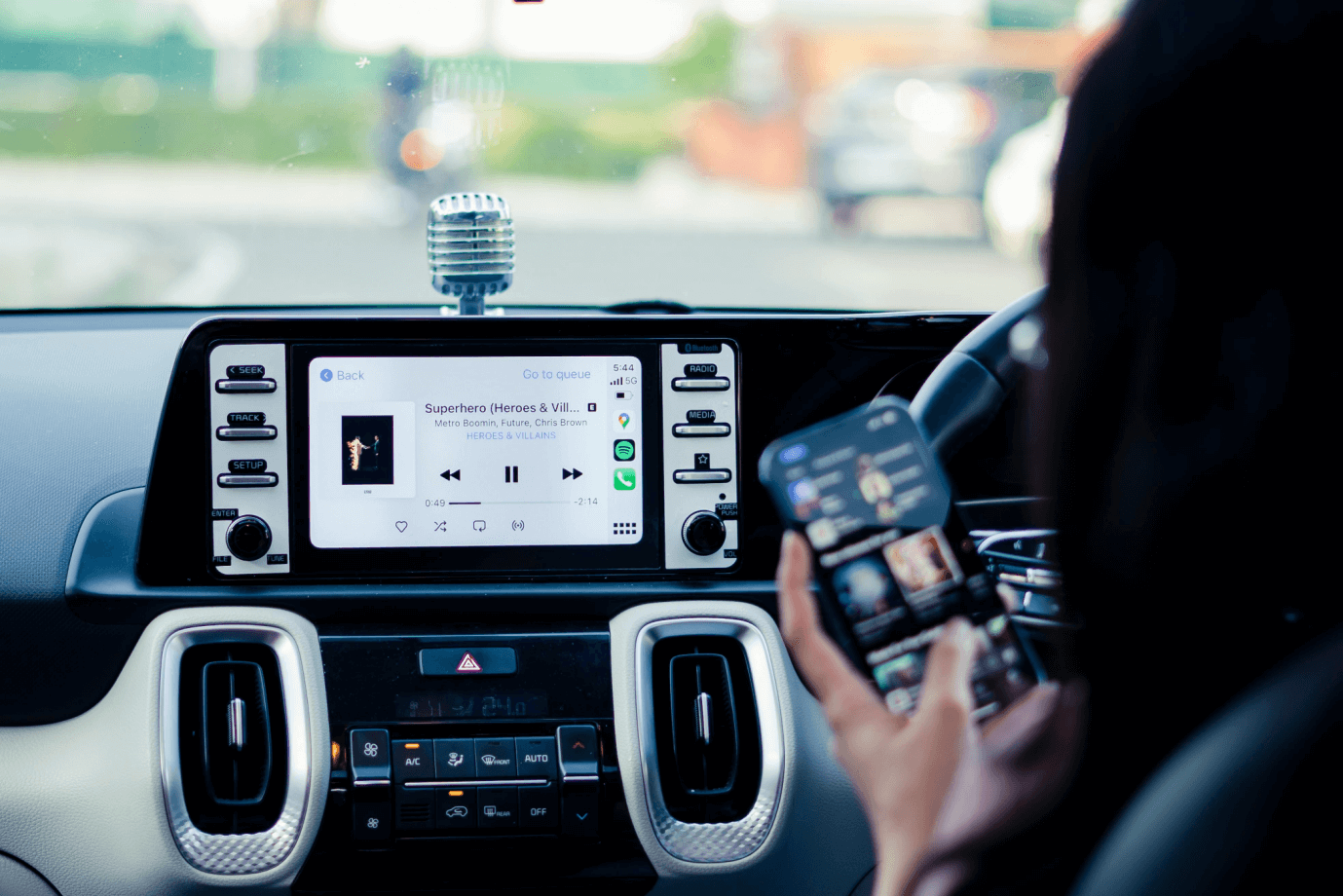
Apple CarPlay is a smart interface that mirrors your iPhone’s essential functions directly onto the built-in screen of your car. Instead of dealing with an unreliable plastic phone mount or squinting at a handheld device (which is very dangerous while driving), CarPlay provides a driver-friendly version of the very familiar iOS experience.
However, CarPlay is more than just a simple screen mirror. It represents a fundamental shift in driving safety and convenience. With the help of Apple’s voice assistant, Siri, you get better control of all your car’s steering wheel buttons and knobs, and you can dictate messages, navigate through heavy traffic, change music, pick a podcast, set up reminders, and the list goes on and on.
So, without further ado, let’s jump into the list of our top five picks for the best wireless CarPlay adapters that you can get your hands on right now.
The 5 Best Wireless Adapters to Modernize Your Car for 2026
 “Buckle up” for a detailed analysis of the best wireless CarPlay adapters that you can use to bring your older car model “up to speed” (both puns intended).
And, if you are an Android user, fear not. Most of these products can also be viewed as top Android Auto wireless adapters. We will talk about compatible vehicle models, pros and cons, technical specifications provided by manufacturers (including exclusive data on the revolutionary Mirror Touch and the GetPairr Mini Ultra), and, of course, Operating System (OS) compatibility.
After you finish reading, you’ll have a clear picture, and you’ll know exactly which device deserves a permanent spot in your car’s console.
1. Mirror Touch Wireless CarPlay Adapter
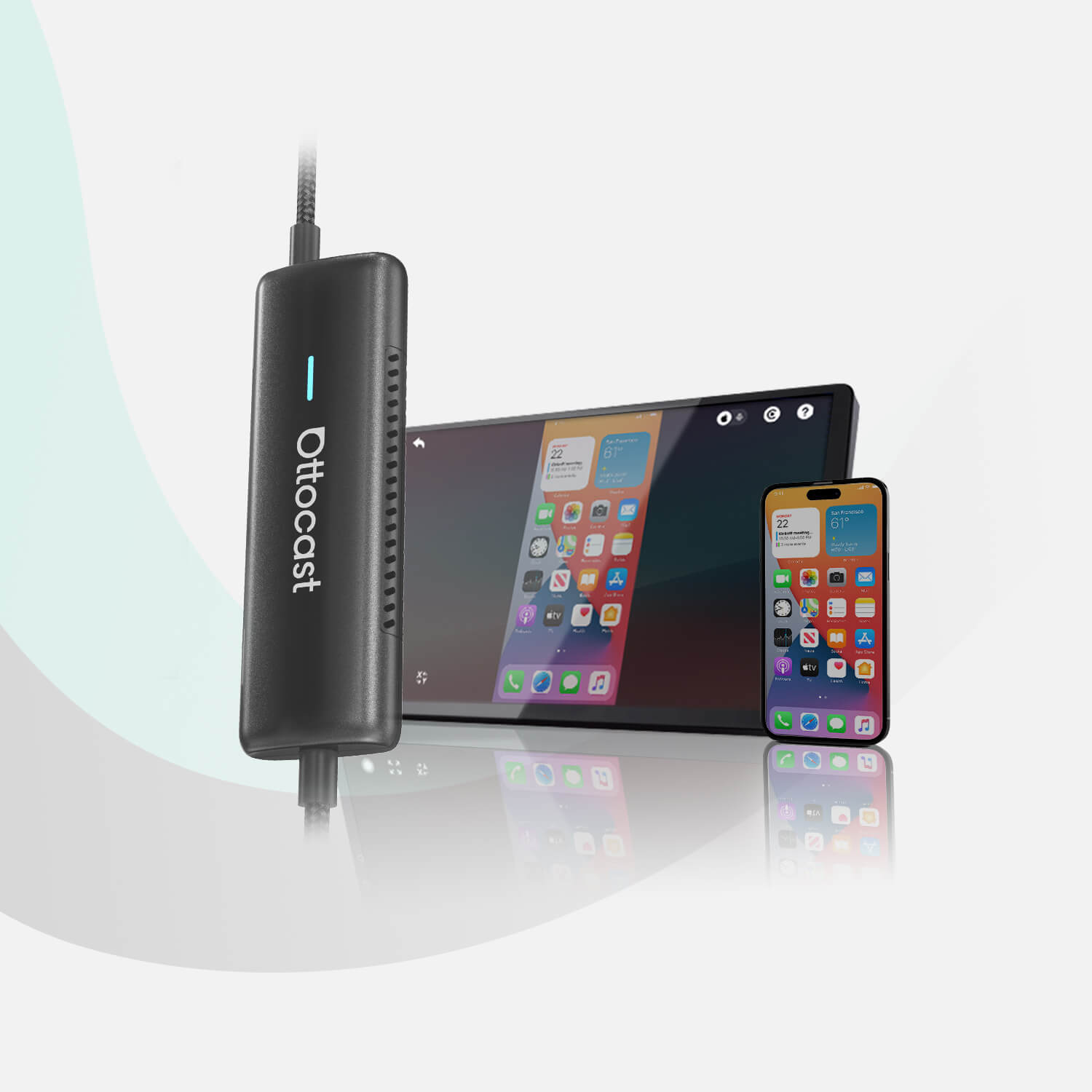
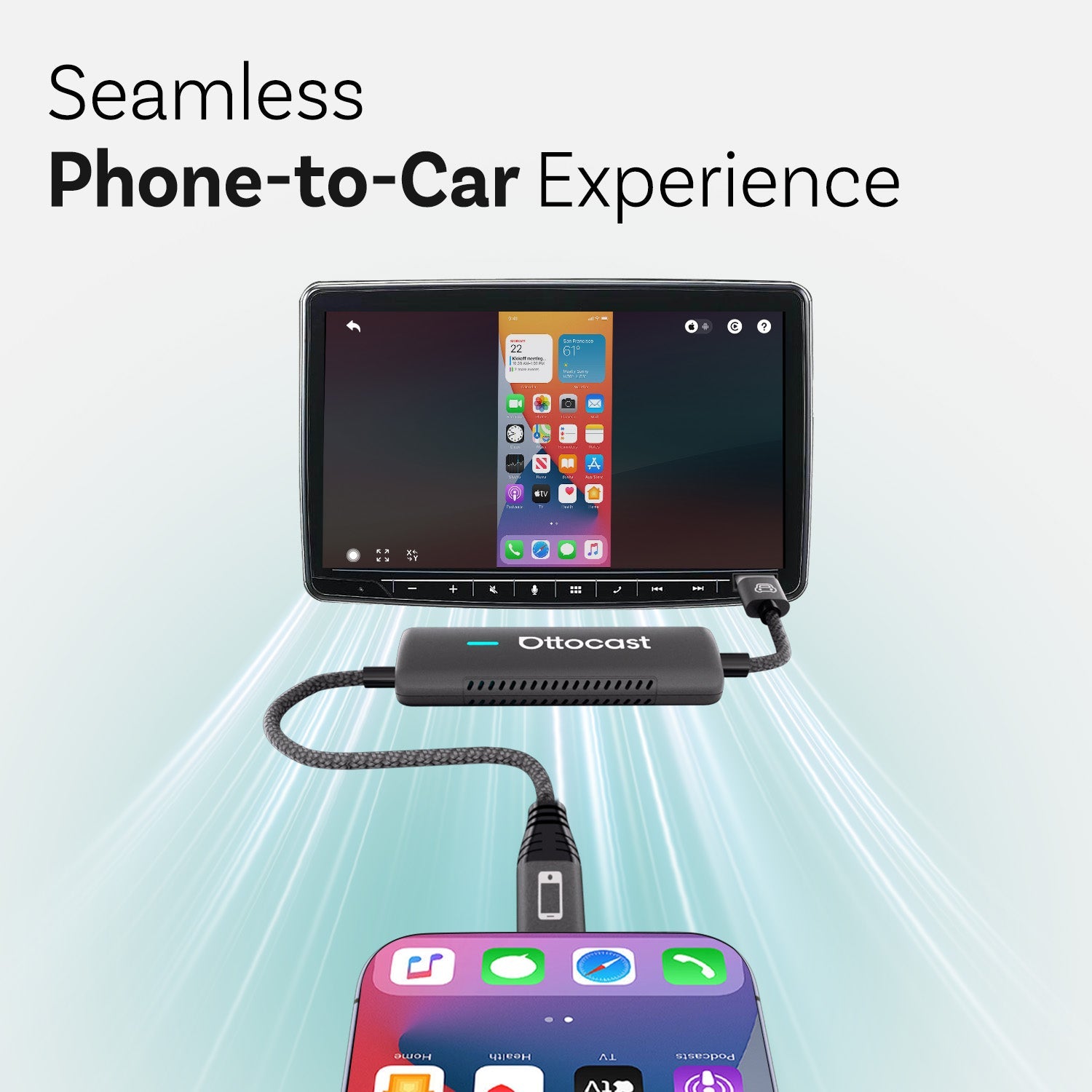
 The Mirror Touch Wireless CarPlay Adapter is a high-performance 2-in-1 device that modernizes your experience in older car models. Unlike standard adapters that provide only a wireless bridge, the Mirror Touch is marketed as a “Bidirectional Control Solution” that lets you mirror your entire smartphone screen and control it directly from your car’s dashboard.
Core Functionalities
● Wireless CarPlay Conversion: This device seamlessly converts factory-wired Apple CarPlay systems to wireless. After the initial pairing, your phone connects automatically within 5 to 10 seconds after you start the vehicle.
● Bidirectional “Mirror Touch” Technology: This is the best, or better yet, the flagship feature of this device. It mirrors your phone’s interface on the car’s screen and enables reverse control, allowing you to swipe, tap, and type on the car’s touchscreen to navigate your phone’s apps. You also get access to apps that are typically restricted by CarPlay, such as Netflix, YouTube, TikTok, and Instagram. Just make sure use these types of apps only when you are stationary.
● Dual-Mode Switching: The Mirror Touch Wireless CarPlay Adapter lets you switch between standard Wireless CarPlay (for navigation and music) and Mirroring Mode (for multimedia and full app access) using a simple on-screen menu.
Technical Specifications
● Latency: The device features ultra-low latency of 50 to 80 milliseconds (or less). For context, the human threshold for perceiving lag is often cited as around 100 ms in non-interactive visual tasks, making this one of the most responsive mirroring tools on the market.
● Fast Charging: This adapter features a pass-through charging port that supports up to 27W PD fast charging, keeping your phone powered even while streaming HD video.
● Connectivity: It supports 5.8 GHz and 2.4 GHz dual-band Wi-Fi, which will give you a stable online connection without a shadow of a doubt. It is also very fast and easy to connect using Bluetooth 5.0.
● LED Status Logic:
○ If you see a blue light, the power is on. It can also mean that the device is communicating with the car.
○ The green indicates a successful connection, whether you are mirroring or using standard CarPlay features.
○ When the Red and Green lights flash, a firmware update is in progress.
○ The White light means that the reset is complete.
Compatibility Requirements
If you want to use advanced mirroring and touch features, your hardware must meet specific requirements.
● Vehicle Requirement: You need a factory-installed wired CarPlay system, typically found in vehicles released between 2016 and 2025.
● Phone for Mirroring:
○ iPhone: You need an iPhone 15 or newer (USB-C models with DisplayPort output support).
○ Android: You need an Android phone that supports DP Alt Mode. This is essentially a DisplayPort signal transmitted over a USB-C cable.
● Phone for Wireless CarPlay: iPhone 5 or newer running iOS 10+.
Key Advantages
● Privacy First: Unlike typical “AI Car Boxes,” the Mirror Touch does not have its own operating system or apps. It simply mirrors your phone. This means that you don’t need to share personal data, login credentials, or browsing history. None of that will be stored on the device.
● Entertainment Hub: Since you can use this device to mirror your phone directly, you will bypass the app restrictions that come with the standard CarPlay setup. You can watch videos or use specialized work apps while you are parked.
● FOTA Updates: The device supports “Firmware Over-The-Air” updates. This means you can update the device’s software via your smartphone’s browser without connecting to a PC.
Considerations
● Wired Mirroring: While CarPlay is wireless, the Mirroring/Touch Control feature typically requires a cable connection to the adapter to maintain the high-speed data transfer required for zero-lag video streaming.
● Accessibility Settings: iPhone users must enable the “Zoom” setting in Accessibility to allow the car’s screen to properly “talk back” to the phone for touch control.
2. Carlinkit 3.0-U2W (U2W Plus)
 The Carlinkit 3.0-U2W (also known as U2W Plus) is widely regarded as the industry veteran among wireless CarPlay adapters. It was among the first reliable solutions to hit the market, and the company behind the device has maintained its popularity. This is largely because the device is designed for the Apple ecosystem and features its iconic carbon-fiber aesthetic.
Core Functionality
● Wired-to-Wireless Conversion: The main selling point of this device is that it eliminates the need for a Lightning cable. You can plug it into the car’s existing USB data port. That way, the device creates a wireless bridge for your iPhone.
● iOS Exclusive: Unlike newer models, the U2W Plus is designed specifically for iPhones. It does not support Android Auto, which allows its firmware to be more streamlined and stable for Apple users.
● Plug-and-Play Setup: Once you complete the initial Bluetooth and Wi-Fi pairing, the device remains plugged into the car. Every time you start the engine, the adapter automatically connects to your phone in your pocket.
Technical Specifications
● Connectivity: Carlinkit 3.0-U2W uses a 5.8GHz Wi-Fi module combined with Bluetooth 5.0. The 5.8GHz band is critical because it offers higher data transmission speeds and is less prone to interference than the standard 2.4GHz band.
● Boot Time: The device can establish the initial connection in about 15 or 20 seconds, but this number can vary depending on the head unit in your car.
● Power Consumption: The device is extremely efficient at roughly 0.75W, minimizing heat buildup, a common cause of lag in less advanced adapters.
● Materials: Carlinkit 3.0-U2W features a heat-resistant ABS+PC carbon fiber shell. This means it is highly durable and effective at dissipating heat.
● Resolution: It supports adaptive resolution settings, and you can maintain the original pixel density and aspect ratio of your car’s factory screen protocol.
Compatibility Requirements
● Vehicle Requirement: Your car must come with Apple CarPlay from the factory. The device itself will not add CarPlay to a car that doesn’t have it. It only makes the existing wired system wireless. Therefore, you can use it on the vast majority of vehicles with factory-wired CarPlay (2016+).
● Phone Requirement: This device is compatible with iPhone 5 and later models running iOS 10 or higher.
● Incompatible Brands: It is generally incompatible with Tesla vehicles, which use a proprietary browser-based system, and with certain BMW models that use wireless-only factory setups.
Key Advantages
● Stability over Features: Because it doesn’t try to be an "Android Box" or a video streamer, the U2W Plus is known for having very few black-screen or connection-drop issues.
● OTA (Over-The-Air) Updates: You can update the device’s firmware by entering 192.168.50.2 in Safari on your iPhone. This allows the manufacturer to push fixes for new iOS versions or for specific car-model bugs.
● Original Car Controls: It fully supports steering-wheel buttons, Siri voice commands, and knob controls (as found in cars developed by Mazda, Audi, or Mercedes).
● Pass-through Charging: The device includes an additional USB-A port, allowing you to plug in a cable to charge your phone without unplugging the adapter.
Considerations
● Audio Lag: As with all wireless adapters, there is a slight audio delay (typically 1–2 seconds) when skipping tracks or using voice commands, compared with a direct cable connection.
● CarPlay Only: If you switch to an Android phone in the future, this device will become obsolete because it cannot support Android Auto.
● No Video Streaming: It cannot play YouTube, Netflix, or other video apps. It is strictly for the standard CarPlay interface (Maps, Music, Messages, etc.).
3. AAWireless TWO+
 The AAWireless TWO+ is the premium, second-generation flagship from the European startup that originally invented the wireless Android Auto adapter. While their earlier models were strictly for Android users, the TWO+ is a true cross-platform powerhouse, designed for households with both iPhone and Android devices.
Core Functionality
● Dual-Platform Conversion: This device converts factory-wired Android Auto and Apple CarPlay to wireless connectivity. It is the first device from AAWireless that can support both protocols natively in a single unit.
● The “Multifunctional Button”: This is the standout physical feature. The button on the casing allows you to perform three main tasks without touching your phone:
○ Switching: Toggle between different paired phones (e.g., switching from the driver’s iPhone to the passenger’s Android).
○ Pairing: Press and hold to enter pairing mode for a new device.
○ Standby or reset: Sever the connection or reset the unit.
● Deep Customization: Most plug-and-play dongles offer limited to zero user control, but the TWO+ works with a dedicated companion app. This lets you customize how the adapter interacts with your specific vehicle.
Technical Specifications
● Dimensions & Weight: The AAWireless TWO+ features a compact design measuring 5.5 x 3.5 x 1.5 cm. It weighs only 18g, so it’s roughly half the size of the original AAWireless unit.
● Connectivity: It uses high-speed (5.8GHz) Wi-Fi for data streaming. It also offers Bluetooth (you need it for the initial handshake).
● Interface: The device includes a USB-C port and a high-quality braided USB-C to USB-A cable.
● LED Ring Indicator: An LED ring around the main button changes color based on status (e.g., Purple for pairing mode, Solid Blue for a successful connection).
Compatibility Requirements
● Vehicle Requirement: The car needs to come with a wired Android Auto or Apple CarPlay system from the factory. With that in mind, it is compatible with over 20,000 car models and major aftermarket head units like Kenwood, Pioneer, JVC, and many others.
● Phone Requirement (Android): You need a smartphone running Android 11 (or later) with 5G support.
● Phone Requirement (iOS): It works with iPhone X and newer models that run on iOS 10 (or higher).
Key Advantages
● App-Controlled Features: You can use the AAWireless app to adjust the DPI (Dots Per Inch). This allows you to trick your car into displaying more information on the screen (e.g., a split-screen view) that it might not typically support.
● “Start/Stop” Logic: You can program the adapter to connect only when it detects your phone’s Bluetooth signal or the car’s power is on, preventing common battery drain issues (like when the adapter stays on in the garage).
● European Engineering: Unlike many generic adapters, the TWO+ is designed in Europe, offering higher build quality and more frequent, reliable firmware updates.
● Family Friendly: The physical button makes it the best choice for shared vehicles, eliminating the “battle for connection” when two paired phones are in the car at the same time.
Considerations
● Availability: Because it is produced by a smaller European company, inventory often sells out in waves, making it occasionally harder to find on Amazon compared to mass-produced Chinese brands.
● No Video Mirroring: Similar to the Carlinkit, this device is designed for a standard CarPlay/Android Auto experience. It does not support YouTube, Netflix, or screen mirroring (unlike the Mirror Touch).
● Initial Setup: There are two options. You can connect it using the plug-and-play functionality, but if you want to get the most out of the device (e.g., button mapping and DPI adjustments), you need to use the app. This can be one step too many for non-tech-savvy users.
4. AutoSky Wireless CarPlay Adapter: Sapphire Edition
 The AutoSky Wireless CarPlay Adapter: Sapphire Edition is a premium 2-in-1 solution designed for people who want a subtle balance of high-end aesthetics and broad compatibility. As a part of AutoSky’s 2024–2025 lineup, the Sapphire Edition is recognized for its distinctive translucent casing and its focus on high speeds and stable data transmission.
Core Functionality
● Dual-Platform Conversion: Many people call this adapter a universal bridge for adding wireless functionality to your car. It converts factory-wired Apple CarPlay and factory-wired Android Auto into wireless connections. This makes it a strong choice for households where family members use different types of smartphones, as in the previous entry on this list.
● Plug-and-Play Simplicity: The Sapphire Edition is marketed as a zero-configuration device. Once the initial Bluetooth or Wi-Fi handshake is complete, the device remains plugged into the car’s USB port and automatically launches the smartphone interface when the vehicle is started.
● Seamless Handover: It supports automatic reconnect, so if you step out of the car briefly (e.g., at a gas station), the system resumes exactly where it left off when you return.
Technical Specifications
● Aesthetic Design: The Sapphire Edition features a unique translucent sapphire-blue shell that looks very cool, but that’s not the whole point. The casing is designed to be very lightweight, and you can see all the internal circuitry.
● Connectivity: You receive a high-speed 5.8 GHz Wi-Fi module. This frequency is specifically chosen to reduce audio stutters and lag, providing a smoother experience than older 2.4GHz models.
● Compatibility Chipset: The AutoSky Wireless CarPlay Adapter uses an advanced chipset to minimize the boot-up loop, a common issue with lower-end generic adapters.
● Cable Interface: Includes both USB-A and USB-C cables, ensuring compatibility with both older vehicle ports and modern USB-C-only consoles.
Compatibility Requirements
● Vehicle Requirement: Users must have a factory-installed wired CarPlay or Android Auto system.
● Phone Requirement (iOS): It is compatible with iPhone 5 and newer versions running iOS 10 or higher.
● Phone Requirement (Android): It is compatible with smartphones running Android 11 or higher with 5GHz Wi-Fi support.
Note: Some older Android 10 devices with specific Google Play services may also work.
● Incompatibility Note: Like many third-party adapters, it is generally not compatible with BMW models because of the proprietary, wireless-only security protocols used by BMW’s iDrive system.
Key Advantages
● Visual Transparency: The translucent design is a standout feature for car enthusiasts.
● US-Based Customer Support: AutoSky has offices in the United States, which often leads to faster technical support and easier warranty claims than overseas competitors.
● Reliability: It is specifically optimized to maintain a rock-solid connection with minimal drops, even in urban environments with heavy wireless interference.
● No App Required: The setup is handled entirely through the phone’s native Bluetooth and Wi-Fi settings. There is no need to download third-party configuration apps.
Considerations
● No Video Streaming: This is a pure interface adapter. It cannot play YouTube or Netflix natively. Also, it doesn’t support screen mirroring.
● Warm During Use: Due to the compact size and the high-speed 5GHz module, the device may feel warm to the touch after several hours of driving, which is normal operational behavior.
● Price Point: The Sapphire Edition typically commands a higher price than the Classic or Nano series due to its dual-OS support and unique casing.
5. Ottocast Mini Pico Wireless CarPlay/Android Auto Adapter
 The Ottocast Mini Pico is the direct evolution of compact connectivity. Shifting the focus from size to high-performance durability, it features a sleek zinc-alloy shell designed to distribute heat, keeping performance levels high. This ensures your connection remains stable even during long summer drives. That’s when plastic adapters overheat. It is designed to be an easy upgrade that brings modern wireless freedom.
Core Functionality
● 2-in-1 Universal Conversion: This device converts factory-wired CarPlay and factory-wired Android Auto into high-speed wireless connections. Unlike single-protocol adapters, it handles both ecosystems, making it ideal for multi-device users.
● One-Tap Switch Button: A standout physical feature of the Mini Pico is the side-mounted button, which lets you disconnect the current phone or toggle between two paired devices with a single click, which is ideal for households with multiple drivers.
● 90-Degree Ergonomic Design: The adapter comes with a specialized 90-degree USB-A connector, allowing for a vertical or "low-profile" installation in tight center consoles or recessed dashboard ports.
Technical Specifications
● Connectivity: It uses advanced Bluetooth 5.2 for near-instant pairing and a 5.8 GHz Wi-Fi module for lag-free data transmission.
● Build Quality: The zinc-alloy casing acts as a natural heat sink, helping maintain optimal operating temperatures during heavy GPS and music use.
● Interface: It features a direct USB-A plug and includes a 90-degree adapter plus a USB-A to USB-C converter for universal vehicle compatibility.
Compatibility Requirements
● Vehicle Requirement: Your vehicle must be equipped with factory-wired CarPlay.
Note: Android Auto is supported via CarPlay emulation rather than the native Android Auto protocol.
● Phone Requirement (iOS): Compatible with iPhone 6 and newer running iOS 10 or higher.
● Phone Requirement (Android): Compatible with smartphones running Android 11.0 or higher with 5GHz Wi-Fi support.
Key Advantages
● Thermal Management: The metal design prevents "thermal throttling," a common cause of audio stuttering in smaller plastic dongles.
● Multi-User Friendly: The physical switch button eliminates the "Bluetooth battle" when two paired phones are in the car simultaneously.
● Space Efficiency: Its tiny footprint and 90-degree adapter make it the best choice for luxury cars with limited storage around the gear shifter.
Considerations
● Pure Interface: The Mini Pico is dedicated strictly to standard CarPlay and Android Auto; it does not support independent video streaming (Netflix/YouTube).
● Direct Plug: While the 90-degree adapter provides flexibility, users should verify that their USB port location can accommodate the small protrusion.
A Side-by-Side Comparison Table of the Top 5 Wireless Adapters
Now that you have familiarized yourself with the top options, you should take a look at this quick comparison table.
|
Feature |
Mirror Touch (Ottocast CA450) |
Carlinkit 3.0-U2W (U2W Plus) |
AAWireless TWO+ |
AutoSky Sapphire Edition |
Ottocast Mini Pico |
|
Manufacturing Date |
Late 2025 |
2021 (Original Release) |
Late 2025 |
Mid 2025 |
2025 (New Release) |
|
OS Compatibility |
Dual (iOS & Android) |
iOS Exclusive |
Dual (iOS & Android) |
Dual (iOS & Android) |
Dual (iOS & Android) |
|
Suitable Vehicle Models |
Over 98% of cars with wired CarPlay (2016+). Best for VW, Audi, Benz, Toyota, Ford, and Honda. |
Vehicles with factory-wired CarPlay (2015-2024). High stability with VW, Audi, Porsche, Volvo, and Honda. |
2016+ cars with wired AA/CP. Popular with Hyundai, Kia, Mazda, and Chevrolet. |
2016+ wired CarPlay/AA cars. Optimized for US models like F-150, Jeep, and RAV4. |
Universal (98% of cars 2016+). Ideal for cars with tight consoles (Maserati, Lexus, Mini). |
|
Main Advantage |
Bidirectional Control: Swipe/tap car screen to control phone; mirrors Netflix/YouTube. |
Reliability: Proven veteran performance; specialized heat-dissipating shell. |
The Magic Button: Physical button to switch between paired phones instantly. |
Aesthetics: Translucent sapphire blue casing; US-based customer support. |
Heat Dissipation & Switching: Metal zinc-alloy shell; physical button to switch between two phones. |
|
Main Disadvantage |
Mirroring features require iPhone 15+ or specific Android DP-supported phones. |
No Android support; no video streaming or screen mirroring. |
Setup is slightly more complex for non-tech users; inventory often sells out. |
No advanced technical customization (DPI); lack of mirroring support. |
No video streaming or screen mirroring support. |
|
Update Method |
FOTA (Over-The-Air) |
Browser-based (192.168.x.x) |
Dedicated Companion App |
Browser-based (192.168.x.x) |
FOTA (Over-The-Air) via the Ottopilot App. |
Conclusion: Which One Should You Buy in 2026?
In the end, your choice ultimately depends on your specific lifestyle. If you are a tech enthusiast, you should go for the Mirror Touch. The ability to use the car screen to control your phone like a tablet is a game-changer for long road trips when you have to spend hours waiting in the car. On the other hand, if you are a minimalist or share your vehicle with another driver, the Ottocast Mini Pico should be on your radar. Its metal heat-dissipating design and dedicated phone-switching button make it a reliable, invisible upgrade that solves the cable problem without cluttering your dashboard.
For families that have a shared car, the AAWireless TWO+ is ideal for its dedicated phone-switching button, and traditionalists should check the Carlinkit 3.0 or AutoSky Sapphire, which both offer reliable performances for those who just want standard CarPlay without extra features.
If you wish to continue exploring the latest technology in wireless car connectivity, you can explore other products right here at Ottocast.
You may also like