Har du bemærket, at vi i 2026 (og endda nogle år før) har en anden definition af ordet "bil"? At transportere folk fra A til B er kun en del af en bils opgave. I dag fungerer din bil som dit mobile kontor. Det er dit helt eget private fristed, din lille digitale lounge, din bevægelige stue, eller hvad du nu foretrækker at kalde det.
I dag, når du venter på, at et elbilbatteri når 80 %, eller styrer en familieudflugt på tværs af landet, forventer du på en måde, at bilen har problemfri indholdsstreaming. Det er normalt i dag, ikke?
Men der er stadig et betydeligt gab mellem forbrugerforventninger og producenternes begrænsninger. Som forbruger vil du sandsynligvis forvente, at dit instrumentbræt fungerer ligesom en high-end tablet. Apple og Google er derimod nødt til at implementere strenge sikkerhedslåse, som forhindrer native videostreaming på CarPlay og Android Auto.
Derfor ønskede vi her hos Ottocast at forberede denne guide for at vise, hvorfor hardwarebaserede AI-bokse faktisk er industristandarden i 2026.
Lad os lære, hvordan man sikkert og pålideligt omgår disse forhindringer.
Hvorfor Netflix ikke er "native" (og hvorfor softwarehacks fejler)?
 For fuldt ud at forstå dette emne skal du sætte dig ind i den såkaldte "Walled Garden"-filosofi.
Apple CarPlay blev designet som en førercentreret grænseflade. Den blev skabt for at prioritere navigation og kommunikation med det ultimative mål at minimere distraktioner og gøre kørsel sikrere. Som et klart resultat af denne filosofi er alle apps, der fokuserer på videostreaming (vi taler om apps som Netflix og YouTube), bevidst fjernet eller svære at få adgang til.
Så, hvad er softwarevirkeligheden for Netflix på Apple CarPlay i 2026?
Indtil for nylig vendte brugere ofte til forskellige softwarehacks, jailbreaking eller ustabile spejlingsapps for at tvinge videoen over på deres bilskærme. Men i år er disse metoder stort set blevet forældede.
Der er tre hovedårsager til det.
- Den første er systemstabilitet.
De nyeste opdateringer (såsom iOS 26.4 og senere) kommer med avancerede sikkerhedsprotokoller, der automatisk opdager og deaktiverer alle uautoriserede spejlingsforsøg.
- Den anden er forsinkelse.
Softwarebaseret spejling introducerer ofte lyd- og billedsynkroniseringsproblemer, hvilket gør 4K-streaming til en frustrerende oplevelse.
- Endelig er der risiko for, at systemet bliver ubrugeligt.
Moderne infotainmentsystemer er mere integrerede end nogensinde, og enhver form for softwarelag-hacking udgør en betydelig risiko for systemustabilitet.
Derfor har du brug for dedikeret hardware, eller mere specifikt en dedikeret Ottocast AI Box, som anses for at være det bedste og mest professionelle valg.
Du skal bare tilslutte en højtydende Android-baseret modul til bilens CarPlay-port, og vupti! Du får Netflix i bilen.
Vi skal bemærke, at dette på ingen måde er et "hack". Du hacker ikke bilen. Du giver den en sekundær hjerne, og en mere kraftfuld en af slagsen.
Livsstilen i 2026: Hvornår betyder streaming i bilen noget?
Vi kom med nogle ret store påstande, så lad os retfærdiggøre overgangen til en hardware-først tilgang med nogle virkelige scenarier, hvor Ottocast-systemer fuldstændigt forvandler brugeroplevelsen.
Scenario A: Rutinen ved opladning af elbil
 EV-adoptionen toppede i 2026, og det er et faktum! En 20-minutters opladning er en standarddel af livet for EV-førere. Og i stedet for at scrolle på deres telefoner i en trang position, kan disse personer bruge en dedikeret AI Box til at forvandle bilens primære skærm til en slags privat biograf.
Ottocast AI Boxes har nemme brugerflader, så du kan fortsætte præcis, hvor du slap på dit tv i stuen.
Scenario B: "Parkeringspladsens tilbagetrækning"
 Hvis du er fjernarbejder eller forælder, vil din bil hurtigt blive dit lille fristed, hvor du kan få lidt fred og ro. Du kan være på frokostpause, eller du kan vente på at hente børn fra skole, men uanset hvad, har du brug for et par minutters ro, før kaos bryder løs igen.
At have et system, der understøtter højhastigheds 4K-streaming, giver dig den mentale pause, du har brug for, uden besværet med at tilføje ekstra enheder.
Scenario C: Familieudflugten på tværs af landet
 Hvor mange gange har du hørt et barn sige: "Er vi der snart?"
Mere gange end du kan tælle, ikke? Nå, den æra sluttede med fremkomsten af dedikerede in-car OS-systemer. De er anderledes end blot telefonbaseret spejling.
En Ottocast AI Box kører på sit eget dedikerede operativsystem. Det betyder, at førerens telefon er fri. Du kan stadig bruge din iPhone til navigation og opkald på hovedskærmen eller via en sekundær skærm uden at afbryde filmen, som passagererne ser.
Der er heller ikke nogen sammenfiltrede ledninger. Du kan sige farvel til rodede tabletbeslag og opladerkabler over det hele på bagsædet.
Den teknologiske dybdegående gennemgang: Hvilke produktspecifikationer skal man kigge efter?
Så, som vi har fastslået, lever vi i æraen med iOS 26.4. Så adgangsbarrieren er steget, og standard spejlingsadaptere hakker ofte, fordi de er afhængige af din telefons processorkraft. Din telefon er allerede optaget af at håndtere baggrundsdata, termisk regulering og mobilnetværksskift.
Hvis du virkelig vil have den ægte biografoplevelse i din bil, har du brug for god, hurtig og pålidelig hardware. Tjek de vigtigste specifikationer, du skal kigge efter.
En kraftfuld processor med 8-core arkitektur
En quad-core processor er ikke længere tilstrækkelig til en bils instrumentbræt. Til dagens streamingkrav skal du vælge en enhed med en 8-core Qualcomm Snapdragon-chipset (som den, der findes i Ottocast P3 Pro). Det er guldkvalitet.
8 kerner giver din enhed kraft til at fordele opgaver effektivt. Fire kerner kan klare den tunge opgave med videodekodning (så Netflix ikke buffer i evigheder), men du har også brug for de resterende fire kerner til at håndtere brugerfladen, baggrundsopdateringer, GPS-synkronisering og mere.
Med 8-core processorer undgår du, at brugerfladen hakker, hvilket var et stort problem med tidligere generationer af adaptere.
Nok RAM og lagerplads med 8GB/128GB-standarden
RAM- og ROM-hukommelse er de mest oversete specifikationer på AI Box-markedet. Men i dag er apps simpelthen mere ressourcekrævende.
8GB RAM sikrer, at når du skifter fra Netflix for at tjekke en besked eller justere din rute, forbliver streamingappen helt aktiv i baggrunden. På den måde undgår du at vente på, at appen genindlæses, hver gang du skifter tilbage til den.
128GB ROM repræsenterer din lokale lagring, hvilket er vigtigt for rejsende, der er offline. Nogle brugere vil måske foruddownloade hele sæsoner af 4K-indhold til AI-enhedens interne lager (eller et Micro SD-kort op til 512GB) for at sikre, at de kan afspille videoer i områder med dårlig mobildækning.
Stabil forbindelse med Dual-Band Wi-Fi 6 og Cloud SIM
Dagens streamingvideoer er ret store filer.
Du har brug for Wi-Fi 6-protokoller, der tilbyder meget lavere latenstid og større stabilitet end de ældre 2,4 GHz-bånd. Dette er afgørende på travle parkeringspladser eller i byområder med høj signalforstyrrelse.
Cloud SIM-support er en game-changer i 2026. I stedet for at tethere til din telefon (hvilket dræner batteriet og opvarmer enheden), tilbyder topmodeller fra Ottocast support til indbyggede Cloud SIM- eller Nano SIM-pladser.
På den måde har AI Box sin egen uafhængige, højhastigheds dataforbindelse.
Fremhævet Hardware: Ottocast 2026 Serien
Du kan finde flere modeller her hos Ottocast, men vi vil gerne fokusere på tre specifikke enheder, der er synonym med Netflix på CarPlay.
Det Cinematiske Flagskib: OttoAibox P3 Pro
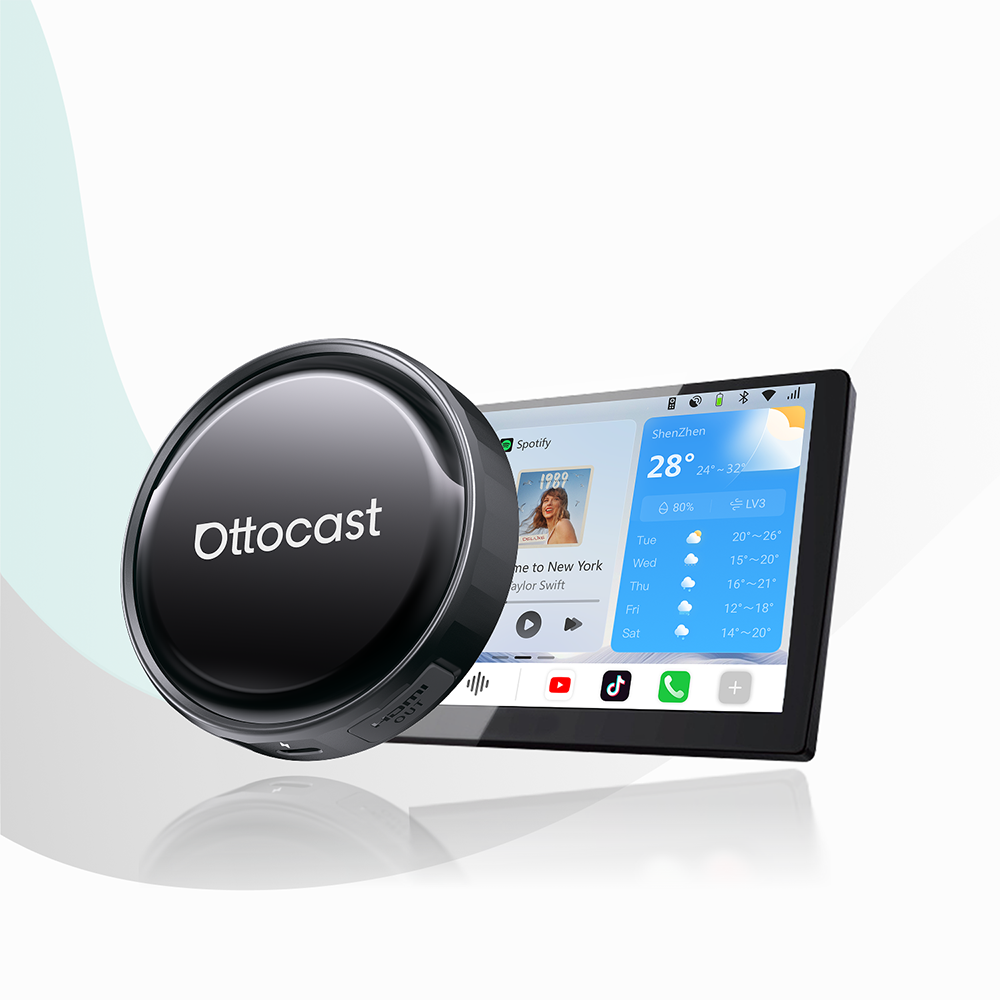
 P3 Pro er den ubestridte tunge spiller for dem, der nægter at gå på kompromis. Den er meget mere end bare en adapter. Det er en fuldskala Android 13 multimediecomputer indkapslet i et utroligt slankt, varmeafledende kabinet.
- Den kommer med en 8-core Snapdragon 6225 chipset og en stor 8GB/128GB hukommelseskonfiguration, og den håndterer 4K Netflix-streaming og navigation samtidig uden at miste en eneste frame.
- Den har en indbygget HDMI-udgang, som gør det muligt at spejle din Netflix-session til nakkestøttemonitorer, så børnene kan underholdes bagtil, mens du som fører holder øje med navigationen på instrumentbrættet.
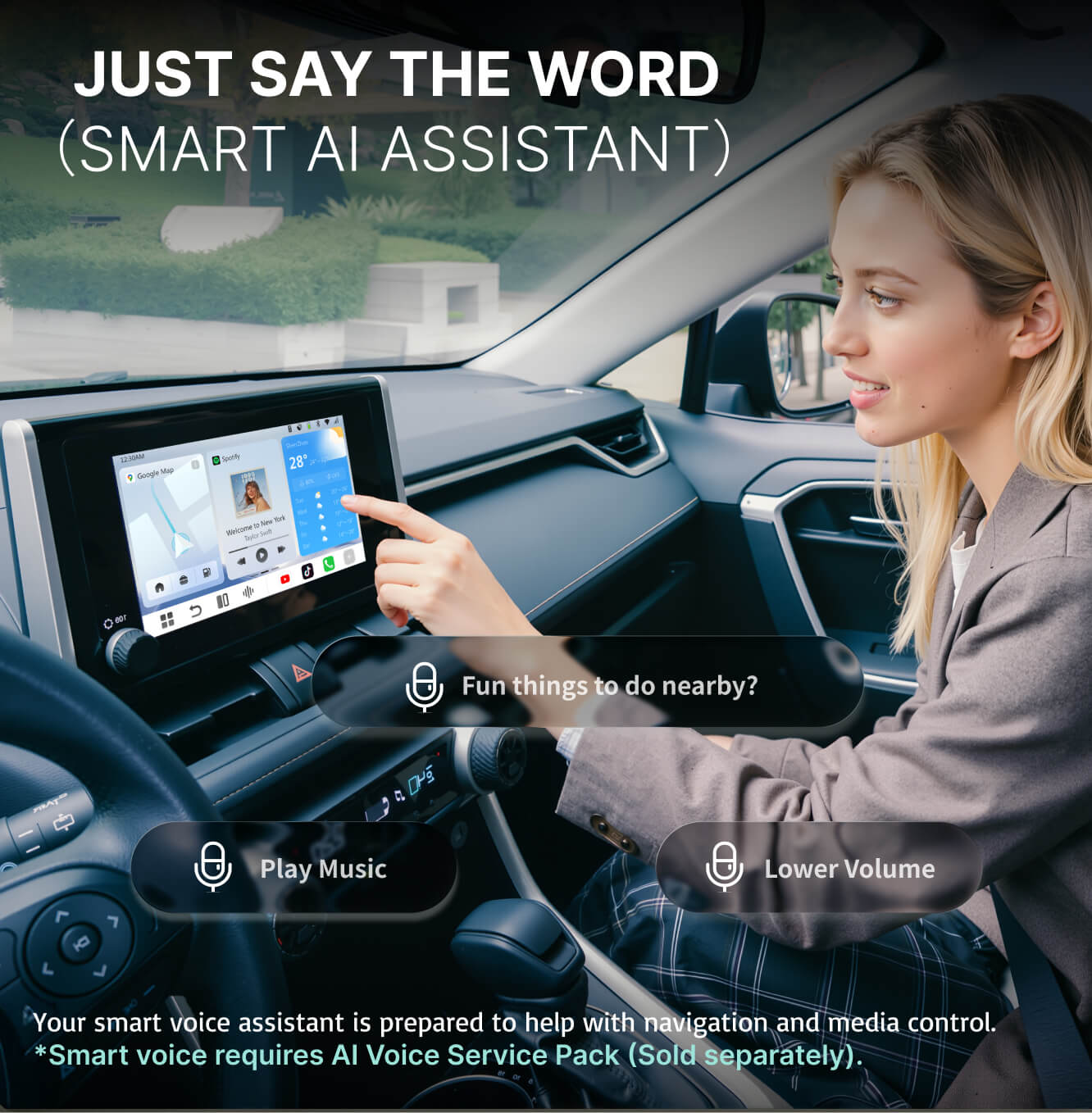
- Den er integreret med Gemini og ChatGPT via OttoDrive 3.0 OS og fungerer som en proaktiv co-pilot, der opsummerer dine morgenmails, mens du venter ved en ladestation.
Den intelligente følgesvend: Ottocast Nano AI
 Nano AI er fremtiden for interaktiv bilteknologi. Den er designet til brugere, der ønsker, at deres hardware skal være lige så smart som funktionel.
- Nano AI har en unik 1,83-tommer integreret skærm, der giver realtidsstatusopdateringer, musikvisualiseringer og animerede AI-udtryk, hvilket giver dit instrumentbræt en slags personlighed.
- Den har indbygget CloudSIM-teknologi, så Nano AI ikke behøver din telefon for at forblive online. Den søger selvstændigt efter det stærkeste mobilnetværkssignal og sikrer, at din Netflix-stream forbliver bufferfri, selv hvis din telefon er i en død zone.
- På trods af sin kompakte størrelse kører den et fuldt Android 13 OS, som giver dig ubegrænset adgang til Google Play Butik direkte på din bilskærm.
Forbindelseksperten: Mini Cube 3.0
 Hvis du ønsker et rent kabineudseende over alt andet, er Mini Cube 3.0 fremragende til din trådløse overgang.
- Den har proprietære adaptive modulationsalgoritmer og en Qualcomm QCA6174A dual-band radio. Mini Cube 3.0 tilbyder en forbindelse, der er så hurtig, at den føles kablet. Den har en latenstid på under 180 ms, hvilket er den laveste på markedet i 2026.
- Den er mindre end en standard nøglefob og passer i enhver USB-C-port, hvor den usynligt omdanner dit fabriksinstallerede system til en højtydende trådløs hub.
- Den er designet til den daglige pendler, og derfor sikrer funktionen med øjeblikkelig forbindelse, at din grænseflade er aktiv, og at din sidst afspillede medie er klar, før du overhovedet er begyndt at køre.
Netflix på CarPlay: Nem Opsætning og Optimeringsguide
Okay! Så du har det rigtige hardware. Men det er kun det første skridt. Hvis du vil være 100% sikker på at få en biografoplevelse i stedet for bare et standard video-feed, så følg denne optimeringsprotokol for 2026.
Trin-for-Trin: Fra Plug-and-Play til Netflix Login Skærmen
- Start med hardwareforbindelsen. Tilslut din Ottocast-enhed (uanset om det er P3 Pro eller Nano AI) til den primære dataaktiverede USB-C-port i din bil. Vent derefter på, at den blå LED-indikator tænder, hvilket viser, at opstartssekvensen er startet.
- Dernæst går vi til OS-initialisering. Bilens skærm skifter til OttoDrive-interface. I modsætning til den meget begrænsede CarPlay-skærm får du nu hele Android-miljøet.
- Nu går vi videre til netværkskonfiguration. Her kan du vælge den professionelle løsning ved at indsætte et Nano SIM eller aktivere CloudSIM-funktionen (på Nano AI og P3 Pro) for at få en fuldstændig uafhængig datastream. Der er også den standardløsning, hvor du forbinder til din telefons 5G-hotspot eller bilens indbyggede Wi-Fi 6-netværk.
- Det sidste trin er login. Åbn blot den forudinstallerede Netflix-app og log ind på din konto. Da denne hardware bruger et selvstændigt OS, logger du ind i den faktiske Netflix-app, ikke en spejlet version. På den måde får du højere bitrate og kan downloade indhold til offline visning.
Valgfrit: Finjustering af Dit Biografmiljø
Moderne hovedenheder findes i forskellige billedformater. Der er de brede skærme i nye Mercedes-Benz biler, men også portrætskærme som i en Volvo eller en Tesla.
Der er en mulighed for at rette billedformatet. Gå til OttoDrive-indstillingerne og naviger til Skærm. Brug derefter Crop-to-Fill eller Original 16:9 indstillingerne for at sikre, at dit Netflix-indhold ikke bliver strakt eller forvrænget.
Hvis du bemærker en lille forsinkelse på grund af bilens interne DSP (Digital Signal Processing), giver produkter som P3 Pro dig mulighed for at indstille en ±500ms lydforskydning for perfekt at synkronisere lyden med handlingen på skærmen.
Sikkerhed og Overholdelse i 2026: Passager-Først Mandatet
Uanset hvad skal vi følge de gældende regler. Det betyder, at integrationen af enhver video-kompatibel hardware i din bil styres af en streng passager-først filosofi. Men i fremtiden, efterhånden som bilernes automatiseringsniveauer stiger, vil fokus på førerens distraktioner mindske.
I mellemtiden kan vi lære at bruge Netflix på CarPlay ansvarligt.
Ansvarlig Brug af Video Under Kørsel
En Ottocast AI Box giver den tekniske mulighed for at streame Netflix, men den tilsidesætter ikke de grundlæggende trafikregler.
Stationær Streaming
Hovedanvendelsen for P3 Pro eller Nano AI er til øjeblikke, hvor bilen er parkeret, oplader eller fungerer som et mobilt fristed.
Dual-Zone Strategien
For biler udstyret med underholdning på bagsædet fungerer Ottocast-hardware som det centrale knudepunkt. Ved at bruge P3 Pro’s HDMI-udgang kan føreren holde instrumentbrættet dedikeret til navigation (sikkerhed), mens passagererne nyder biograf i høj opløsning bagtil (underholdning).
Opretholdelse af systemintegritet
En af de største risici ved at hacke bilens native software er muligheden for at forstyrre kritiske sikkerhedssystemer. Moderne biler er dybt integrerede. Enhver softwarefejl i infotainmentsystemet kan (selvom det er sjældent) udløse fejl i ADAS (Advanced Driver Assistance Systems).
Ottocast Fordelen
Vores hardware fungerer som en ekstern perifer enhed, i bund og grund en gæst på bilens USB-bus. Den forbliver isoleret fra bilens kerneoperativsystem, hvilket sikrer, at din vognbaneassistent, nødbremsning og systemdiagnostik forbliver uberørte og fuldt funktionsdygtige.
Sammenligning: Hardware AI Boxes vs. Ældre Software Hacks
Før vi afslutter emnet, lad os tage et hurtigt kig på en sammenligningstabel, der sætter AI-bokse op mod ældre software-hacks.
| Funktion | Ældre software-hacks (Jailbreaking/Spejling) | Ottocast 2026 Hardware (AI Boxes) |
|---|---|---|
| Stabilitet | Meget ustabil; tilbøjelig til at crashe under OS-opdateringer. | Ultra-stabil; uafhængigt OS omgår opdateringer på telefonen. |
| Videokvalitet | Komprimeret 720p; hyppige billedfald og forsinkelser. | Ægte 4K / 1080p streaming med høj bitrate via dedikeret GPU. |
| Enhedsrisiko | Risiko for at "bricke" telefonen eller ugyldiggøre bilens garanti. | Ingen risiko; plug-and-play perifert udstyr uden systemændringer. |
| Telefonfunktionalitet | Telefonen er "låst" eller overopheder under spejling. | Telefonen forbliver 100 % fri til opkald, sms og separate opgaver. |
| Forbindelse | Afhænger fuldstændigt af telefonens data og hotspot-stabilitet. | Uafhængig forbindelse via CloudSIM eller dedikeret Wi-Fi 6. |
Pro-tip: Undgå opdateringsfælden. Hver gang en ny version af iOS (som den nylige 26.4) eller Android udgives, bliver softwarebaserede løsninger patched og deaktiveret. Brugere ender ofte med at vente i ugevis på en løsning, der måske aldrig kommer.
Konklusion: Fremtidssikring af dit biografanlæg i bilen
Som vi har lært, er det at se Netflix på CarPlay gået fra en række hacks til en sofistikeret, hardwaredrevet industri. At investere i en dedikeret AI Box som P3 Pro eller Nano AI handler om at få din tid tilbage.
Det handler om at forvandle en stressende 40-minutters opladning af elbilen til en afslappende episode af din yndlingsserie. Det handler om en stille bagsæde under en 500-mils roadtrip. Det handler om ro i sindet ved at vide, at bilens sikkerhedssystemer er intakte, mens dine underholdningsmuligheder er ubegrænsede.
I 2026 er valget klart! Stop med at prøve at tvinge din telefon til at gøre noget, den ikke er designet til. Giv din bil den hjerne, den fortjener.
Forbedr hver eneste kilometer i dag med Ottocast.
Du vil måske også kunne lide