Introduction to YouTube CarPlay
YouTube CarPlay is a means of integrating the YouTube application with Apple Carplay to improve in-car entertainment systems. In the case of Apple Car Play which is more often used for directions, texting and also listening to music, the aspects of YouTube on Car Play have been existing users. The in-vehicle entertainment systems have developed from just radios up to very daunting Carplay systems which allow for safer driving as no hands are required on the wheel. Current features include the ability to access one’s phone through a car. In today’s world, this has become a necessity rather than a luxury. In particular, this section will explore the how of YouTube CSolutions to Watch YouTube on CarPlay: CarBridge, WheelPal, AI Box Guide
Introduction to YouTube CarPlay
YouTube CarPlay is a means of integrating the YouTube application with Apple Carplay to improve in-car entertainment systems. In the case of Apple Car Play which is more often used for directions, texting and also listening to music, the aspects of YouTube on Car Play have been existing users. The in-vehicle entertainment systems have developed from just radios up to very daunting Carplay systems which allow for safer driving as no hands are required on the wheel. Current features include the ability to access one’s phone through a car. In today’s world, this has become a necessity rather than a luxury. In particular, this section will explore the how of YouTube Carplay, its specific features and the next step in the development of in-car entertainment systems.
Understanding Apple CarPlay Integration
Apart from everything else, Apple CarPlay downloads the content of the iPhone user’s interface onto the dashboard of the car for convenience. This is achieved by using the iPhone and vehicle connection through a cable or for some vehicles a wireless connection to some vehicles. The main advantages of CarPlay are its easy interface and Siri voice control, messaging, navigation, and music playing. CarPlay supports popular apps like Google Maps and Apple TV, but restricts video streaming apps such as YouTube and Netflix for safety reasons. CarPlay also integrates messages for communication, allowing users to send and receive texts, but restricts message-related apps to minimize distractions. Excursion of using Carplay covers many car manufacturers such as BMW, Ford, Toyota, and Honda among others. By converting some basic functions of the smartphone into the dashboard of the car, the driver can focus more on driving, leading to fewer chances of accidents.arplay, its specific features and the next step in the development of in-car entertainment systems.
Understanding Apple CarPlay Integration
Apart from everything else, Apple CarPlay downloads the content of the iPhone user’s interface onto the dashboard of the car for convenience. This is achieved by using the iPhone and vehicle connection through a cable or for some vehicles a wireless connection to some vehicles. The main advantages of CarPlay are its easy interface and Siri voice control, messaging, navigation, and music playing. CarPlay supports popular apps like Google Maps and Apple TV, but restricts video streaming apps such as YouTube and Netflix for safety reasons. CarPlay also integrates messages for communication, allowing users to send and receive texts, but restricts message-related apps to minimize distractions. Excursion of using Carplay covers many car manufacturers such as BMW, Ford, Toyota, and Honda among others. By converting some basic functions of the smartphone into the dashboard of the car, the driver can focus more on driving, leading to fewer chances of accidents.
YouTube on CarPlay: Is It Officially Supported?
YouTube is not officially compatible with Apple CarPlay. Apple has strict policies which accept no inclusion of the YouTube video app due to safety issues. Apple forbids streaming of video in a moving vehicle, on the other hand, to prevent the driver from being distracted by this activity. Even though this move improves the situation, it offers no fun at all. You cannot, on the other hand, do it the official way of watching YouTube videos on CarPlay, though most users have sought other means and to some extent succeeded and bypassed the restrictions raising concerns on the safety vis a vis convenience in modern vehicles.
Workarounds for Streaming YouTube on CarPlay
There are several methods to watch YouTube on CarPlay, including using third-party apps, screen mirroring, and external devices. We know that CarPlay does not officially support YouTube, however, there are many other workarounds. Applications such as WheelPal or CarBridge can be used to view YouTube via CarPlay without Apple’s restrictions. Another way is to jailbreak the iPhone – provide user access over customization and add the option to use YouTube through CarPlay. However, these tools also have their disadvantages such as effects like void warranty, instability of the OS, and possible security loopholes. These tools might have their advantages of accessing YouTube but drivers need to assess the need of using these tools against the danger of using them. When playing YouTube content through these workarounds, always prioritize safe and legal use.
Best Apps to Watch YouTube Videos on CarPlay
If you are one of those who want to watch YouTube on a Carplay system, carplay apps such as the WheelPal app, VLC, and Plex are generally regarded as viable options. This is because these applications do not require YouTube to watch the videos. Each has its functionality like VLC lets users view the contents of the mp4 or mpeg files having been downloaded and Plex provides videos from owned media. Even though such apps do not have direct access to YouTube, they can help the user to stream videos over the internet on the move. Safety on the roads is essential and these options should be taken as safer means for the leisure purpose of the users.
Step-by-Step Guide to Setting Up YouTube on CarPlay
To Google or YouTube on Carplay using third-party apps or workarounds, a jailbroken iPhone or a particular third-party app which is CarBridge is needed. Make sure your cellphone is updated and Carplay is connected to the car properly. To install WheelPal, you can download and install the WheelPal app (WheelPal.ipa) without jailbreaking, though some methods may require specific tools like Carbridge Installer. If you choose to jailbreak your iPhone to enable third-party apps, you may use jailbreak tools such as Checkra1n, Unc0ver, Dopamine, or Palera1n. Install the appropriate app, set the appropriate preferences, and turn on the Carplay video output. When this happens, solutions to the problem usually include deleting and reinstalling the app or adjusting Carplay settings. Be warned of possible application errors or crashes of the system apps when using methods that are not. Ottocast products can help to work around this limitation by providing easy CarPlay implementation without the need for jailbreaking or installing 3rd party applications.
1.Play2Video Pro Wireless CarPlay/ Android Auto All-in-one Adapter:
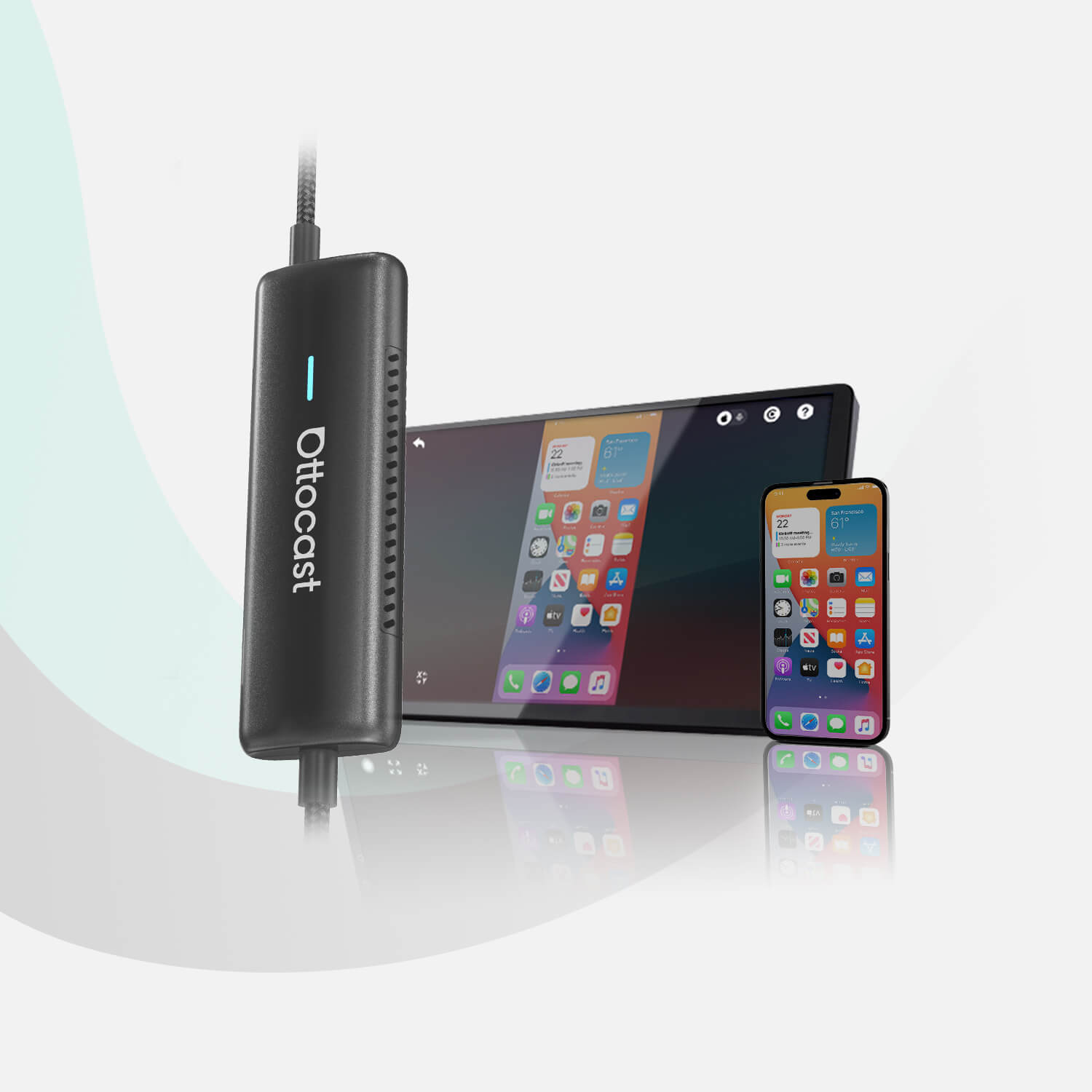
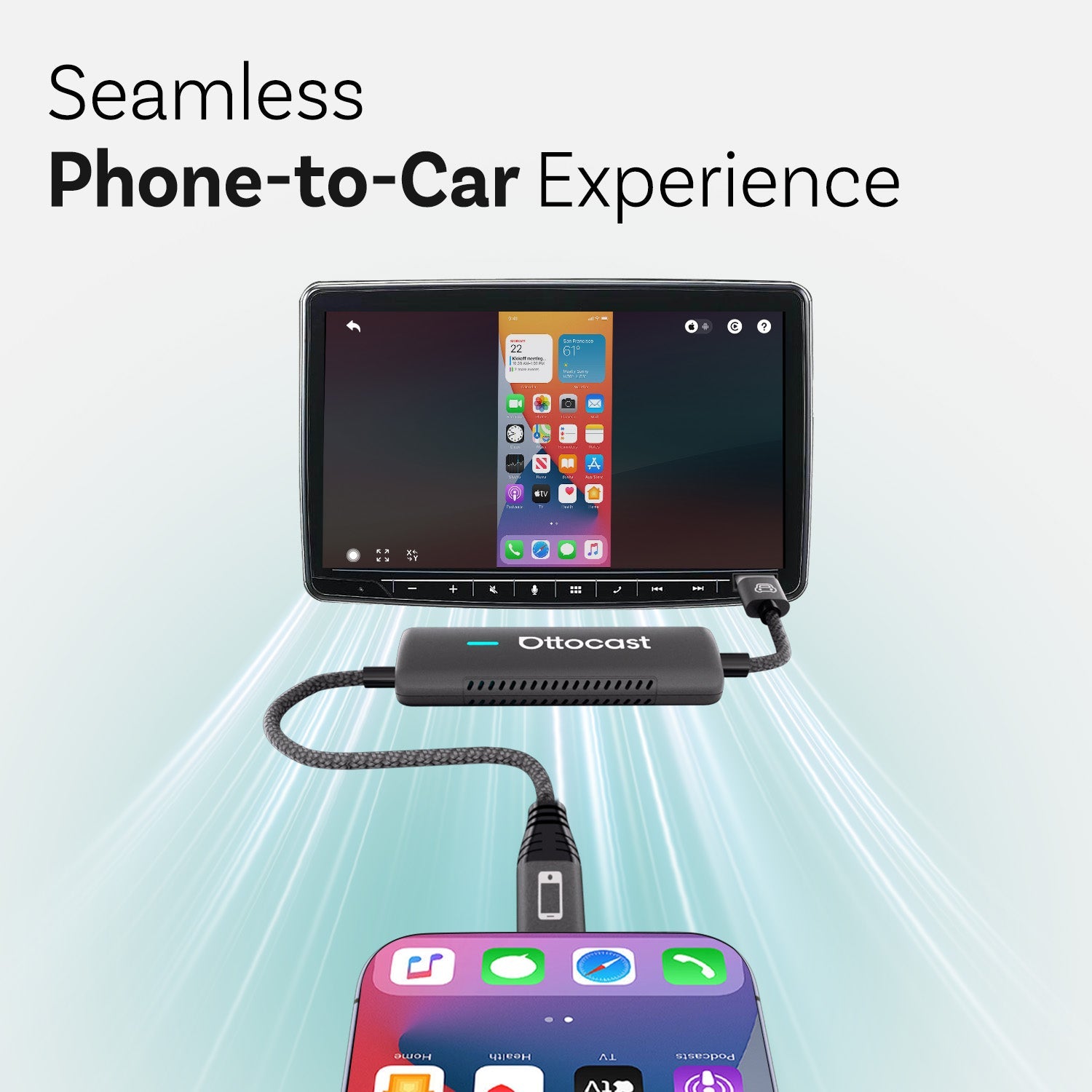
Designed for maximum ease of use for drivers wanting a better multimedia experience, the Play2 Video Pro Adapter handles the task of watching YouTube with less time taken by users in cars. With more user-friendly interface functionalities and built-in apps like that found in the Android 12 system, app installation can be avoided and YouTube can be directly accessed. To access YouTube and other streaming services, users may need to log in with their YouTube account, so secure access is important. The product has wireless connectivity as soon as you enter the premises, and therefore there is no need to bother with any cables hence your favorite videos load quickly and easily. These are ideal for frequent travelers and media consumers who prefer quick availability and speed. This device supports playing videos from various sources, including YouTube, and can also support Netflix and other DRM content, depending on the app used.
2.OttoAibox P3 CarPlay AI Box
The OttoAibox P3 transforms the Youtube streaming experience with its 8GB RAM and 882 GB storage and still permits fast loading of all multimedia applications. One can enable or disable CarPlay, Android Auto, or OttoDrive 2.0 at will making it easy to access YouTube in a short time. Many devices have OTA updates which makes sure that even without any efforts made by the customer the system is always necessary making them able to watch Youtube streaming on it in less time. To use YouTube or other streaming apps, users may be required to log in with their account, so always ensure your credentials are secure. This is a perfect option for those users who require high productivity and uninterrupted internet access. The OttoAibox P3 supports playing videos from YouTube and other sources, and can support Netflix and DRM content through compatible apps.
3.OttoAibox i3 BMW CarPlay AI Box
Targeting BMW car owners, the OttoAibox i3 CarPlay AI Box is built to stream YouTube very fast and reliably too. The 4GB of RAM and 64GB of storage enables fast opening and playing, while FOTA Feature Over The Air in the system updates the box to further keep it working well. This AI box matches the requirements of BMW owners who wish to access Youtube and other platforms effortlessly while driving owing to the perfect fit of this AI box in the iDrive system. Logging in with your YouTube account is necessary for personalized recommendations and subscriptions, so always ensure secure access. The OttoAibox i3 supports playing videos from YouTube and can support Netflix and DRM content through compatible apps.
YouTube CarPlay and Voice Control
You can ask Siri to control the app and navigate the pages of the app without using your hands, but you can’t control the YouTube app with your voice When using it with carplay. Using other applications, voice commands can also be used, making it safe to watch videos. With the introduction of voice control, drivers no longer need to keep their hands off the wheel to operate YouTube or other video services. Aero has been expanded concerning traffic safety and Carplay usage since voice control reduced task load and avoided inattention to the driver while controlling posted speed.
Enhancing Your CarPlay Experience with YouTube
For a better experience of CarPlay, YouTube playback through your phone, while driving in CarPlay mode may be maximized if your phone is current and operating compatible with third-party applications that support good video streaming. You can also use your mobile phone as a streaming source for YouTube or other media. For safer driving, consider using YouTube audio mode to listen to content without video distractions. Optimizing CarPlay settings can also help improve your experience for instance arranging the app interface in a way that minimizes scrolling to extend usage. Wireless chargers and dash mounts will also add more value. For smooth operation, look for high-quality apps that enable plants to be streamed without cuts, and make sure that any content viewers or drivers engage with does not compromise safety. Enabling YouTube on CarPlay can enhance the driving experience, but always prioritize safety and avoid distractions while on the road.
Audio-Only Mode for YouTube on CarPlay
YouTube Music eliminates all the risks that come with using YouTube Carplay towards watching videos and listening to music as it is an app set for audio-only. It helps users to enjoy music without the distractions of videos which are annoying. The audio mode on YouTube Music although it also has access to the wide variety of content available, provides for more drivers appropriate format. The app also provides flexibility as one can move from video mode to audio mode and vice versa without having to exit the app which is good for safety reasons. This user’s choice is best for listening only – be it music, podcasts or any YouTube content.
CarPlay and YouTube Music
Connecting and installing YouTube Music on CarPay is easy. First, connect your iPhone and go to the App Store to get YouTube Music from the carplay menu. You can listen to host songs, songs that are loved, songs with suggestions or collections of songs in playlists while driving. Apart from the usual on-demand music services where you can choose specific songs, YouTube Music brings features such as offline playback and high-quality audio streaming which makes it quite competitive with similar music services on the CarPlay module such as Spotify or Apple Music. YouTube Music’s extensive library makes it possible to cater for all classes of drivers by providing quite a variety of music.
YouTube CarPlay in Different Car Models
There are differences in the effectiveness of CarPlay, notably about the latest car models, which are more advanced than many others. Companies like Audi or Mercedes offer some of the best solutions for their CarPlay devices, however many older vehicles without Carplay support still need to be fitted with after-market adaptors or kits. Also, there are restrictions to the type of screen that YouTube is streamed on in some cars. For a more aged vehicle, CarPlay’s YouTube feature can still be enjoyed by simple head unit changes or additional software downloads. Installation of such systems varies from car to car, therefore it is wise to decide on what will work for your vehicle.
Comparing YouTube CarPlay with Android Auto
In-car platforms have two primary players: Apple CarPlay and Android Auto. Neither officially supports Youtube but Android Auto and especially the later modifies to complement their operation more easily. Streaming YouTube content on Android devices may be easier as they are more flexible. Wireless Android Auto also allows for streaming video content and offers more options for integrating third-party apps and services. In contrast to that Apple CarPlay, has maintenance of less flexibility but has reasons for that due to its safety principles. In general, the CarPlay system is more user-friendly; however, in video playback, particularly YouTube, Android Auto may allow for greater flexibility.
YouTube CarPlay for Long Road Trips
Long road trips become more interesting and exciting thanks to CarPlay, especially when it comes to the activity of its passengers seeking Something to watch. One can watch different songs, documentaries or even films which will improve the travel experience. To avoid running out of playback during the trip, even before the trip, content can be saved for offline use, or paired with good third-party tools. While traveling, constitutional disturbances should also be reduced either by previous arrangements of materials for the journey or by putting on the audio mode of the YouTube Music application. When managed properly, these features help improve the above distance when traveling. Enabling YouTube on CarPlay can make long trips more enjoyable for passengers and enhance the overall driving experience, but always ensure safety is the top priority.
Parental Controls and YouTube CarPlay
Using YouTube CarPlay with vehicles containing children, it goes without saying that parental screens are necessary. Depending on which restrictions one has set for the iPhone or the parental settings on YouTube, they can dictate the restrictions. For little kids, there is kid mode with more content that will be appropriate for them without exposing them to the wrong video clips. Apps use a similar application to monitor online usage and limit screen time so that that which takes place in the rear is engaging even on family vacations when parents do not have to worry about their kids watching excessive YouTube.
YouTube on CarPlay includes entertainment that fans will appreciate, but parents have to keep safety in mind. Although there is no official assistance for lovers of YouTube, it is not all lost. It is very important how one combines the advantages offered by video streaming and an ideology of responsible driving. Going forward there can be developments with additional video variety but they are more likely to be safer and less intrusive. As of now CarPlay users had better forget about the video and rejoice in music. Useful content is made available to users without compromising their safety in the process.
Is it legal to stream YouTube on CarPlay while driving?
Traffic rules and regulations are not in favor of people streaming YouTube on CarPlay while driving since it is dangerous. Apple and most local laws ban videos because of the need to avoid distractions to the driver and passengers. Overlapping with prohibitions or using such devices or apps to stream YouTube on CarPlay is infringing road traffic laws and may cause fatal crashes.
What are the risks of jailbreaking my iPhone for YouTube on CarPlay?
When a user jailbreaks an iPhone solely to enable YouTube on a Carplay, the user can be exposing themselves to several pitfalls namely, warranty voiding, security risk to their device, and system instability. Further, it could open the door to unlawful action and may even provide scope in devices malfunctioning giving a tilted view towards risk in accessing YouTube over carplay.
Can I listen to YouTube Music without video on CarPlay?
Yes, that is possible, listening to YouTube music without video on carplay is possible. That is, instead of video playback, stream songs, playlists, or podcasts through the YouTube Music app using the audio-only mode, which helps keep all concentration on the road. This mode offers a safer mode of video streaming and it can be fully utilized with Carplay to enhance drivers’ comfort.
Which third-party apps are best for watching YouTube on CarPlay?
Carbridge and Wheel Pal are some of the third-party applications for watching YouTube on Carplay. These apps allow you to watch YouTube videos by going around the limitations that Carplay puts. Using these applications, however, comes with some negative effects including security issues and instability of the system hence the need for caution.
Will Apple ever officially support YouTube on CarPlay?
So far, Apple stands firm that there is no YouTube support for Carplay with the driving distractions remaining to be the reason for this. There isn’t any plausible system for the time being that supports ‘no further changes’. While it is unknown how YouTube for CarPlay will be changed, it is reasonable to assume that it will be put on the back burner for some time as Apple’s stance right now is on safety and not on video playback functionality. If YouTube were to be adopted, then it would be fair to assume that an entire chapter would be solely dedicated to ‘Instructions on YouTube use’.
Compatible Devices and iOS Versions
To watch YouTube and use other video streaming apps on Apple CarPlay, it’s important to ensure your device and iOS version are compatible with the necessary tools. WheelPal, a popular app for enabling YouTube on Apple CarPlay, supports a wide range of iOS versions—from iOS 9 all the way up to iOS 18, including all subversions in between. This broad compatibility means that most iPhone users can take advantage of WheelPal’s features, provided they have the right hardware.
For those looking to stream YouTube, Netflix, or other video apps directly on their car screen, a jailbroken iPhone is required. Supported iPhone models include the iPhone 6, 6 Plus, 6s, 6s Plus, SE, 7, 7 Plus, 8, 8 Plus, X, XS, XS Max, XR, 11, 11 Pro, 11 Pro Max, 12, 12 Pro, 12 Pro Max, 13, 13 Pro, 13 Pro Max, 14, 14 Pro, and 14 Pro Max. This extensive list covers nearly all recent iPhone models, making it easy for users to find a compatible device for installation.
If you’re an Android user, the WheelPal Android app supports all Android versions, but you’ll need root access to fully install and use video streaming apps like YouTube on your car’s infotainment system. Whether you’re using an iPhone or Android device, always check your phone’s compatibility and iOS version before starting the installation process to ensure a smooth experience when you watch YouTube on Apple CarPlay.
Adding Apps to CarPlay
Expanding the functionality of your Apple CarPlay system to include video streaming apps like YouTube, Netflix, and more is possible with the help of third-party solutions such as WheelPal. With WheelPal, users can install non-official apps on their car screen, allowing them to stream YouTube videos, watch movies, and access a variety of other streaming apps directly through CarPlay or Android Auto. To add these apps, a jailbroken iPhone or a rooted Android phone is typically required, enabling the installation of apps that aren’t officially supported by Apple.
WheelPal supports a wide range of popular apps, including YouTube, Netflix, Hulu, HBO, Amazon Prime, Facebook, Messenger, FaceTime, Hangouts, Skype, Videos, Viber, Safari, Chrome, Twitter, Mail, Photos, Weather, Slack, VLC Player, KMPlayer, Zoom, Line, and Outlook. For those who want even more flexibility, third-party apps like CarBridge and NGXPlay can also be used to add additional apps to CarPlay, giving you access to all the apps you love on your car’s infotainment system.
If you prefer not to jailbreak your iPhone, there are alternative methods to stream YouTube videos on your car screen. Screen mirroring apps such as ApowerMirror and Reflector allow you to mirror your iPhone’s display to CarPlay, letting you watch YouTube on Apple CarPlay without jailbreaking. Additionally, hardware solutions like USB or HDMI dongles can be used to connect your phone to the infotainment system, enabling video playback and streaming apps without modifying your device’s software. Before installation, always check app compatibility with your car model and CarPlay system to ensure a seamless experience when you download and install new apps.
You may also like