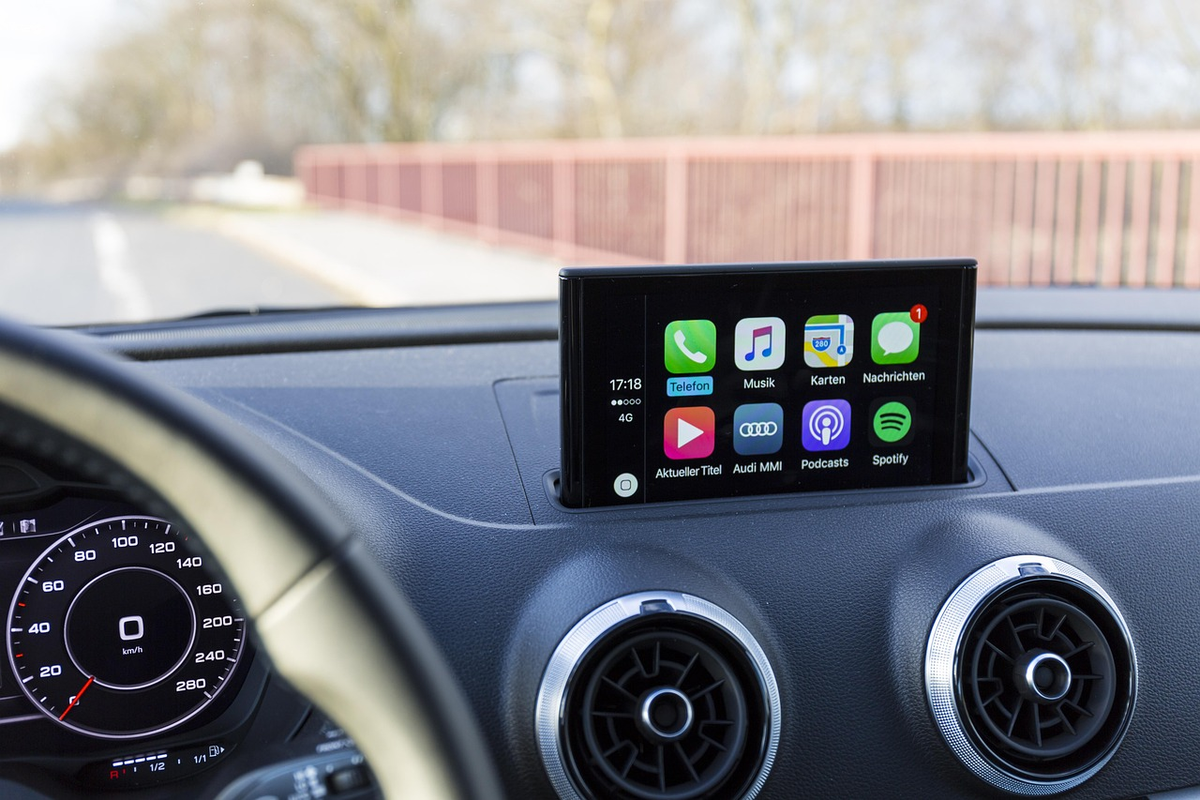
Apple CarPlay används i stor utsträckning i bilar över hela världen. Som förare gör det din resa smidigare. Det erbjuder ett säkrare och smartare sätt att komma åt navigation, musik, meddelanden och viktiga appar utan att ens röra din telefon. Om du befinner dig i andra änden av spektrumet (till exempel om du är utvecklare eller biltillverkare) är Apple CarPlay ett strikt kontrollerat ekosystem där enkel användning med minimala distraktioner kommer först.
Men det finns en hake. Inte alla iPhone-appar fungerar med CarPlay, och det finns en anledning till det.
Hur kompatibilitet med Apple CarPlay-appar fungerar

Det första du behöver förstå är att Apple CarPlay inte är en öppen appplattform. Det betyder att varje app som visas på CarPlay-instrumentpanelen måste vara uttryckligen godkänd av Apple. Den måste också tillhöra en av följande kategorier.
- Navigation och kartor
- Ljud- och musikstreaming
- Podcasts och ljudböcker
- Meddelanden och kommunikation
- Samtal och VoIP
- Laddning av elbil, bränsle och fordonsfunktioner
- Parkering och reseassistans
- Väder och körförhållanden
Dessa begränsningar finns av en enda anledning, och det är för förarens säkerhet. Alla appar som erbjuder någon form av visuell distraktion, scrollning eller videouppspelning är helt enkelt inte tillåtna.
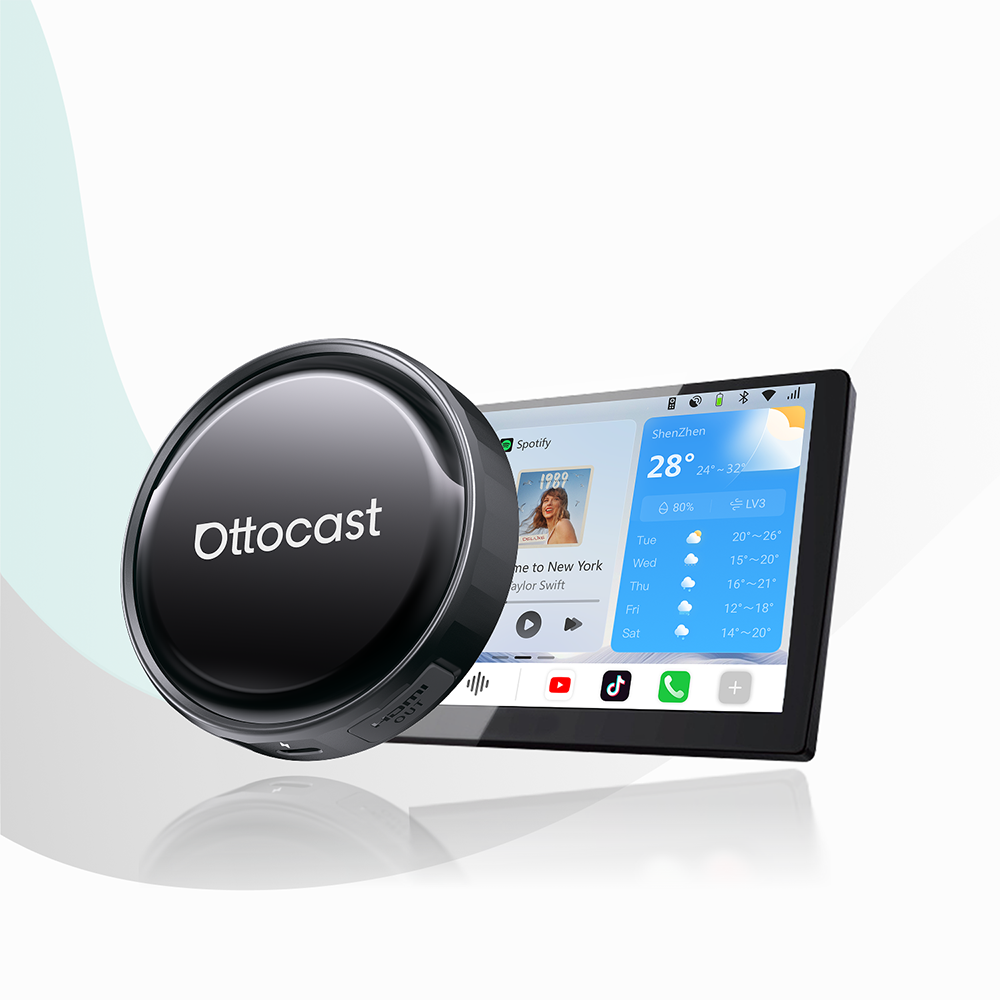
Vid det här laget bör vi också nämna att hårdvaran spelar stor roll. Apple kontrollerar mjukvarulagret, men hur du ansluter till CarPlay beror på din bil eller adaptern du använder. Många förare förlitar sig nu på trådlösa CarPlay-adaptrar från Ottocast för att få tillgång till samma godkända CarPlay-appar utan att behöva koppla in sin telefon varje gång.
Varför vissa populära appar fortfarande inte fungerar med CarPlay
Appar som YouTube, Netflix, TikTok, webbläsare och andra typer av appar som kan distrahera föraren stöds inte. De kräver för mycket visuell uppmärksamhet, och Apples policy prioriterar lättöverskådlig information, snabb röststyrning och minimal interaktion med enheten.
För Apples officiella förklaring av dessa begränsningar, se Apples CarPlay-stöddokumentation.
Hur vi valde och kategoriserade dessa CarPlay-appar

Vi ville fokusera på tydliga kriterier baserade på verklig körning år 2026. Varje app på vår lista utvärderades utifrån hur den erbjuder officiellt stöd, dess aktuella relevans i CarPlay-världen och hur väl den faktiskt fungerar när du är ute på vägen.
Det här tittade vi på:
1.Officiellt stöd för Apple CarPlay
2.Aktiv utveckling och uppdateringar
3.Användbarhet i verkliga livet
4.Kategori-relevans (inga onödiga appar)
Navigation och kartor: Appar för Apple CarPlay
Apple Maps

Apple Maps är standardnavigationsappen på din iPhone. Den är direkt kopplad till Siri och det bredare Apple-ekosystemet. Den har förbättrats mycket de senaste åren och erbjuder nu smidigare grafik och mer exakt ruttplanering i många regioner.
Bäst för: Förare som föredrar en inbyggd Apple-upplevelse och sömlös iPhone-integration.
Google Maps

Google Maps är förmodligen den mest omfattande navigationsplattformen som finns. Den har ett starkt rykte för noggrannhet och omfattande global täckning med rik data. Den levererar pålitlig ruttplanering och utmärkt realtidsinformation om trafik.
Bäst för: Stadsförare, internationella resor och användare som förlitar sig på detaljerad platsdata.
Waze

Waze är lite annorlunda eftersom det är en community-driven navigationsapp. Fokus ligger här på realtidsinformation om vägförhållanden. Den bästa funktionen är att den varnar förare för olyckor, faror, fartkontroller och plötsliga trafikstockningar.
Bäst för: Dagliga pendlare och förare som prioriterar att undvika trafik.
HERE WeGo

HERE WeGo är en navigationsapp som skapats med frekventa internationella förare i åtanke. Den erbjuder utmärkt offlineåtkomst och pålitlig internationell täckning, och är särskilt användbar i områden med begränsad mobildatatäckning.
Bäst för: Internationella resenärer och behov av offline-navigering.
Sygic GPS Navigation

Sygic är en premium navigationsapp med fokus på högkvalitativa offlinekartor och avancerade säkerhetsfunktioner. Den är populär bland förare som vill ha mer kontroll och fler anpassningsmöjligheter.
Bäst för: Förare som vill ha offline-navigering med avancerade vägledningsfunktioner.
TomTom GO Navigation

TomTom GO Navigation är en prenumerationsbaserad CarPlay-app som levererar exakt, pålitlig och reklamfri navigering. TomTom är ett välkänt kartmärke och för med sig all sin expertis till denna lilla app.
Bäst för: Förare som vill ha en premium, störningsfri navigationsupplevelse.
Musik- och ljudströmningstjänster för CarPlay
Apple Music

Apple Music är Apples inbyggda musikströmningstjänst och är förmodligen den bästa appen för att strömma musik i bilen med CarPlay. Den är fullt integrerad med Siri och det är mycket enkelt att säkert hantera din musik, radio eller poddar medan du kör.
Bäst för: iPhone-användare som vill ha en helt inbyggd musikupplevelse.
Spotify

Spotify är utan tvekan den mest populära i gruppen. Det är den mest använda musikströmningstjänsten, känd för sina utmärkta rekommendationsalgoritmer. CarPlay-integrationen är enkel, responsiv och lätt att hantera medan du kör.
Bäst för: Förare som förlitar sig på spellistor, upptäckter och synkronisering mellan enheter.
YouTube Music

YouTube Music har tillgång till hela YouTube-biblioteket, så fokus ligger på musikvideor, liveframträdanden och sällsynta spår som inte alltid finns tillgängliga någon annanstans. På CarPlay fungerar det dock enbart som en app för ljudströmning.
Bäst för: Lyssnare som vill ha tillgång till liveversioner, remixer och nischade spår.
Amazon Music

Amazon Music erbjuder en stabil streamingupplevelse, men är definitivt inte lika populär som alternativen ovan. Men om du är Amazon Prime-medlem bör du definitivt prova den. CarPlay-gränssnittet är enkelt med lättanvända röstkontroller.
Bäst för: Amazon Prime-användare.
Tidal

Om du är en audiofil känner du redan till Tidal. Det är en premium musiktjänst som erbjuder högupplöst ljudkvalitet. CarPlay-appen prioriterar ljudkvalitet framför sociala funktioner.
Bäst för: Förare som har kvalitetsljudsystem i bilen och värdesätter ljudkvalitet och ren uppspelning.
SoundCloud

SoundCloud är utmärkt eftersom det ger oberoende musik, remixer och nya artister en plats att nå ut till en publik. Om du gillar oberoende musik är den här appen för dig. Den ger enkel tillgång till sparade spår och spellistor på CarPlay.
Bäst för: Musikälskare som är intresserade av indie-musik och nya skapare.
Pandora

Pandora skiljer sig helt från de tidigare musiktjänsterna eftersom detta är en radiostilad streamingtjänst som fokuserar på radiostationer snarare än on-demand-spår och musikalbum. CarPlay-integrationen är enkel och röståtkomsten lätt.
Bäst för: Förare som föredrar radio.
Podcast- och ljudboksappar kompatibla med CarPlay
Apple Podcasts

Apple Podcasts är standardappen för podcasts på din iPhone och integreras perfekt med Siri och Apple-ekosystemet. Du får en ren och störningsfri CarPlay-upplevelse som prioriterar enkelhet och röststyrning.
Bäst för: Förare som vill ha en enkel och inbyggd podcastupplevelse med nästan inga installationsproblem.
Audible

Audible är för ljudböcker och erbjuder en omfattande katalog av ljudböcker, podcasts och exklusivt långt innehåll. CarPlay-integrationen fokuserar på enkel uppspelning och smidiga sätt att fortsätta där du slutade.
Bäst för: Personer som regelbundet lyssnar på ljudböcker och andra längre talade format när de är i bilen.
Spotify (Podcasts)

Spotify är också en podcastplattform. Du kan hantera musik och podcasts, och på CarPlay nås podcasts via samma välbekanta gränssnitt.
Bäst för: Personer som inte vill byta appar mellan podcasts och musik när de kör.
Pocket Casts

Pocket Casts är en kraftfull podcastapp som är designad för alla som vill ha detaljerad kontroll över uppspelningen. CarPlay-gränssnittet är rent, med enkel tillgång till avancerade funktioner.
Bäst för: Podcastentusiaster som vill ha mer kontroll.
Overcast

Overcast är känt för sina funktioner Smart Speed och Voice Boost. Det fokuserar på ljudklarhet och effektiv lyssning, men saknar omfattande upptäcktsverktyg.
Bäst för: Lyssnare som vill ha ljudklarhet och tidseffektivitet i bilen.
Libby

Libby kopplar användare till ljudböcker och poddar från offentliga bibliotek med hjälp av ett bibliotekskort. Dess CarPlay-stöd gör lån-baserad lyssning praktisk på vägen.
Bäst för: Förare som vill ha gratis, laglig tillgång till ljudböcker och poddar.
Meddelande- och kommunikationsappar för Apple CarPlay
Apple Messages

Apple Messages är den inbyggda iOS-appen för meddelanden. Den erbjuder den enklaste möjliga integrationen med CarPlay du kan tänka dig. Den är helt utformad kring Siri-röststyrning, så du behöver inte ens titta på din telefon.
Bäst för: Förare som främst kommunicerar via iMessage eller SMS.

WhatsApp är en av världens mest använda meddelandeplattformar, utvecklad av Meta. Den erbjuder stabilt CarPlay-stöd för röstkommunikation, och meddelanden hanteras helt via Siri.
Bäst för: Förare som förlitar sig på plattformsoberoende meddelanden.
Telegram

Telegram erbjuder säker, molnbaserad meddelandehantering med CarPlay-stöd. Det fokuserar främst på röstuppspelning och diktering. CarPlay-integrationen med denna app speglar Apples säkerhetsfokuserade tillvägagångssätt.
Bäst för: Förare som använder Telegram för säker eller gruppkommunikation.
Messenger

Facebook Messenger är mindre populärt 2026, men många använder det fortfarande. Du får grundläggande CarPlay-meddelandefunktioner och röststyrd interaktion, men funktionaliteten är (medvetet) minimal.
Bäst för: Personer som fortfarande främst kommunicerar via Facebook Messenger.
Signal

Detta är en integritetsfokuserad meddelandeapp som är utformad för säker, endast röstbaserad kommunikation. Den prioriterar kryptering utan att kompromissa med användarvänligheten.
Bäst för: Personer som prioriterar privat och säker meddelandehantering.
Samtals-, VoIP- och konferensappar
Telefon

Naturligtvis är den inbyggda Telefon-appen grunden för alla samtal på Apple CarPlay. Den erbjuder den mest pålitliga och snabba samtalshanteringen, fullt integrerad med Siri och bilens kontroller.
Bäst för: Alla förare! Detta är standard och det mest pålitliga samtalsalternativet.
Ladda ner: Detta är förinstallerat på alla iPhones.
Microsoft Teams

Microsoft Teams erbjuder inte fullständigt stöd för CarPlay. Du får endast röstsamtal och meddelandenotiser. Det är utformat för affärskommunikation snarare än vardagliga meddelanden.
Bäst för: Affärsförare som behöver vara nåbara under arbetstid.
Zoom (endast ljud)

Zoom är som Teams, med begränsat stöd som fokuserar på ljudmöten. Video och skärmdelning är avstängda under körning.
Bäst för: Förare som behöver lyssna på möten under pendlingen.
Appar för elbilar, bränsle och fordonsnytta för CarPlay
PlugShare

PlugShare är en av de mest använda apparna för att hitta laddstationer för elbilar. Den erbjuder detaljerad stationsdata och community-drivna recensioner. Efter att ha kopplat den till CarPlay kan du snabbt hitta pålitliga laddningsalternativ.
Bäst för: Elbilsförare som vill ha pålitlig och användarverifierad laddningsinformation.
ChargePoint

ChargePoint är både ett laddningsnätverk och en hanteringsapp. Den erbjuder direkt tillgång till en av de största laddinfrastrukturerna för elbilar, och när du kopplar den till ditt CarPlay-system prioriterar den snabb stationupptäckt och navigation.
Bäst för: Elbilsförare som regelbundet använder ChargePoint-nätverket.
Electrify America

Electrify America fokuserar på något specifikt, nämligen snabbladdning med hög hastighet via likström längs stora reseleder. Om du kopplar den till CarPlay hjälper den dig på längre resor med trygghet.
Bäst för: Elbilsförare som ofta reser långa sträckor.
Shell Recharge

Shell Recharge är en aggregator. Den samlar flera laddningsnätverk på en enda plattform, vilket gör det enklare att hitta och betala för laddning över olika regioner.
Bäst för: Elbilsförare som reser över regioner och länder.
GasBuddy

GasBuddy är en app som hjälper förare att hitta de lägsta bränslepriserna i närheten. Den använder realtidsdata som är helt crowdsourcad. Den stöder snabba prisjämförelser och navigation till stationer när du använder den på CarPlay.
Bäst för: Förare av bensinbilar som vill minimera bränslekostnader.
Fuelio

Fuelio fokuserar på långsiktig spårning av bränslekostnader och effektivitet. Detta kommer förstås som ett komplement till prisjämförelser. När du kopplar den till CarPlay får du snabb registrering och navigation.
Bäst för: Personer som vill ha detaljerad insikt i bränsleförbrukning och kostnader.
Appar för parkering, resor och roadtrips
Parkopedia

Parkopedia är en pålitlig parkeringsdatabas som hjälper förare att hitta garage, gatuparkering och parkeringsplatser nära deras destination. Den fungerar som en upptäckts- och navigationskompis på CarPlay.
Bäst för: Förare som behöver navigera i täta stadsmiljöer eller okända städer.
SpotHero

SpotHero låter dig reservera parkering i förväg i garage och på parkeringsplatser, ofta till rabatterade priser. CarPlay-stödet fokuserar på att guida förare till förbokade parkeringsplatser.
Bäst för: Förare som deltar i evenemang eller pendlar till trånga stadskärnor.
PayByPhone

PayByPhone ersätter fysiska parkeringsmätare med mobila betalningar, vilket gör att förare kan betala och förlänga parkeringstiden på distans. CarPlay-stödet är utmärkt för snabba, zonbaserade åtgärder.
Bäst för: Stadschaufförer som ofta parkerar på gatan.
Expedia

Expedias support är begränsad men användbar för navigation. Du kan hitta bokade hotell eller hyror, men du kan inte boka din vistelse medan du kör.
Bäst för: Personer som navigerar till förbokade hotell eller hyror.
Booking.com

Booking.com är liknande Expedia. Du kan använda den för ungefär samma saker.
Bäst för: Förare på långa resor med flera hotellstopp.
Roadtrippers

Roadtrippers är en app designad för att planera och förbättra roadtrips. Den lyfter fram sevärdheter, matstopp och natursköna rutter med fokus på navigation och upptäckter.
Bäst för: Resenärer på roadtrip och semesterförare.
CarPlay-appar för produktivitet och dagliga uppgifter
Apple Calendar

Apple Calendar är den inbyggda schemaläggningsappen på iOS. Den är designad för att påminna dig om kommande händelser och ge snabb navigering till mötesplatser.
Bäst för: Personer som förlitar sig på kalenderbaserade scheman och möten.
Ladda ner: Den är förinstallerad på din iPhone.
Apple Reminders

Apple Reminders låter dig skapa och hantera enkla att-göra-listor med rösten. Den är optimerad för snabba uppgiftstagningar i bilen.
Bäst för: Förare som vill ställa in uppgifter eller påminnelser medan de kör.
Ladda ner: Den är förinstallerad på din iPhone.
Microsoft Outlook

Microsoft Outlook erbjuder begränsat stöd för CarPlay, och fokus ligger på kalenderöversikt och röststyrda e-postsammanfattningar.
Bäst för: Professionella som vill ha hög nivå av medvetenhet utan inkorgsstörningar.
Google Calendar

Google Calendar låter dig se kommande händelser och navigera till schemalagda platser. Funktionaliteten liknar Apple Calendar, men inom Googles ekosystem.
Bäst för: Förare som använder Google Workspace eller delade kalendrar.
Todoist

Todoist ger strukturerad uppgiftshantering till CarPlay genom röstinteraktioner. Du kan fånga uppgifter istället för att bara granska dem.
Bäst för: Uppgiftsfokuserade användare som vill fånga att-göra-listor på språng.
Fantastical

Fantastical är en premiumkalenderapp. Den är populär eftersom den erbjuder naturlig språkinput och avancerad schemaläggning. På CarPlay fokuserar den på medvetenhet snarare än kontroll.
Bäst för: Förare som använder avancerade kalenderinställningar och vill ha klarhet på vägen.
Väder- och körförhållandeappar
Apple Weather

Återigen är den första på listan en inbyggd iOS-väderapp som ger snabb integration med CarPlay och Siri. Du får snabba prognoser och varningar med minimal distraktion.
Bäst för: Användare som vill ha snabb och enkel väderinformation.
Ladda ner: Den är förinstallerad på din iPhone.
The Weather Channel

The Weather Channel har detaljerade prognoser och realtidsvarningar. Den är skapad av ett stort meteorologiskt datanätverk, så de har mycket data att arbeta med.
Bäst för: Alla som vill ha djupare väderinsikter och pålitliga varningar.
AccuWeather

Detta märke är känt för precisa korttidsprognoser och uppdateringar. Appen fokuserar på aktuella förhållanden och omedelbara väderförändringar medan du kör.
Bäst för: Förare som är oroliga för plötsliga väderförändringar, som regn eller snö.
Weather on the Way

Weather on the Way är speciellt utformad för bilresor och visar väderförhållanden längs en planerad rutt istället för bara vid en destination. Den kompletterar navigationsappar i din bil.
Bäst för: Förare som planerar långa resor.
Tredjeparts- och anpassade CarPlay-appslösningar (avancerad användning)
Vissa användare vill ha mer. De vill ha ett specifikt arbetsflöde, men standard CarPlay stödjer inte det, vilket begränsar antalet tillgängliga appar. Därför vänder de sig till tredjepartslösningar.
Här kan du använda skärmspegling och projektionverktyg. De speglar telefonens skärm på bilens display. Men de innebär ofta kompromisser med användbarhet och säkerhet och är inte optimerade för körningsfokuserade interaktioner.
Det andra, och mycket bättre alternativet, är trådlösa CarPlay-adaptrar. Dessa är små hårdvaruenheter som omvandlar ett trådbundet CarPlay-system till ett trådlöst. De behåller full kompatibilitet med Apples godkända appar, men förbättrar bekvämligheten och minskar kabeltrassel.
Kompakta trådlösa adaptrar som Ottocast Mini Pico Wireless CarPlay Adapter ger dig en kabel-fri upplevelse utan att ändra appar eller bryta mot Apples regler.
Bästa CarPlay-appkombinationer efter användningsfall
|
Användningsfall |
Rekommenderade appar |
|
Daglig pendling |
Google Maps + Spotify + Waze |
|
Bilresor |
Apple Maps + Audible + Weather on the Way |
|
Elbilsförare |
PlugShare + ChargePoint + Apple Maps |
|
Affärskörning |
Outlook + Apple Kalender + Teams |
|
Rideshare |
Waze + Spotify + GasBuddy |
Vanliga frågor
1.Vilka appar fungerar med CarPlay?
Navigering, ljud, meddelanden, samtal, elbilar, parkering och väderappar.
2.Kan jag lägga till vilken app som helst till Apple CarPlay?
Nej. Apple måste godkänna varje CarPlay-app.
3.Är CarPlay-appar gratis?
Många är gratis; vissa kräver prenumerationer.
4.Fungerar CarPlay-appar trådlöst?
Ja, med stöd för fordon eller adaptrar.
5.Varför försvann en app från CarPlay?
Appuppdateringar, iOS-ändringar eller återställning av behörigheter.
Slutsats: Att välja rätt CarPlay-appar för din körstil
Så, vad kan vi säga är huvudpoängen?
Den bästa CarPlay-installationen handlar inte om att installera alla kompatibla appar. Det handlar om att välja appar som ökar säkerheten och gör körningen bekvämare.
Navigation, pålitligt ljud, stabil uppkoppling och en prydlig interiör är väldigt viktiga. Så om du vill ha en smidig CarPlay-upplevelse, använd de appar vi har delat med dig idag. Och om du bygger ditt system från grunden, erbjuder denna guide till de bästa trådlösa CarPlay-adaptrarna 2026 ett praktiskt nästa steg.
Du kanske också gillar