 ¿No sientes que tu coche es una de las cosas más valiosas que tienes, y sin embargo el sistema dentro de él parece estar atrapado en el pasado, lento y torpe?
Quizás tienes un vehículo más antiguo con una unidad principal básica. Quizás tu coche ya tiene Apple CarPlay o Android Auto, pero aún necesitas un cable, así que se siente extraño. En ambos casos, la experiencia que obtienes suele ser la misma. Tienes aplicaciones limitadas, cables desordenados y un sistema que no cumple con tus expectativas.
Hoy en día, tu coche no es solo para conducir. Quieres atender llamadas entre reuniones, por ejemplo, o vigilar a tus hijos en el asiento trasero mientras sigues la navegación en viajes largos, o simplemente quieres relajarte con música después de un día largo.
La pantalla está ahí, pero sientes que podría hacer más, ¿verdad?
Bueno, mejorar esa experiencia no significa reemplazar tu coche o instalar un sistema completamente nuevo. En muchos casos, se trata de añadir la capa adecuada encima y convertir lo que ya tienes en algo más rápido, inteligente y flexible.
Esa es toda la idea detrás de Ottocast.
Los productos Ottocast están diseñados pensando en situaciones de la vida real. En lugar de centrarse solo en especificaciones técnicas, el objetivo es facilitar la conducción con niños, eliminar el desorden de cables en los desplazamientos diarios o desbloquear aplicaciones de entretenimiento para viajes largos. No se trata solo de añadir funciones. El objetivo es cambiar cómo tu coche encaja en tu rutina diaria.
En la guía de hoy, desglosaremos algunos escenarios comunes al conducir y mostraremos cómo la configuración adecuada puede convertir un sistema estándar en el coche en algo que realmente funcione para ti. Además, podrás mantenerte al día con las tendencias automotrices en 2026.
Para Mamás y Papás: Una forma más inteligente de vigilar el asiento trasero
 Si eres padre o madre, sabes que conducir solo con un niño en el asiento trasero conlleva un tipo de estrés muy específico.
Escuchas un grito repentino, o tal vez te sorprende un silencio que se siente demasiado tranquilo, como dicen. Quizás han dejado caer algo, o simplemente están inquietos porque, bueno, después de todo, son niños.
Pero es tu instinto lo que actúa de inmediato. Mirarás al espejo, o peor aún, girarás la cabeza por un segundo solo para ver qué está pasando. Sí, solo toma un momento, pero durante ese momento, tus ojos no estarán en la carretera.
La mayoría de los padres intentan manejar esto con soluciones tradicionales. Añaden espejos retrovisores orientados hacia el asiento trasero y hacen una rápida revisión por el hombro en los semáforos en rojo. Algunos padres simplemente ignoran la situación, esperando que todo esté bien. Sin embargo, ninguna de estas opciones es realmente cómoda o segura, especialmente en viajes largos y especialmente de noche.
Por eso deberías considerar Ottocast Cabin Care.
Cabin Care te ofrece una vista clara y en tiempo real de tu hijo directamente en la pantalla de tu coche. Puedes usar tu visión periférica y aún así saber exactamente qué sucede en el asiento trasero sin girarte ni perder la concentración en la carretera.
Aquí están algunas de las principales características de este producto.
- El diseño inspirado en un búho se siente amigable y no intrusivo. No hay ninguna posibilidad de que distraiga o altere a tus hijos.
- Obtienes visión nocturna 1080p, que te permite vigilar a tu pequeño incluso con poca luz, sin encender las luces interiores ni interrumpir su sueño.
- La funcionalidad de pantalla dividida te permite mantener la navegación en un lado mientras monitoreas el asiento trasero en el otro.
En la práctica, esto significa menos distracciones y una experiencia de conducción mucho más tranquila en general.
Ottocast Cabin Care también cambia la forma en que afrontas los viajes largos. Con él, las conducciones nocturnas son menos estresantes y conducir por la autopista se siente más controlado. Y, en lugar de preguntarte constantemente qué sucede detrás de ti, puedes mantener la concentración en la carretera.
Aquí tienes una tabla rápida que destaca los beneficios de este producto.
| Característica | Configuración estándar del espejo | Cabin Care |
|---|---|---|
| Visibilidad | Ángulo limitado, fácil perder detalles | Vista completa y clara de la cámara |
| Conducción nocturna | Visibilidad pobre | Visión nocturna HD |
| Multitarea | No es posible | Pantalla dividida de navegación + cámara |
| Estrés del conductor | Alto | Reducido significativamente |
Así que, si eres padre o madre, entiendes que esto no se trata realmente de añadir otro dispositivo tecnológico al coche. Se trata de eliminar una capa de ansiedad que siempre ha estado ahí.
Consejo profesional: Si estás pensando en regalos prácticos, especialmente para padres primerizos o futuros padres, esta es una de esas mejoras que realmente facilita la conducción diaria para ellos. Les encantará.
Para profesionales: una experiencia de conducción limpia y sin cables
 Ahora, si eres un empresario o empresaria que está expandiendo su carrera, entonces tu coche es más que un medio de transporte. Es parte de tu oficina, o una "oficina móvil", por así decirlo.
Llamadas, navegación, planificación, todo debe estar listo al instante. Incluso pequeñas ineficiencias se acumulan y perderás concentración. En este tipo de escenario, una de las frustraciones más comunes es, por supuesto, el desorden de cables.
Las configuraciones con CarPlay o Android Auto con cable funcionan bien, pero simplemente no se sienten fluidas en la era moderna. Cuando entras al coche, tienes que conectar tu teléfono, ajustar el cable para que no estorbe y repetir el proceso cada vez que entras. Esta rutina puede funcionar por un tiempo, pero con el tiempo crea desorden, desgasta los puertos de carga y resta valor a lo que debería ser una experiencia suave e ininterrumpida.
La verdad es que, en un interior limpio y bien diseñado, un solo cable puede parecer un detalle que no encaja. Aquí es donde entra en juego el Ottocast Mini Cube 3.0.
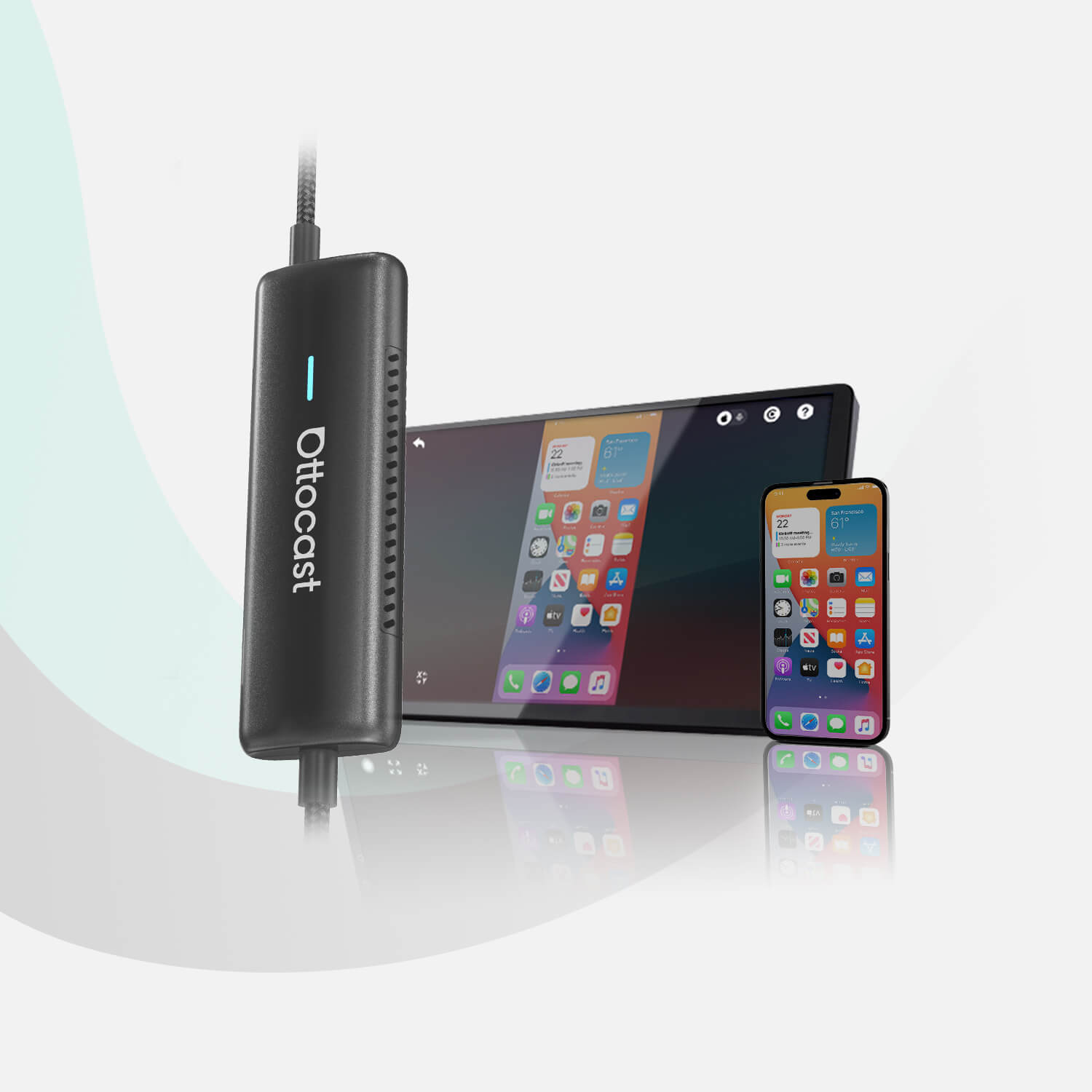
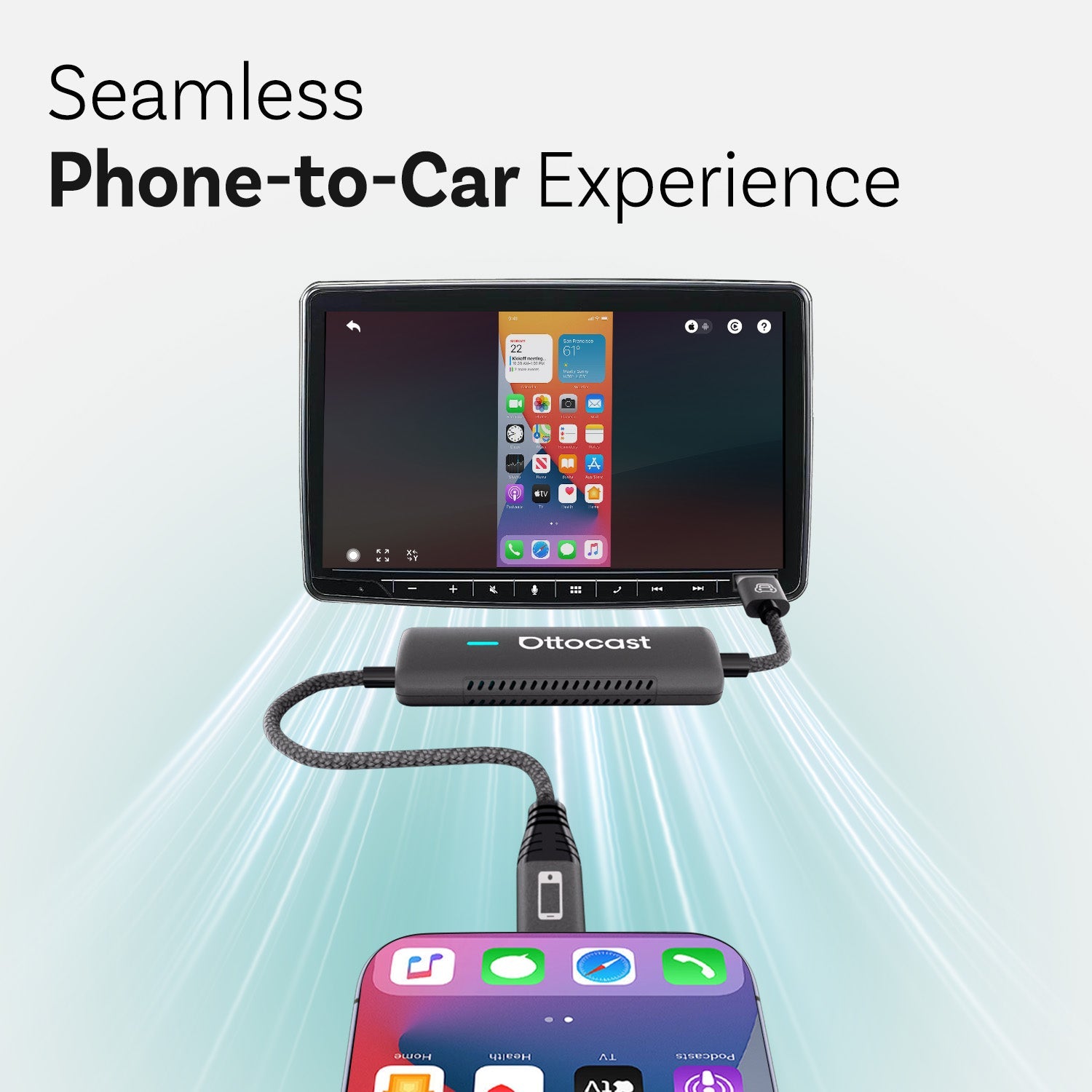
En lugar de conectar tu teléfono manualmente cada vez, el Mini Cube convierte tu sistema existente en una configuración totalmente inalámbrica. Solo necesitas emparejarlo con tu teléfono una vez, y se conectará automáticamente cada vez que arranques el coche. Esto significa no cables, sin pasos extra y sin interrupciones.
Los resultados son inmediatos. Tu navegación se carga, tu música continúa donde la dejaste y tus aplicaciones están listas antes de que te hayas acomodado en el asiento.
Mira algunos de los beneficios más destacados.
- Configuración plug-and-play: Sin instalación, sin dolores de cabeza por configuración. ¡Solo conecta y listo!
- Conexión inalámbrica automática: Tu teléfono permanece en el bolsillo o bolso mientras todo funciona en segundo plano.
- Compatibilidad 2 en 1: Cambia sin problemas entre CarPlay inalámbrico y Android Auto inalámbrico.
Este producto elimina una gran capa de fricción que quizás ni siquiera sabías que existía hasta que desaparece. No más buscar cables. No más desconexiones si el cable se mueve. No más desorden visual alrededor del tablero. Todo simplemente funciona en el momento en que empiezas a conducir.
Si eres un viajero diario y profesional que valora la eficiencia, entiendes que adquirir este producto no se trata de añadir nuevas funciones, sino de perfeccionar la experiencia en la que ya confías.
A veces, la mayor mejora es simplemente eliminar lo que estorba.
Para entusiastas de la tecnología: desbloquea todo el potencial de la pantalla de tu coche
 ¿Alguna vez has intentado hacer más con la pantalla de tu coche que solo navegación básica o música? Probablemente te hayas topado con las mismas limitaciones, ¿verdad? En algunos coches, no hay YouTube, ni Netflix, y no se pueden descargar aplicaciones. Incluso en algunos coches nuevos con Apple CarPlay o Android Auto, la experiencia está intencionadamente restringida. Funciona, sí, pero solo dentro de un conjunto fijo de reglas.
Ahora, para la mayoría de los conductores, eso es suficiente. Pero si eres un viajero frecuente con conocimientos tecnológicos, o incluso si tienes un pasajero geek en viajes largos, puede parecer que estás usando una pantalla potente con solo una fracción de su potencial. Es lógico que quieras más, y aquí es donde entra un tipo diferente de actualización.
El OttoAibox P3 Pro no es solo un adaptador inalámbrico común. Es una expansión completa del sistema que transforma la pantalla de tu coche en algo mucho más parecido a un dispositivo inteligente independiente.
En lugar de solo reflejar tu teléfono, ejecuta su propio sistema operativo Android 13, lo que significa que puedes descargar y usar apps directamente en la pantalla de tu coche. Plataformas de streaming como YouTube o Netflix, apps de navegación, servicios de música, lo que sea. Todo funciona de forma independiente, sin depender de tu teléfono.
La verdadera ventaja, sin embargo, es lo fluido que funciona todo. Mira las especificaciones.
- El procesador Snapdragon asegura un rendimiento rápido y estable sin retrasos.
- Tienes una ranura independiente para tarjeta SIM, así que no necesitas usar tu teléfono como hotspot, y no experimentarás un consumo extra de batería ni sobrecalentamiento durante viajes largos.
- La interfaz OttoDrive OS 3.0 está diseñada para sentirse como un sistema integrado en lugar de un complemento. Es limpia, sensible y fácil de usar.
También es más flexible que los sistemas regulares. Por ejemplo, puedes usar apps en pantalla dividida para que los pasajeros vean videos mientras conduces. También puedes conectar más pantallas para entretenimiento en los asientos traseros con la salida HDMI. Además, el sistema tiene capacidades de IA integradas, por lo que puede soportar interacciones más inteligentes y un uso más adaptativo con el tiempo.
Esto cambia la forma en que usas tu coche en el mundo real. En viajes largos, los pasajeros tienen acceso al entretenimiento sin tener que manejar varios dispositivos. Si eres un nómada digital o viajero frecuente, tu coche se convertirá en un espacio conectado donde las apps, la navegación y los medios funcionan juntos sin compromisos.
Hablando francamente, incluso los viajes cortos se sentirán más completos cuando todo lo que necesitas ya esté integrado en el sistema.
Esa flexibilidad es precisamente lo que falta en los sistemas de infoentretenimiento estándar. Así que, en lugar de lidiar con limitaciones, finalmente usarás la pantalla como fue diseñada para usarse.
Nota importante: Funciones como la transmisión de video están diseñadas para los pasajeros. Los conductores pueden usarlas cuando el coche está estacionado.
Para amantes de los viajes por carretera y gamers: convierte tu coche en un centro de entretenimiento
 Como mencionamos, los viajes largos traen un desafío familiar. ¿Cómo mantener a todos entretenidos sin convertir el coche en un caos de dispositivos? Tablets en las piernas, teléfonos pasando de mano en mano, cables por todas partes y problemas similares ocurrirán. Claro, todo funciona, pero rara vez es cómodo.
Esta configuración estándar puede provocar posturas incómodas e incluso mareos. Además, los ajustes constantes restan disfrute a la experiencia. También, ¿qué pasa si tu coche ya tiene una pantalla grande y de alta calidad en el tablero? Si es una buena pantalla, ¿por qué no usar todo su potencial?
El Car TV Mate Max soluciona esto convirtiendo tu pantalla actual en el centro principal de entretenimiento. Puedes conectar fuentes de medios externas, como una Nintendo Switch, un Fire TV Stick u otros dispositivos compatibles con HDMI, directamente a la pantalla de tu coche en lugar de tener que usar varios dispositivos diferentes.
Lo que usualmente usas en casa ahora puede formar parte de tu experiencia en el coche, y ese cambio marca una diferencia notable en viajes largos.
En este escenario, los pasajeros pueden ver contenido cómodamente en una pantalla más grande en lugar de encorvarse sobre un teléfono. Para quienes les gusta jugar, las pausas durante el viaje pueden ser divertidas e interactivas.
Este producto también facilita la configuración. En lugar de lidiar con múltiples pantallas y cables, todo pasa por una pantalla central que ya está integrada en tu coche. Más importante aún, cambia la forma en que funciona el coche.
La experiencia es compartida, ya sea viendo una película juntos, manteniendo a los niños entretenidos en un viaje por carretera o convirtiendo una parada rápida en un momento para relajarse. Puedes ver que a veces la mejor mejora no es solo hacer las cosas más fáciles; también se trata de hacer que tu tiempo en la carretera sea más divertido.
Entonces, ¿qué configuración se adapta a tu estilo de conducción?
Aquí tienes una tabla rápida que compara estos productos para darte una mejor visión general.
| Tipo de usuario | Producto | Beneficio principal | Lo mejor para |
|---|---|---|---|
| Padres | Cabin Care | Visibilidad en tiempo real y tranquilidad | Monitoreo seguro de los niños mientras se conduce |
| Profesionales | Mini Cube 3.0 | Conectividad limpia y inalámbrica | Desplazamientos diarios y configuración sin cables |
| Entusiastas de la tecnología | OttoAibox P3 Pro | Sistema Android completo y libertad de aplicaciones | Streaming, multitarea y uso avanzado |
| Viajeros y jugadores | Car TV Mate Max | Experiencia de entretenimiento compartida | Viajes por carretera, entretenimiento en los asientos traseros |
Conclusión: Mejora la forma en que experimentas tu coche
Entonces, ¿qué hemos aprendido? Si amas tu coche, pero el software que tiene dentro se siente un poco defectuoso, ya sea por los cables, funcionalidades limitadas o simplemente porque no puedes usar la pantalla al máximo, la buena noticia es que mejorar tu experiencia no requiere cambiar tu coche. Con las herramientas adecuadas, puedes hacer que el sistema de tu coche sea más rápido, inteligente e intuitivo.
Lo más importante es que estas mejoras se adaptan a tu estilo de vida. Si eres padre o madre, se trata de tranquilidad en cada viaje. Si viajas diariamente, es eficiencia y simplicidad. Si disfrutas la tecnología, viajar o los viajes largos, es aprovechar al máximo la pantalla que ya tienes.
Si conoces a alguien que espera un hijo o ya enfrenta los desafíos de conducir con niños, soluciones como Cabin Care pueden marcar una diferencia significativa. Es el tipo de mejora que va más allá de la comodidad y se convierte en parte de la seguridad y el confort diario, siendo un regalo considerado para ocasiones como el Día de la Madre o el Día del Padre.
Al final del día, no tienes que añadir más tecnología a tu coche. ¡Solo tienes que hacer que la tecnología que ya tienes funcione mejor!
¡Mejora la forma en que funciona tu coche con Ottocast hoy!
Preguntas frecuentes
¿iOS 26.4 afecta estos adaptadores?
Las actualizaciones de software pueden afectar ocasionalmente la compatibilidad, pero los dispositivos Ottocast soportan actualizaciones FOTA (Firmware Over-The-Air). Esto significa que los problemas se pueden resolver rápidamente sin reemplazar el dispositivo.
¿Puedo ver Netflix o YouTube en mi coche?
El Apple CarPlay y Android Auto nativos tradicionalmente no soportan la transmisión de video. Nuevas actualizaciones podrían cambiar eso, pero no tendrás flexibilidad total. Con una AI Box para CarPlay o un adaptador de video, en cambio, puedes tener acceso completo a estas apps. Por seguridad, la reproducción de video solo debe usarse por pasajeros o cuando el coche esté estacionado.
¿Cuál es la diferencia entre un adaptador inalámbrico y una AI Box?
Un adaptador inalámbrico elimina la necesidad de cables al convertir CarPlay o Android Auto con cable en una conexión inalámbrica. Una AI Box (como la P3 Pro) convierte la pantalla de tu coche en un sistema Android completo, permitiéndote descargar apps y reproducir contenido.
¿Puedo cambiar entre dispositivos iPhone y Android?
Sí. Dispositivos como el Mini Cube 3.0 soportan tanto CarPlay inalámbrico como Android Auto inalámbrico, facilitando el cambio entre teléfonos.
¿Cómo instalo el adaptador y manejo las actualizaciones?
El proceso de instalación es sencillo. Conecta el dispositivo al puerto USB o USB-C de tu coche. Luego, empareja tu teléfono vía Bluetooth y confirma la conexión. Después de la configuración, el dispositivo se conecta automáticamente cada vez que enciendes el coche. Todas las actualizaciones se pueden gestionar a través de la app OttoPilot con un esfuerzo mínimo.
¿Cómo evito que Android Auto reproduzca música automáticamente como Spotify?
Puedes desactivar la opción "Iniciar música automáticamente" en la configuración de Android Auto. Alternativamente, desactiva la reproducción automática en aplicaciones como Spotify.
También te puede gustar