
Introduction
Apple CarPlay offers the convenience of using mobile applications while driving. Such applications include using maps, messages and music. The interface of the iPhone is used here although it is simplified as it is activated by voice support, so the driver can concentrate on driving. Carplay also enables its users to make calls, send texts and listen to music through texting applications and Apple Music and Spotify. You can put out YouTube over carplay, but you can do it without jailbreak using third-party applications due to sanctioning by Apple. Apple carplay is advancing with time but maintaining safety and driver’s attention remains the core of the system.
Understanding Apple CarPlay Limitations
Heavy restrictions have been applied on the video streaming application YouTube in CarPlay since Apple understands that such services may pose a danger to drivers. This means that the apps installed in CarPlay are meant for navigation communication or audio entertainment supplementation. There are also those limitations when watching films and apps like YouTube cannot be viewed. This is because a video can take a person’s attention off watching the road posing a risk of accidents. Apple follows a careful and highly selective process of accepting any application for posting on their store. That’s why it is complicated or impossible to use native YouTube and other applications. Even on that account, many users look for ways to use YouTube on Apple CarPlay without jailbreak, but not liberally since it borders on risk via screen mirroring.
Available Workarounds Without Jailbreaking
Jailbreaking is the removal of restrictions that Apple puts on an iPhone. Therefore, it can allow accessing YouTube on Apple CarPlay. But this can be risky. The warranty of that device is artificially voided, the security of the phone will decrease, and the operating system might become unstable. Apple recommends users not to jailbreak their devices for concern of hacking. Duly, there are some methods of how to watch YouTube without jailbreak on Apple CarPlay that are legal. Such methods include the installation of apps in Untethered jailbreak or screening mirroring. Aftermarket solutions are also available for users who want to enable video playback and other features not officially supported by Apple. Such methods are safer concerning your gadgets as applications such as YouTube can be accessed. Because of this, it is unnecessary for users who wish to use YouTube with CarPlay to jailbreak their phones.
Third-Party Apps for Watching YouTube on CarPlay
Unjailbreak these apps use screen sharing or act to unblock all apps on the iPhone. CarBridge, for example, helps the user to do such things as use the YouTube app on the CarPlay display by eliminating the app launching barriers. Similarly, WheelPal provides a simpler way of getting to apps that are otherwise inaccessible on the Carplay. Some of these apps also support android devices, making them versatile for users with different smartphones. So, these apps enable the user to watch videos on Apple Carplay without any Jailbreak using YouTube and other entertainment sources in a very effective and safe manner. All the same, one should ensure that these applications are of good quality to avoid compromising the security of the device.
Screen Mirroring Solutions for YouTube on CarPlay
Screen mirroring is another method that can be used to watch YouTube on Apple Carplay without the need for a jailbreak. This method gives the function of rotating the screen to the iPhone directly on the screen of the car. For wireless screen mirroring to work effectively, both devices (iPhone and car system) need to be on the same wi fi network. Screen mirroring does not require all the alterations that are done when you jailbreak and therefore, it can work in various iOS versions including iOS 16. Applications like ApowerMirror or Reflector are used for this purpose if you want to stream YouTube through CarPlay using the screen mirroring feature. These applications perform the functions of displaying the entire iPhone screen hence videos can be watched, streams done, and other applications opened while in the car allow all these and more. This method allows you to display YouTube content and other video apps on your car's display, providing full access to your favorite videos. This technique works nicely and is simple to implement with no risk of losing your mobile phone’s safety.
Connecting External Devices to Stream YouTube
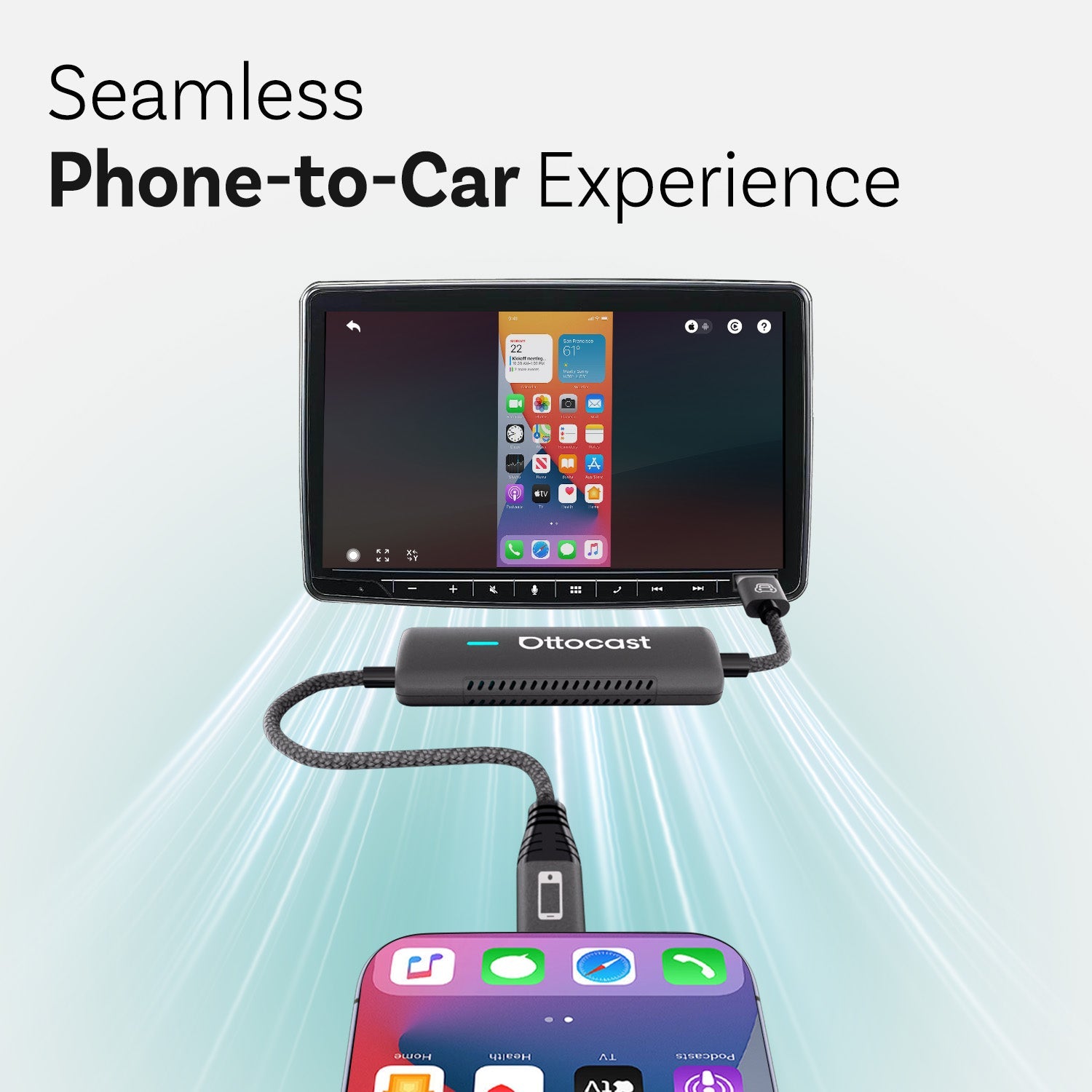
A hardware-based solution for playing YouTube on Apple Carplay without jailbreak is using a USB or an HDMI dongle. Some car models may require a compatible head unit or carplay system to support HDMI or USB dongles for video playback. These dongles work with Apple TV, Chromecast or even iPhone to enable the use of the infotainment in your car with some external devices. This allows you to project or stream content from YouTube or videos into the Carplay interface. HDMI or USB connections ensure that no extra setup is done because it has stable playback. A wired connection can provide a more stable experience for streaming YouTube content to your car's infotainment system. In this case, you just have to plug the dongle into the car screen socket and all other connection steps and you lie back and stream. This hardware solution eliminates the need for jailbreaking the iPhone for users who want to access YouTube on Carplay.
Alternative Methods to Watch YouTube Safely While Driving
On the other hand, entertaining oneself with YouTube while in someone’s car with Apple Carplay without jailbreaking the device can be quite difficult, but some restrictions must be emphasized. It is clear that watching videos while driving is extremely risk-prone because videos are highly captivating and can lead to accidents when one gets too engrossed. For such situations, it is recommended to turn on sound and turn off the visual by making YouTube an additional audio service. You can route YouTube audio through your car's speakers for a better listening experience. So while streaming YouTube audio with carplay you can make your attention not much off the road and hence have a safer experience. This also provides support for any longer content without worrying about looking out for the road. These alternatives are necessary as some of Apple’s policies regarding motion video streaming are there for safety concerns.
Pros and Cons of Using YouTube on Apple CarPlay Without Jailbreaking
Watching YouTube on Apple CarPlay without jailbreaking your iPhone has several advantages primarily for passengers on long journeys. It is also possible to watch video tutorials and music videos on those screens with the help of third-party applications or through screen mirroring which improves the driving experience tremendously. Wireless carplay adapters can help most modern vehicles and most users achieve seamless integration and automatically connect their iPhone for easier access to YouTube content. Such approaches will still protect your iPhone and its operating system as no modification is required. If there is a significant advantage to watching YouTube, it will include all the content except inappropriate material, the undeniable drawback would be occasional lag, compatibility, and installation of 3rd party apps. Still, watching youtube on Apple Carplay without jailbreak is a practical and very secure option to consume different media products on the move.
CarPlay Alternatives That Support YouTube Natively
On the other hand, this YouTube restriction in Apple CarPlay is not a feature in other infotainment systems that will provide native video streaming support. Some alternative systems offer native support for video apps and apple maps, enhancing the overall in-car experience. For reasons others prefer other Carplay alternatives for example Android Auto which is quite popular and provides more flexibility as regards allowing apps such as YouTube, and other media platforms. Also, other car makers are adopting systems that integrate video streaming apps without having to work around external devices. When playing youtube videos, specifying your iphone model is important for compatibility with different carplay systems and head units. For the drivers who are bored and love that much entertainment, these systems are worth exploring. When you decide to switch to an infotainment system that allows YouTube formatted content playback, there will simply be no reason to force the use of YouTube while using Apple CarPlay without jailbreak and make the whole experience entertaining and easy to navigate without a lot of fuss.
There are several legal and effective ways to watch YouTube on Apple CarPlay without jailbreaking your phone. Jailbreaking, while tempting, is not an ideal solution due to its disadvantages involving many security risks, as well as voiding the warranty of an iPhone. Alternatively, the application of mechanical devices that connect to USB or HDMI ports provides a better remedy for video broadcasting in vehicle televisions. Nevertheless, safety needs to be observed first. Choosing to listen to YouTube and not to watch it while driving enhances concentration. While doing so, these people appreciate the use of CarPlay in watching YouTube and Netflix as well….yes, those who emphasize both watching movies and keeping road safety intact.
Can You Watch YouTube on Apple CarPlay Without Jailbreaking?
Of course, you can carry your mobile and watch your YouTube on Apple CarPlay without jailbreaking it with the help of third-party applications or screen mirroring. With these applications, it is possible to watch YouTube on Apple’s car interface also known as CarPlay as these applications help overcome Apple’s restrictions. Furthermore, applications for screen mirroring such as A power Mirror or hardware solutions such as HDMI dongles make it possible to play YouTube videos in your car’s infotainment unit. Such methods can result in a safe, legal, and realistic way without having to jailbreak the device and improve the fun whilst inside the car.
Is It Legal to Use Third-Party Apps to Access YouTube on CarPlay?
Generally, it does not pose any legal violation to utilize such applications to view content on YouTube using Carplay, if these applications are lawful, that is, they do not require processes that are termed as ‘jailbreaking’ and other badness; only Apple-approved conditions. Apps such as CarBridge and Wheel Pal are realistic routes of using Invasive apps with constraints and using Apps such as YouTube on CarPlay. However, be careful not to install any of these featured apps that scam sites venture out with as they may end up putting your security at risk. It is worth noting however that applying any of these apps is not considered a crime, nonetheless, one has to behave responsibly by paying attention to local laws related to watching movies while driving paying attention to safe from harm uses.
What Are the Risks of Jailbreaking for Apple CarPlay YouTube Access?
Using a spy app for iPhone to watch YouTube through Apple CarPlay has its own merits and demerits of fashion. It voids the warranty of the device and leaves the phone inexplicably vulnerable to malignant software. In addition, the fact that jailbreak alters the infrastructure of the device causes complications to the systems, which further leads to disappointment with the device mainly revolving around crashing or having problems updating the iOS in the future. Furthermore, such activity is actively discouraged by Apple for the same reasons because it might also get one into trouble legally depending on governed by local laws. Remove the bane of jailbreaking, mobile alternatives like other applications and screencasts affordable the YouTube experience without ruining the functionality and security of the gadget.
How Can I Ensure a Safe and Distraction-Free Experience While Using YouTube in the Car?
However, using the YouTube application inside a vehicle to avoid distractions and for safety purposes is highly recommended that only audio mode is used while driving. You will therefore be able to listen to music or podcasts but will not need to look at the screen which makes concentrating on the road safer, where possible videos should only be used when the car is parked or the occupants are using them. Directing attention to the video screen while operating the vehicle is prohibited and hands-free controls should be utilized to limit distractions by Siri or other voice assistants. The safety of people operating the vehicles should be a priority at all times.
Introduction to CarPlay
Apple CarPlay is a game-changer for drivers who want to stay connected and entertained on the road. By linking your iPhone to your car’s infotainment system, CarPlay brings your favorite apps—like music, navigation, and messaging—right to your car’s display. You can use voice commands or the touchscreen to play music, get directions, and send messages, all while keeping your hands on the wheel and eyes on the road. However, one of the most common frustrations for users is that CarPlay doesn’t support video streaming apps such as YouTube. This means you can’t natively watch YouTube videos or use other video streaming apps directly through the CarPlay interface. In this article, we’ll explore how you can still watch YouTube videos on Apple CarPlay without jailbreaking your iPhone, using safe and effective alternative methods.
Understanding CarPlay Limitations
CarPlay is built with safety as its top priority, which is why Apple restricts access to video streaming apps like YouTube. The goal is to minimize distractions and ensure drivers focus on the road, not on watching YouTube videos or other video content. While this keeps driving safer, it also means that many users can’t watch YouTube or use other video streaming apps on their car’s display by default. Fortunately, there are alternative methods to access YouTube on CarPlay without jailbreaking your iPhone. Many users turn to third-party apps that enable screen mirroring, allowing you to watch YouTube videos on your car’s display. Additionally, YouTube Music is officially supported on CarPlay, so you can still enjoy your favorite music and playlists while driving. By using these alternative methods, you can access YouTube and other video streaming apps safely and legally, without compromising your iPhone’s security.
For users looking for a professional and stable hardware solution to extend CarPlay functionality, Ottocast is a platform worth considering. As a website dedicated to CarPlay solutions, Ottocast offers a flexible range of product options, such as wireless adapters and multimedia interfaces. These products are designed to help users safely and conveniently enable screen mirroring and video playback, allowing access to apps like YouTube on compatible in-car systems.
iPhone Requirements
To use CarPlay, you’ll need an iPhone 5 or newer running at least iOS 7.1. If you want to take advantage of wireless CarPlay, you’ll need an iPhone 6 or later with iOS 9 or above. It’s important to make sure your iPhone is compatible with your car’s infotainment system and that you’re running the latest iOS version for the best experience. To check if your iPhone supports CarPlay, open the Settings app, tap “General,” then “CarPlay.” Here, you can see if your car is listed and set up the connection. You should also check your car manufacturer’s website to confirm if your specific car model supports CarPlay and whether it requires a wired or wireless connection. Keeping your iPhone updated ensures smooth app installation and optimal CarPlay support.
Setting Up CarPlay
Getting started with CarPlay is simple and user-friendly. To set up CarPlay, connect your iPhone to your car’s USB port using a compatible cable, or connect wirelessly if your car supports wireless CarPlay. Once connected, the CarPlay interface will automatically appear on your car’s display, giving you access to essential apps like Apple Music, Google Maps, and more. On your iPhone, go to the Settings app, select “General,” then “CarPlay,” and choose your car from the list of available vehicles. You can also use voice commands to activate CarPlay and control your apps hands-free, making it easy to play music, get directions, or send messages while driving. With CarPlay, your favorite apps are always within reach, providing a seamless and safe in-car experience.
CarPlay Screen Mirroring
CarPlay screen mirroring is a powerful feature that lets you display your entire iPhone screen on your car’s display, making it possible to watch YouTube videos and use other video streaming apps that aren’t natively supported by CarPlay. This feature is available on select car models and requires both a compatible iPhone and infotainment system. By using third-party apps like CarBridge or AirDroid Cast, you can enable screen mirroring and stream YouTube videos, browse video apps, or even access your favorite video content directly from your iPhone. However, not all vehicles support CarPlay screen mirroring, so it’s important to check your car’s manual or the manufacturer’s website for compatibility. Remember, while screen mirroring opens up new entertainment options, it’s crucial to use this feature responsibly—only watch videos when the car is parked to avoid distractions and ensure a safe driving environment.
You may also like