The world of modern cars is currently standing at a kind of digital crossroads. For years now, Apple’s CarPlay has been considered a secondary interface, or an extension of your iPhone. It was simply a convenient way to mirror your maps and music while your car handled the real business of driving.
But with the release of iOS 26.4, that dynamic will shift permanently, and today, we will explain the hows and whys.
To start, we can say that Apple has finally unlocked the gate to native video streaming using the Apple TV app on CarPlay. Now, this isn't just a minor feature update, but it’s rather a fundamental reconfiguration of what the in-car experience is supposed to be.
However, this revolution comes with a significant technical caveat. As software capabilities skyrocket, the factory hardware inside your dashboard will begin to struggle to keep up. For many people, the dream of a mobile cinema will be ruined by stuttering frames, overheating units, and that dreaded “not supported” message.
So, it’s a good idea to dive deeper into this topic to better understand it.
The Digital Dawn: Apple TV Hits the Dashboard

So, before the update, Apple Car could be used for music, maps, and other features that helped drivers, but functionalities like Apple TV or YouTube were restricted to maximize safety while driving. But with modern EVs, where drivers need to spend time parked to charge their vehicle, this model needed a rehaul.
So, the whole excitement surrounding iOS 26.4 isn't just about the brand Apple TV appearing on a screen. It represents an official acknowledgement of a major cultural shift, and it’s something people started calling “Dwell Time.”
For the modern driver, the car is like a second home. We are spending more time in our vehicles than ever before, but, as we already mentioned, we aren't always moving. There are two common scenarios:
- The EV Charging Gap: As electric vehicle adoption nears a tipping point in 2026, drivers are finding themselves standing still for 20 to 45 minutes while their cars charge.
- The School Run and Commuter Break: Parents spend hours waiting in pickup lines, and professionals need to take lunch breaks in their cars.
These and similar scenarios have created a massive demand for high-quality entertainment when the car is motionless and safely parked.
So, at this point, we can say that iOS 26.4 is Apple’s direct answer to the charging station boredom issue. By allowing native video streaming, Apple is turning the car into a literal mobile living room.
But there is a catch. While your new iPhone 17 or 18 Pro has the processing power to render 4K video with ease, your car’s head unit will probably have some issues.
According to the 9 to 5 Mac portal, the early demo is promising. However, we have yet to see what user reports will say, so make sure to check the Ottocast Newsroom for the freshest updates.
Hardware vs. Software: The Technical Catch of iOS 26.4

There is a common misconception that CarPlay is simply a video feed from your phone, but that wouldn’t be completely true. In reality, it is a collaborative effort where your iPhone and your car's hardware need to work together to bring you the best results.
This is where something we like to call a RAM Hurdle becomes a real dealbreaker. Here’s what we mean.
The software logic (how an app works or its programming) is stored on your iPhone, and the car’s head unit acts as a kind of terminal. Streaming high-bitrate HD or 4K video requires several hundred megabytes of dedicated system memory (RAM) and a high-efficiency video decoder.
Most factory head units manufactured between 2018 and 2024 were designed with a different idea in mind, and they have just enough power to render a 2D navigation map and handle audio streaming simultaneously, but that’s about it.
If you were to tell those same processors to handle the complex decryption and rendering required by the Apple TV app, that’s when the system will hit a wall.
Here is a quick comparison between older factory head units and the 2026 standard you need to meet to run the new iOS update seamlessly.
| Feature | Typical Factory Head Unit (2018-2024) | iOS 26.4 Video Requirement |
|---|---|---|
| RAM | 1GB - 2GB | 4GB+ (Recommended 8GB) |
| Processor | Low-power Automotive Grade | High-speed Octa-core |
| Video Codec Support | Basic H.264 | HEVC / H.265 / AV1 |
| Thermal Ceiling | Low (prone to throttling) | High (active cooling preferred) |
Most OEMs (Original Equipment Manufacturers) worked on optimizing their screens for reliability over raw power. However, in the world of 2026 streaming, this type of reliability now, unfortunately, translates to obsolescence.
You can check the CarPlay Apple Developer page to better understand what this update requires from app manufacturers.
The Lag Factor: Why Wired CarPlay Isn’t Enough

If you are like many users in the world, you will probably assume that plugging in a high-quality Lightning or USB-C cable will solve all your performance issues, but that’s not the case. Unfortunately, the problem is not in the cable. The problem is in the “handshake” between the phone and the car.
All this can be called the OEM software gap, and we can explain it like this.
Even if your car has a decent screen, the manufacturer has to provide a specific software handshake to enable video playback through the CarPlay protocol. Because video streaming while in motion is a significant legal and safety liability, most OEMs are extremely hesitant to unlock these capabilities on older models.
And this is where the compatibility gap is born.
Your iPhone is ready for iOS 26.4. The Apple TV app is installed. But your car’s screen remains a “dead zone” for video because the manufacturer hasn't issued a firmware update.
For the average driver, waiting for a legacy car brand to update the software on a 3-year-old vehicle is a losing game. The tech cycle for a smartphone is 12 months, and for a car it is 5 to 7 years. This asymmetry is exactly why current setups are lagging behind the iOS revolution.
You probably have a lot more questions, so make sure to check the Ottocast FAQ page to clear things up.
The Hardware Bridge: How Ottocast Bypasses OEM Limits

So, now that you have a better idea of where the industry is moving toward (we can sum it up as decoupled" hardware), as an older car owner, what can you do? You simply cannot rely on the car’s aging and weak processor. Instead, you can try to upgrade the brains of your car with some external hardware that can add power and bring you the best CarPlay experience there is.
Introducing the OttoAibox P3 Pro
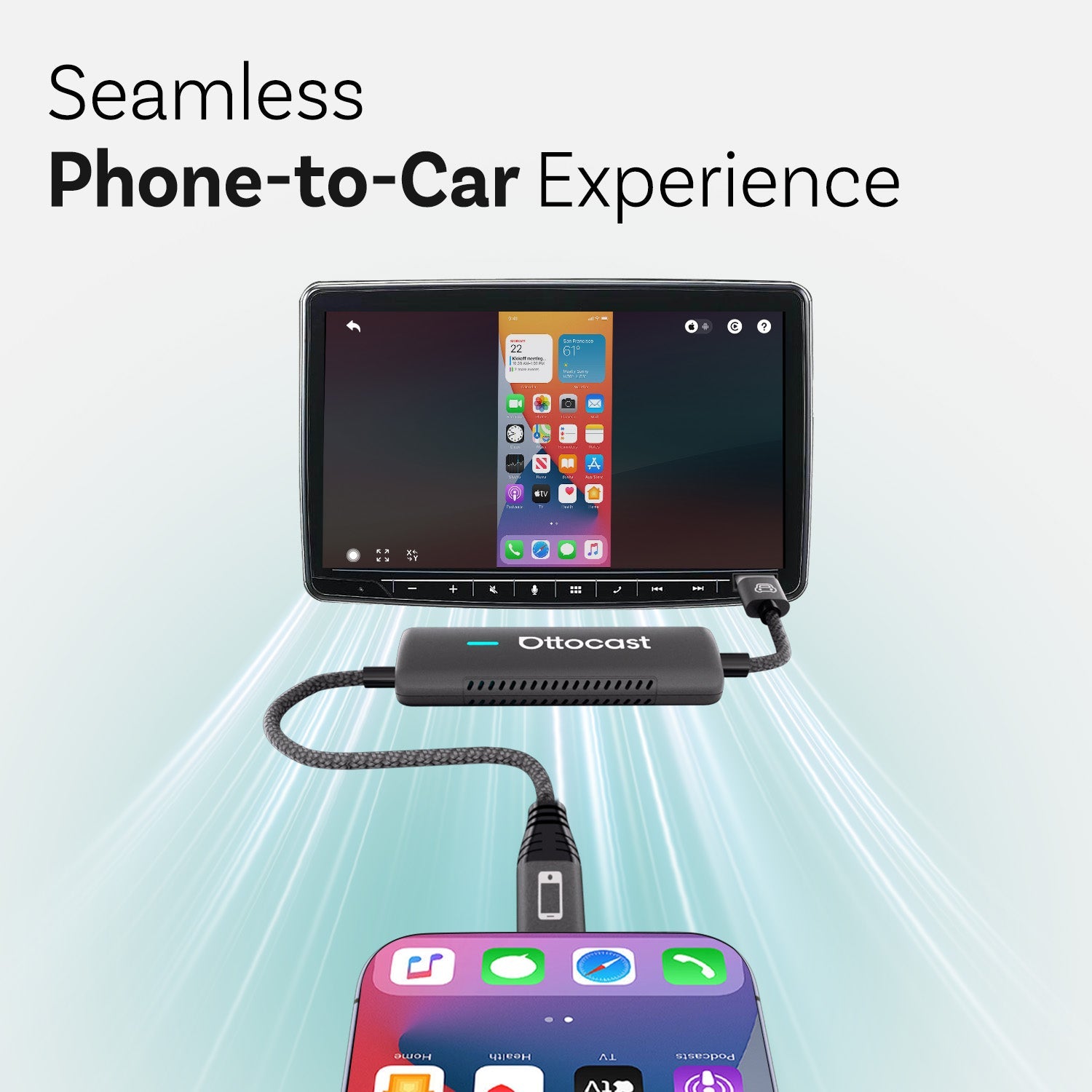
The OttoAibox P3 Pro is designed to act as a high-performance bridge between your new phone and your older car interface. Rather than trying to fix or change the car’s factory software (which can rack up costs pretty fast), you can actually bypass it entirely.
That’s where products like the OttoAibox P3 Pro come into play.
This product comes with something we can easily call “powerhouse specs.”
The P3 Pro has a dedicated Snapdragon 6225 processor and 8GB of RAM, and it brings that to the party as soon as you plug it in. This means that it can do all the heavy lifting.
By handling video decoding and processing internally, the P3 Pro sends a pre-rendered, smooth signal to your car’s screen. Your car’s head unit no longer has to process anything. It can do what it was designed to do, and that is to simply work as a display.
Another thing that the P3 Pro brings to the table is wireless freedom. It converts a wired CarPlay experience into a seamless wireless connection, allowing you to enjoy the full suite of iOS 26.4 features without the clutter of cables or the limitations of factory firmware.
So, by simply upgrading the brain of your car’s infotainment system rather than the car itself, you can look forward to performance specs that are custom for new car models, even if you are driving a car manufactured in 2020.
Ottocast has a wide selection of CarPlay AI Boxes, so make sure to check them out.
Future-Proofing: Preparing for the 2026 Shift

The new iOS version (26.4) is just the beginning of the story here. Apple will certainly continue iterating on the iOS 26.x cycle, and demand for data and processing power will only increase. Buying an adapter in 2026 isn't just about making today’s apps work. It’s also about ensuring you don't have to buy new hardware again in 2027.
So, at this point, you need to familiarize yourself with the importance of FOTA updates.
In the past, updating your car’s infotainment system meant a long, very tedious trip to your car dealership. Ottocast has shifted this paradigm through FOTA (Firmware Over-The-Air) updates.
This means that, as Apple tweaks the CarPlay protocol, the P3 Pro can be updated wirelessly to maintain compatibility and peak performance.
This level of agility is what separates a simple gadget from a thought leadership solution. It is something that ensures your investment stays current as the digital world continues to evolve around us.
Be sure to also take a look at the Play2Video Pro adapter that actually allowed you to play videos in your car long before this Apple update.
The Consumer Expectation Gap: Demand vs. Reality (2026 Data)
 As we move deeper into the year 2026, we can see more and more that a digital divide is emerging in the world of cars. According to the February 2026 Dataxis In-Car Survey, consumer demand for high-fidelity video streaming in vehicles has reached a tipping point.
In the UK alone, over 76% of premium car owners and 63% of drivers with vehicles less than three years old now consider in-car video an essential feature for their dwell times.
But this demand is colliding hard with the harsh reality of legacy hardware. Most vehicles that were manufactured between 2020 and 2024 were built with a closed-loop infotainment philosophy. This means that their processors were never intended to handle 4K decoding or the Liquid Glass UI aesthetic introduced in the latest iOS 26.4 betas.
This creates a frustrating paradox for the modern driver, which is perfectly exemplified in the table below:
| Feature Dimension | Modern Consumer Expectation (iOS 26.4 Era) | Typical Factory OEM Reality (2020-2025) | The Impact |
|---|---|---|---|
| Streaming Quality | 4K / HEVC / 60fps native streaming | Standard Definition / Low Bitrate | Stuttering, pixelation, and visual lag. |
| System Memory | 8GB+ RAM for multitasking | 1GB - 2GB RAM | App crashes and "Out of Memory" errors. |
| UI Responsiveness | Instant "Liquid Glass" transitions | Linear, sluggish menu navigation | High latency; 2-3 second delay on inputs. |
| Connectivity | High-speed 5G / Wi-Fi 6 stability | Legacy 4G / Wi-Fi 4 | Buffering and dropped connections. |
So, this table clearly illustrates why a software update like iOS 26.4 often leads to a worse user experience on factory hardware. The software is living in 2026, but the dashboard is stuck in 2021. That’s the main issue.
The Architecture of Autonomy: Why Decoupled Hardware is the Future
The core problem facing the automotive industry is something we like to call innovation asymmetry. As we have hinted already, the tech industry operates on a 12-month innovation cycle. Conversely, the automotive industry operates on a 5- to 7-year hardware cycle. By the time a new car rolls off the assembly line, its infotainment processor is already two generations behind the latest iPhone.
Thought leaders are now advocating for the Software-Defined Vehicle (SDV) philosophy. In simple terms, it is a design architecture where the car’s value is defined by its digital capabilities rather than its horsepower. But for the millions of cars already on the road, waiting for a manufacturer to transition to an SDV model is simply not a viable option.
Products like the OttoAibox P3 Pro represent a shift toward decoupled hardware. By moving the processing power (the Snapdragon 6225) outside the car’s fixed architecture, we effectively liberate the dashboard.
Instead of treating the car’s screen as a computer, we treat it as a dumb terminal, or rather, a high-quality monitor that displays the raw power of an external AI Box. This allows the driver to:
- Iterate at the Speed of Silicon: When a new video codec or UI standard arrives, you only need to update your adapter, not your entire vehicle.
- Maintain Residual Value: A car with a sluggish infotainment system is a liability in the used-car market. Decoupling the hardware ensures the vehicle stays digitally relevant for its entire lifespan.
By adopting this external brain philosophy, Ottocast isn’t just selling an adapter. We are providing the infrastructure that allows the legacy automotive world to keep pace with the hyper-accelerated evolution of iOS.
Conclusion: The Verdict on iOS 26.4
The Apple TV revolution on CarPlay is a landmark moment for mobile tech, but it has exposed the fragility of factory automotive hardware. You shouldn’t be penalized for driving a car that’s more than two years old.
The solution isn’t to trade in your vehicle or wait for an OEM update that may never come. The solution is to decouple your software experience from your car’s hardware. With tools like the OttoAibox P3 Pro, you can finally bridge the gap between your iPhone’s potential and your dashboard’s reality.
Upgrade the brain and not the car. The revolution is here! Make sure your hardware is ready to join it.
FAQs
Is it safe to watch Apple TV while driving?
Safety is the primary focus of both Apple’s iOS 26.4 and Ottocast’s OttoDrive OS 3.0. Video streaming is strictly restricted to when the vehicle is in Park. However, the system allows for audio-only playback during transit, letting you listen to your favorite shows or news segments while keeping your eyes on the road.
Does the OttoAibox P3 Pro work with all vehicles?
The P3 Pro is compatible with over 98% of vehicles manufactured after 2016 that come equipped with factory-wired CarPlay. Please note that it is currently not compatible with BMW models (which use a closed-loop wireless-only system) or Tesla vehicles.
Do I need a separate SIM card for the adapter to work?
No, but you have options. The P3 Pro supports CloudSIM technology, which allows you to access data without a physical card. You can also use your phone’s hotspot, a physical Nano-SIM, or an eSIM. This flexibility ensures you are always connected to high-speed data for 4K streaming.
Can I use the P3 Pro to entertain passengers in the back seat?
Yes. One of the standout features of the P3 Pro is its HDMI Output. You can connect the box to rear-seat monitors, allowing passengers to watch Apple TV or play games while the driver continues to use the main dashboard for navigation.
Why shouldn’t I just use my iPhone screen for video?
While an iPhone is powerful, its screen is small, and its speakers are limited. By bridging the phone to the car via the P3 Pro, you utilize the car’s premium sound system and large-format display, creating a cinematic experience that an iPhone simply cannot replicate, all while keeping your phone free for other tasks.
You may also like