
Você está procurando o adaptador CarPlay sem fio perfeito para seu modelo Ford F-150? Sabia que essa é uma das melhores formas de organizar a cabine da sua caminhonete e eliminar a bagunça diária de cabos?
Se você é um homem ou mulher que dirige a caminhonete favorita da América, isso significa que valoriza capacidade, robustez e utilidade, mas lidar com um cabo lightning emaranhado toda vez que entra no banco do motorista não parece nada moderno. Seja ao subir na sua Ford em um canteiro de obras lamacento, fazer recados rápidos no fim de semana ou partir para uma épica viagem pelo país, sua caminhonete deve ser seu centro de comando móvel limpo e organizado.
Ficar conectando e desconectando seu telefone cria um ponto de atrito irritante que estraga um interior limpo e moderno. Com o tempo, essa conexão física desgasta a porta de carregamento do seu telefone e deixa cabos espalhados pelo console central. Se você migrar para o CarPlay sem fio na Ford F-150, vai recuperar seu espaço e simplificar completamente sua condução.
Como observação, antes de mergulhar na atualização, reserve um momento para navegar pelo catálogo de comparação de produtos Ottocast para encontrar a combinação ideal para seu painel, ou leia sobre por que a conectividade sem fio é uma revolução para veículos utilitários para ver como a tecnologia sem cabos transforma seu dia a dia pesado.
Compatibilidade Ford SYNC: Sua F-150 Qualifica-se?
Antes de adquirir um adaptador CarPlay para sua Ford F-150, você precisa entender a história do sistema de infoentretenimento da Ford para saber exatamente em que situação sua caminhonete se encontra.
O sistema SYNC da Ford evoluiu ao longo dos anos, e sua experiência com um adaptador aftermarket depende muito da geração do software que está rodando por trás da sua tela sensível ao toque.
Se você não tem certeza de qual configuração possui, temos um guia sobre como verificar a versão do software Ford SYNC do seu veículo antes de prosseguir.
O Ponto Ideal (Modelos 2017–2020/2021 com SYNC 3)
Esses anos-modelo representam a combinação perfeita para um adaptador de hardware externo. A Ford equipou essas caminhonetes com uma infraestrutura CarPlay com fio, altamente confiável e de fábrica.
Como o sistema principal já foi construído para decodificar a interface da Apple usando uma porta USB física, adicionar um adaptador CarPlay sem fio plug-and-play para Ford F-150 é simples. Ele “engana” perfeitamente a unidade SYNC 3 fazendo-a acreditar que um telefone com fio foi conectado, concedendo acesso instantâneo e sem cabos aos seus mapas e mídia.
A Era Nativa do Sem Fio (Modelos 2021–2026 com SYNC 4)
Com o lançamento do F-150 redesenhado, a Ford introduziu o SYNC 4, que inclui CarPlay sem fio direto da linha de montagem na maioria das versões de nível médio a alto (como Lariat, King Ranch e Platinum).
No entanto, não presuma que todo caminhão moderno está coberto. As versões básicas inferiores (especificamente certos modelos XL de frota, caminhões de trabalho e pacotes XLT básicos) frequentemente vinham com telas menores ou mantinham software legado para reduzir custos de produção. Se você tem uma dessas configurações específicas, obter a funcionalidade verdadeira do CarPlay sem fio Ford SYNC 3 ainda requer um adaptador externo.
A Exceção de 2016
O ano modelo 2016 representa um período de transição único. Foi o primeiro ano em que a Ford introduziu o SYNC 3, e as primeiras produções não tinham o hardware físico atualizado no hub USB necessário para autenticar dispositivos Apple.
Se você possui um modelo do início de 2016, um adaptador sem fio simplesmente não funcionará imediatamente. Primeiro, será necessário realizar uma rápida atualização de hardware na concessionária para trocar o módulo USB físico dentro do console do painel por uma versão aprovada pela Apple.
Os Modelos Legados (2015 e Anteriores com SYNC 2)
Se você está dirigindo um F-150 2015 ou mais antigo, seu caminhão depende da plataforma MyFord Touch (SYNC 2) mais antiga. Esses sistemas antigos não possuem a arquitetura necessária para rodar a interface do smartphone da Apple. Consequentemente, um adaptador CarPlay independente para seu Ford F-150 não funcionará nesses veículos.
Sua única opção é uma troca completa da unidade principal aftermarket.
Principais Características do Melhor Adaptador CarPlay Sem Fio para Ford F-150

Um F-150 não é apenas um carro básico para deslocamento. É uma máquina pesada construída para transportar, rebocar e conquistar locais de trabalho difíceis. Portanto, escolher o melhor adaptador CarPlay sem fio para seu Ford F-150 requer analisar as especificações técnicas do adaptador.
Dongles genéricos e baratos, feitos para sedãs compactos, frequentemente falham quando submetidos às exigências de um ecossistema de caminhões de grande porte. Você precisa de componentes de hardware premium e resistentes que correspondam ao desempenho implacável do seu caminhão.
- Você precisa de uma conexão robusta e estável. Quando você está dirigindo por cascalho, estradas de terra onduladas ou rodovias cheias de buracos, sua conexão não pode falhar nem por um instante. Adaptadores de alta qualidade dependem de módulos Wi-Fi avançados de 5,8 GHz em vez de chips lentos e baratos. Essa largura de banda de frequência mais alta garante uma transmissão de dados ultrarrápida, assegurando que seus mapas de navegação sejam atualizados em tempo real e que sua música seja transmitida sem interrupções ou atrasos no áudio.
- Você precisa de uma integração sólida com os controles do volante. Atualizar para um sistema sem fio não deve comprometer a segurança ou a conveniência. Adaptadores premium garantem que sua configuração original esteja sempre totalmente funcional.
Uma observação importante sobre os controles de fábrica é que um adaptador CarPlay sem fio de primeira linha para Ford F-150 preserva completamente os botões originais do volante, os botões de volume e os controles de ativação por voz da Ford. Você pode ativar a Siri, ajustar suas músicas e atender chamadas sem tirar as mãos do volante ou os olhos da estrada.
- Você também precisa de um design compacto e discreto. O espaço dentro do console central é um bem valioso. O adaptador ideal possui um tamanho pequeno e elegante que se encaixa perfeitamente na bandeja deslizante do console central ou no compartimento inferior do painel. Isso mantém sua cabine limpa e organizada, deixando os porta-copos e compartimentos totalmente livres para ferramentas, equipamentos e itens essenciais do dia a dia.
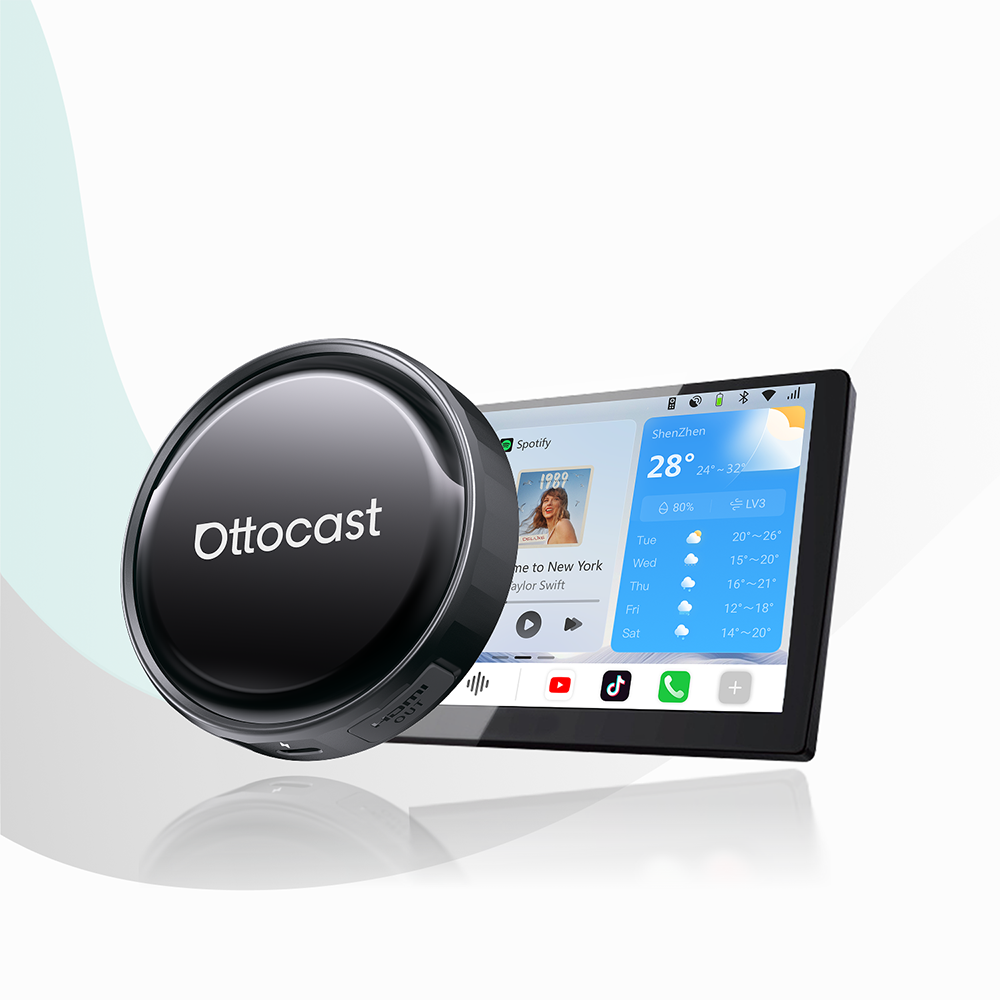
Se você quer um dispositivo que atenda a todos esses requisitos robustos, o Ottocast U2-Air Pro se destaca como uma solução principal projetada especificamente para estabilidade premium e integração perfeita na cabine.
A peculiaridade da energia USB do F-150: o que você precisa saber
Cada veículo tem suas peculiaridades de engenharia, e o Ford F-150 não é exceção. Uma característica específica que frequentemente confunde os proprietários de caminhões é como o veículo gerencia a energia elétrica para seu hub de mídia.
Entender essa característica é vital ao escolher um adaptador CarPlay para seu Ford F-150.
O problema aqui é a energia USB persistente. Quando você estaciona seu caminhão, desliga o motor e tranca as portas, as portas USB do F-150 não desligam imediatamente. Em vez disso, o sistema de gerenciamento elétrico da Ford mantém essas portas ativas por vários minutos após o desligamento.
Se você usar um dongle sem fio básico e de baixo custo, o dispositivo permanecerá totalmente operacional durante esse período. Como resultado, se você entrar em casa ou na garagem, seu iPhone pode continuar conectado agressivamente ao sinal do caminhão.
Isso faz com que o áudio do seu telefone desapareça na garagem, direciona notificações de texto recebidas para um veículo vazio e gera preocupações sobre um eventual consumo de energia na porta USB do Ford F-150.
A solução aqui é o gerenciamento inteligente de energia. Adaptadores inteligentes premium são projetados especificamente para combater esse comportamento exato do veículo. Em vez de consumir energia indefinidamente, adaptadores de alta qualidade apresentam ciclos automáticos de suspensão de energia ou interruptores físicos de desconexão que detectam quando a transmissão de dados foi interrompida.
Quando seu telefone sai do alcance ou a caminhonete entra em seu estado de repouso padrão, o adaptador desliga sua transmissão. Esse design garante que a bateria do seu carro esteja completamente protegida contra descarga parasita, evitando conexões cruzadas irritantes enquanto você descansa dentro de casa.
Para uma análise detalhada sobre como otimizar essas configurações, confira este guia sobre como gerenciar o comportamento do adaptador quando a porta USB do seu carro permanece ligada.
Configuração Passo a Passo do Adaptador CarPlay para F-150
Pronto para eliminar a bagunça dos cabos da sua caminhonete? Completar a configuração do seu adaptador CarPlay para F-150 leva menos de dois minutos quando você segue este processo simples e infalível.

Elimine Interferências de Sinal Legado
Antes de conectar seu novo hardware, acesse as configurações do seu iPhone e o menu Ford SYNC para excluir ou desconectar perfis Bluetooth antigos. Remover essas conexões redundantes evita interferências ativas sem fio ao iniciar o novo sistema.
Conecte no Hub de Mídia
Conecte o adaptador diretamente na porta USB de dados principal de mídia da sua caminhonete. Dependendo do ano do seu modelo, essa porta geralmente está localizada na base da pilha central do painel ou cuidadosamente escondida dentro da bandeja deslizante frontal do console.
Execute o Emparelhamento Bluetooth Único
Ligue a ignição da sua caminhonete, abra o menu Bluetooth do seu iPhone e selecione o nome de transmissão do adaptador. Aprove o prompt para usar o wireless CarPlay no seu Ford F-150, e seu sistema emparelhará automaticamente toda vez que você ligar sua caminhonete daqui para frente.
Se você encontrar algum problema inesperado durante essa configuração inicial, consulte o Guia Mestre de Solução de Problemas de Emparelhamento Bluetooth para suporte técnico rápido e secundário.
Conclusão: A Atualização Definitiva da Cabine
Atualizar sua caminhonete com um adaptador dedicado Ford F-150 wireless CarPlay é mais do que uma conveniência. É uma transformação total do seu espaço de direção. Eliminar os cabos transforma a cabine da sua caminhonete em um escritório móvel ou centro de deslocamento mais organizado e altamente eficiente, completamente livre de bagunça física.
Você finalmente pode desfrutar de mapas, podcasts e chamadas em mãos livres sem interrupções no momento em que liga a chave, sem se preocupar com o desgaste constante dos seus dispositivos.
Pronto para elevar sua experiência de direção diária? Visite Ottocast hoje mesmo para garantir o companheiro sem fio definitivo para sua F-150 e experimente a estrada aberta totalmente sem fios.
Você também pode gostar