
Quando você entra em um Toyota moderno, parece que está recebendo uma aula magistral em arquitetura limpa e funcional da cabine do veículo. Das curvas ergonômicas do painel ao toque premium do console central, essas cabines são projetadas para maximizar o conforto dos passageiros e a eficiência na condução.
No entanto, esse luxo minimalista rapidamente desaparece no momento em que você precisa desembaraçar um cabo de carregamento desgastado e conectar seu celular apenas para ver seu aplicativo de navegação.
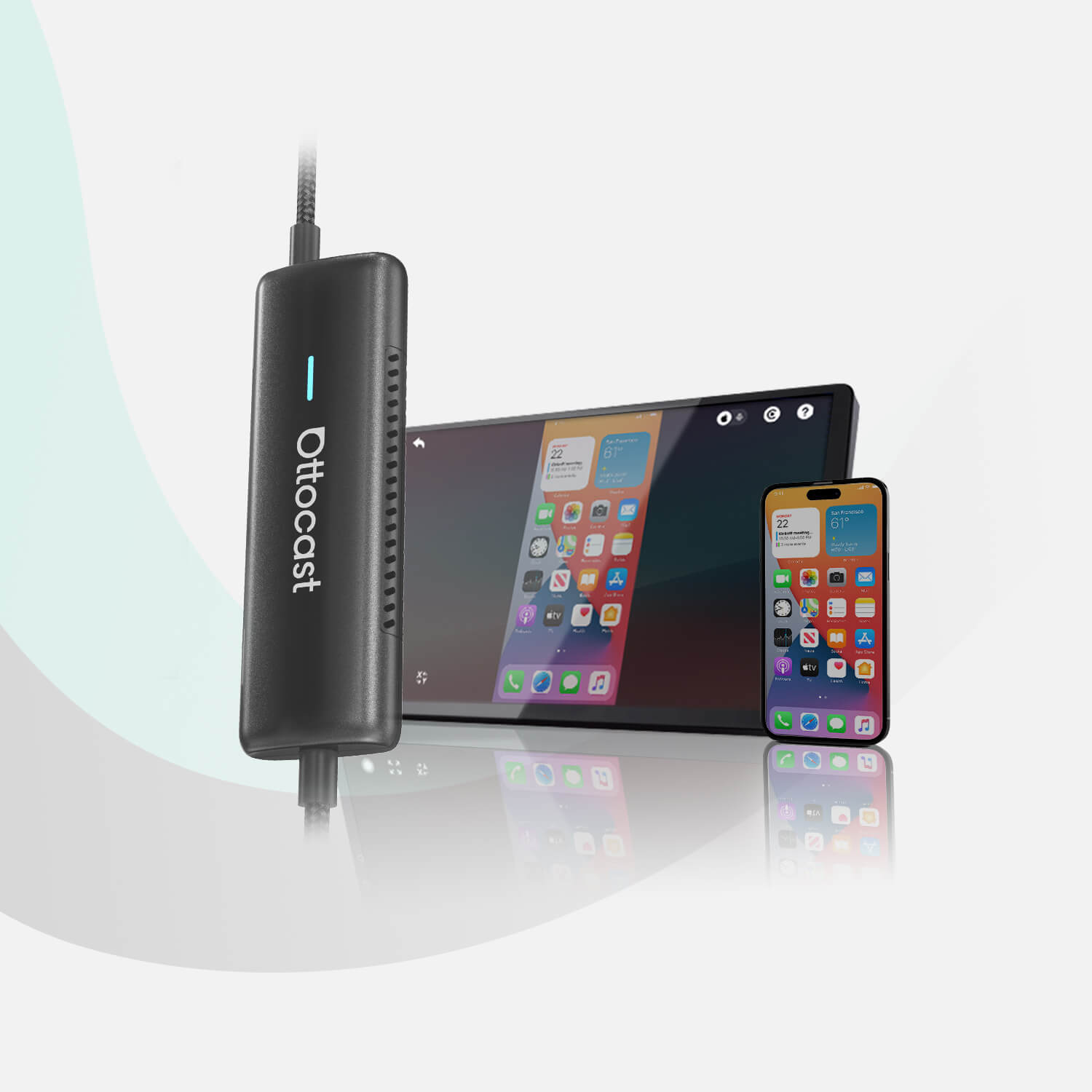
Adicionar um adaptador wireless CarPlay para Toyota limpa instantaneamente seu painel e apresenta a liberdade sem fios de um ecossistema sem amarras. Em vez de lidar com fios bagunçados pendurados sobre a alavanca de câmbio e ocupando os porta-copos, uma modificação simples plug-and-play moderniza completamente seu trajeto diário.
Muitos motoristas procuram opções específicas para seus veículos, perguntando-se se um adaptador wireless CarPlay para Toyota Camry funcionará perfeitamente com a configuração específica do painel.
A realidade é que, seja você pilotando um carro antigo dos anos 1990, um veículo confiável de uso diário de cerca de 2010 ou um crossover moderno de ponta, obter uma atualização premium Toyota wireless CarPlay é mais do que acessível. A transição para um sistema sem fio significa que você não precisa mais se preocupar com o desgaste físico na porta de carregamento do seu telefone ou lidar com conexões soltas em estradas esburacadas.
Para encontrar o companheiro ideal para seu veículo, confira as opções em Ottocast.
Se você ainda está avaliando suas opções de atualização, explore nosso detalhado Guia de Comparação CarPlay Sem Fio vs. Com Fio para aprender exatamente como a tecnologia sem fio pode otimizar sua condução diária.
Compatibilidade Toyota: Quais séries são suportadas?

Ao pesquisar atualizações de conectividade de alta qualidade, os proprietários de carros frequentemente se preocupam com a compatibilidade com seu modelo específico. Muitos consumidores procuram termos como “adaptadores CarPlay sem fio para Toyota Camry” para obter garantia explícita de que um acessório aftermarket funcionará perfeitamente com a tela do console central.
A boa notícia é que um adaptador CarPlay premium para Toyota funciona universalmente em quase todos os anos/modelos, desde que o veículo tenha saído de fábrica com uma tela de infotainment Apple CarPlay com fio embutida.
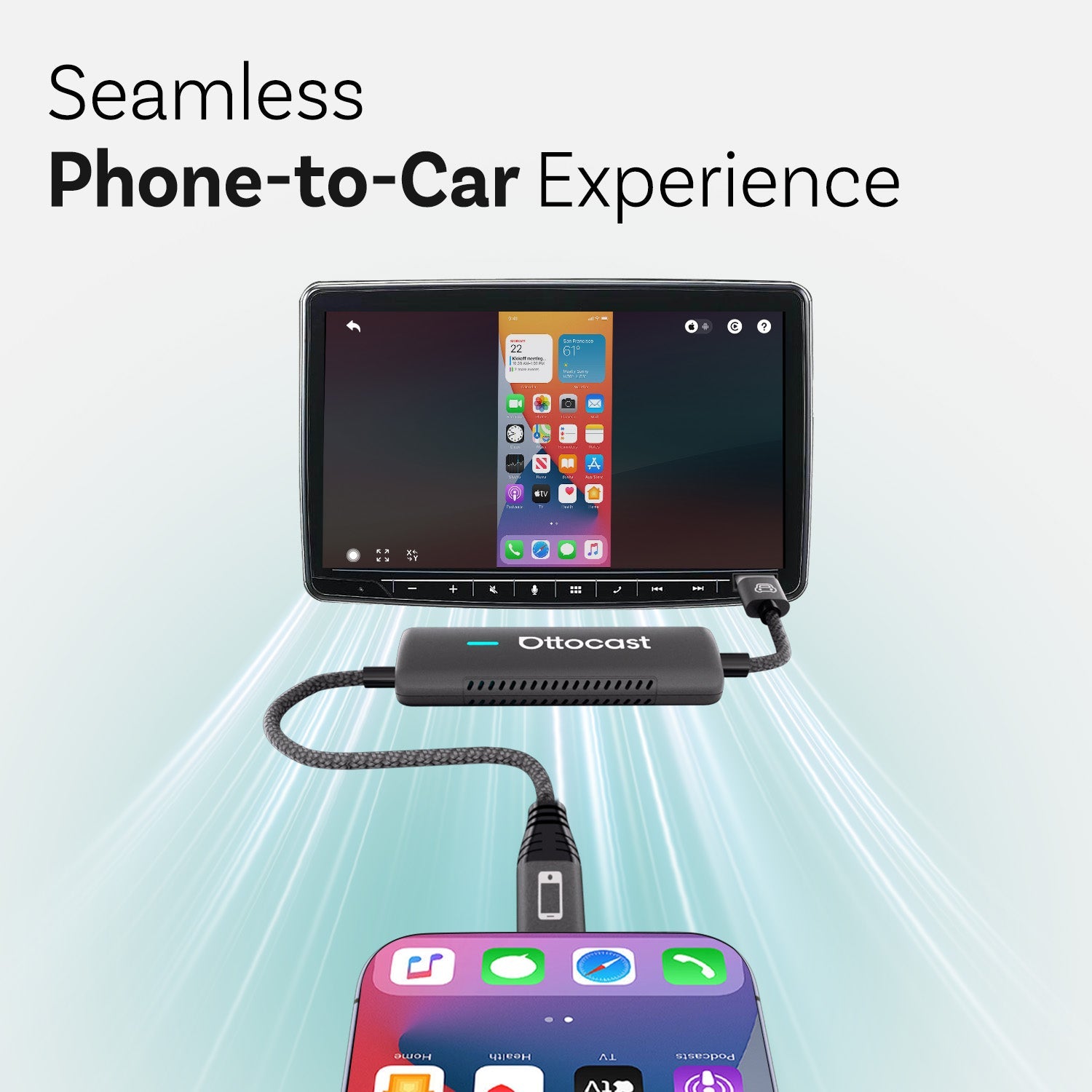
O adaptador funciona como uma ponte digital de alta velocidade que se conecta à porta USB de mídia existente do seu carro. Ele suporta nativamente uma enorme variedade de formatos e tamanhos de veículos.
Para lhe dar total tranquilidade antes de atualizar o conjunto tecnológico do seu carro, aqui está uma matriz estruturada de modelos demonstrando onde um adaptador Toyota CarPlay sem fio se integra facilmente:
| Segmento do veículo | Séries & Modelos Toyota suportados | Notas importantes sobre integração na cabine |
|---|---|---|
| SUVs & Crossovers | RAV4, Highlander, 4Runner, Corolla Cross, Sequoia, Venza | Preserva grandes telas centrais sensíveis ao toque e mantém os compartimentos do painel livres de cabos emaranhados. |
| Sedãs & Hatchbacks | Camry, Corolla, Prius, Avalon, Toyota 86 | Organiza a bandeja de armazenamento abaixo do painel de controle climático e elimina a desordem de telefones. |
| Caminhonetes & Minivans | Tacoma, Tundra, Sienna | Mantém o rastreamento confiável do mapa em locais de trabalho difíceis ou durante longas viagens familiares pelo país. |
Seja aproveitando a vista elevada de um sistema Toyota RAV4 com CarPlay sem fio ou navegando no trânsito urbano em um sedã híbrido compacto, manter seu painel impecável é incrivelmente simples.
Dongles compactos e discretos são projetados para ficarem completamente escondidos dentro do compartimento central do seu veículo.
Para uma instalação ultra limpa que ocupa quase nenhum espaço no painel, considere conectar o ultra compacto Ottocast Mini Cube 3.0 ou o ultraleve Ottocast Mini Pico para desbloquear liberdade instantânea sem fio.
O Ponto de Corte: Veículos Toyota mais antigos podem ser atualizados?

Se você está tentando realizar uma atualização para CarPlay sem fio na Toyota, precisa entender os marcos tecnológicos da história do sistema de infotainment de fábrica do seu carro.
A Toyota começou oficialmente a implantar a arquitetura Apple CarPlay com fio de fábrica por volta dos anos-modelo 2018–2019. Por exemplo, os primeiros a adotarem, como o Camry 2018 e o redesenhado RAV4 2019, estavam entre os primeiros veículos a saírem da linha de montagem com integração nativa do CarPlay com fio embutida no software do painel.
Um Guia Rápido de Corte para Infotainment Toyota
- Modelos de 2019 a 2026 apresentam compatibilidade 100% plug-and-play verdadeira. Se seu carro possui uma conexão CarPlay com fio de fábrica, um adaptador USB sem fio funcionará perfeitamente desde o primeiro uso.
- Modelos anteriores a 2018 não possuem o software fundamental embutido necessário para suportar os protocolos padrão de espelhamento de smartphone. Consequentemente, um dongle USB sem fio padrão não consegue estabelecer uma conexão por conta própria.
Se você dirige um modelo de veículo antigo dos anos 1990 ou por volta de 2010, não precisa se contentar com streaming básico de áudio via Bluetooth. Você pode facilmente contornar essas limitações de software legadas com uma atualização de hardware aftermarket.
Os motoristas podem substituir o aparelho de áudio original antigo por um receptor moderno double-DIN de mercado, ou instalar uma tela inteligente independente que fica elegantemente sobre o painel.
Para saber mais sobre como trazer recursos modernos de conectividade para um carro antigo, leia nosso guia completo sobre como instalar o Apple CarPlay em um carro antigo.
O Que Procurar em um Adaptador CarPlay Premium para Toyota
Nem todos os dongles sem fio são iguais. Por exemplo, se você quer encontrar o melhor adaptador CarPlay sem fio para Toyota, basta entender os componentes técnicos principais que impactam sua experiência diária de uso.
Depois de fazer uma pesquisa rápida, você entenderá que investir em um adaptador CarPlay sem fio premium e de alta qualidade para Toyota funcionará perfeitamente. A interface do seu smartphone funcionará exatamente como um sistema sem fio integrado de fábrica.
- Transmissão Avançada Wi-Fi Dual-Band de 5GHz
A regra aqui é evitar adaptadores genéricos e baratos que dependem de módulos Wi-Fi 2.4 GHz ultrapassados. Adaptadores de alto desempenho usam bandas Wi-Fi avançadas de 5GHz para transmitir mapas de navegação e arquivos de mídia sem atraso de áudio, travamentos ou demora.
- Tempos de Inicialização Ultrarrápidos e Reconexão Automática
Um adaptador CarPlay plug-and-play premium deve completar seu ciclo de inicialização e estabelecer uma conexão estável em menos de 15 segundos. O sistema deve conectar automaticamente no momento em que você liga o motor do carro, permitindo que você mantenha seu telefone no bolso ou na bolsa.
- Gerenciamento de Dispositivos para Múltiplos Motoristas
Se você compartilha seu carro com um cônjuge ou membro da família, seu adaptador precisa de uma forma de gerenciar múltiplos dispositivos. Hardware de primeira linha inclui um botão físico inteligente dedicado, permitindo que os co-pilotos alternem instantaneamente as conexões ativas sem precisar navegar por menus complexos do smartphone.
Se você quer um adaptador que ofereça esses recursos junto com capacidades multimídia de alta qualidade, explore a análise detalhada do produto Ottocast P3 Pro para ver como essa caixa AI de ponta transforma sua tela central em um ecossistema avançado de infoentretenimento.
Configuração Rápida e Superando Problemas Comuns de Conexão
Neste ponto, você provavelmente já sabe que atualizar o interior do seu carro não requer nenhuma expertise técnica ou ferramentas automotivas especializadas. Você pode completar a configuração inicial e aproveitar uma conexão sem fios em apenas três passos simples.
- A primeira coisa a fazer é conectar. Basta inserir o adaptador sem fio diretamente na porta USB de dados com fio original do seu carro.
- Em seguida, você precisa parear seus dispositivos. Abra o menu de configurações do seu iPhone e pareie com o adaptador usando uma conexão Bluetooth.
- E, por último, mas não menos importante, apenas dirija. Deixe o hardware estabelecer automaticamente uma conexão Wi-Fi de alta velocidade. Isso cuidará de todas as suas conexões automáticas daqui para frente.
Aqui está uma fórmula rápida que ajudará você a visualizar esse processo.
Porta USB de Fábrica ──> Adaptador Sem Fio ──> Bluetooth ou Wi-Fi 5GHz ──> Seu iPhone
Agora, pode haver alguns contratempos pelo caminho. Sua tela de infotainment pode ocasionalmente não reconhecer o dispositivo devido a mudanças comuns no ambiente sem fio.
Mas não se preocupe. Resolver todos os problemas de conexão do Toyota CarPlay é incrivelmente simples. A maioria dos pequenos contratempos pode ser resolvida imediatamente limpando as conexões de rede em cache do seu smartphone. Você também pode tentar desconectar brevemente o dispositivo do hub USB para atualizar a memória cache interna.
Se quiser ver uma lista completa de dicas de otimização, você pode consultar nosso guia mestre de solução de problemas no carro para manter sua conectividade funcionando perfeitamente.
Conclusão e Veredito Final
E essa é basicamente toda a história.
Como aprendemos, atualizar seu painel com um adaptador Toyota CarPlay sem fio premium é uma das melhorias mais práticas que você pode fazer para elevar sua experiência diária de direção.
Como você pode imaginar, eliminar os cabos soltos transforma seu console central em um espaço limpo e sem fios, preservando a estética original do seu carro. Com essa conectividade automatizada gerenciando seus mídias e mapas nos bastidores, você tem acesso fácil a chamadas em viva-voz, playlists de música e navegação ao vivo assim que liga o carro.
Então, você está pronto para eliminar a bagunça dos cabos e modernizar sua experiência de direção?
Fique com Ottocast! Aqui, você encontrará a atualização sem fio perfeita para seu carro e poderá aproveitar a estrada completamente livre de cabos.
Você também pode gostar