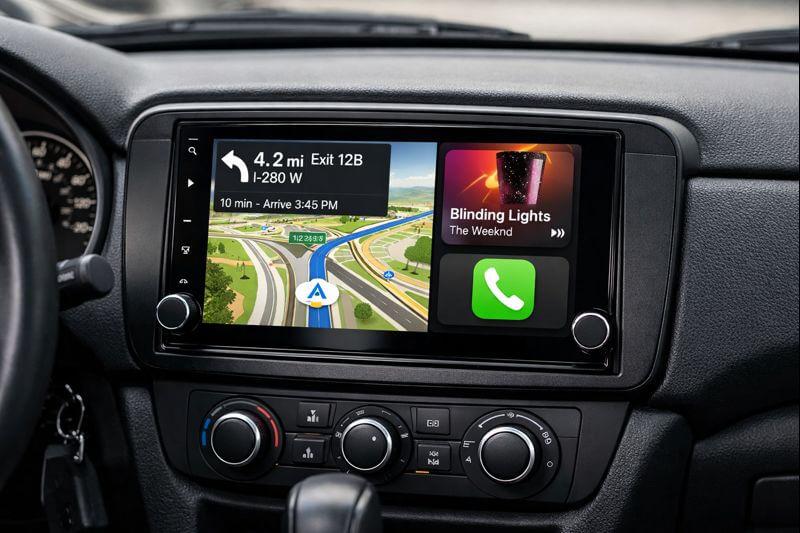
Ho visto molte persone entusiaste di aggiornare le loro auto più vecchie con tecnologia moderna. Apple CarPlay aftermarket è uno di quegli aggiornamenti che cambia davvero il modo di guidare. Ti permette di portare le funzionalità del tuo iPhone direttamente nel cruscotto senza dover comprare un'auto nuova. Molti guidatori scelgono questa soluzione perché è più economica e funziona con la maggior parte delle auto. In pratica, replica il tuo telefono sullo schermo dell'auto, così puoi usare navigazione, musica e chiamate in modo sicuro. Ma scegliere la configurazione giusta è molto importante: vuoi qualcosa che sia fluido e affidabile.

Cos'è Apple CarPlay aftermarket?
Apple CarPlay aftermarket significa aggiungere l'interfaccia Apple a auto che non la avevano di serie. L'equipaggiamento originale potrebbe non avere questa funzione nei modelli più vecchi, quindi i guidatori si rivolgono a soluzioni di terze parti. Queste includono adattatori e unità principali complete. L'obiettivo è replicare lo schermo del tuo iPhone sul cruscotto dell'auto. Puoi quindi usare comandi vocali o il tocco per controllare le app. Questa configurazione migliora la sicurezza perché ti permette di tenere gli occhi più sulla strada. Esistono molti prodotti per facilitare questo. Per esempio, un semplice adattatore si collega al sistema esistente, ma alcune auto necessitano di un'unità completa di ricambio. Le opzioni aftermarket variano per prezzo e funzionalità. Dovresti prima verificare la compatibilità con la tua auto per evitare problemi durante l'installazione.
Le basi dell'unità principale Apple CarPlay
Un'unità principale Apple CarPlay sostituisce la tua vecchia radio. Funziona come display principale per le funzionalità di CarPlay. Queste unità sono dotate di schermi che mostrano l'interfaccia del tuo telefono. Ti connetti tramite USB o metodi wireless. L'unità principale gestisce l'uscita audio e video. Così, ascolti la musica attraverso gli altoparlanti della tua auto. Molte unità supportano anche il Bluetooth, aggiungendo connettività extra per le chiamate. Quando scegli un'unità principale, considera la dimensione e la risoluzione dello schermo. Uno schermo più grande rende le mappe più facili da vedere, ma deve adattarsi allo spazio del cruscotto. Alcune unità includono GPS integrato per una navigazione migliore, altre si concentrano sulle app di intrattenimento. L'installazione può essere semplice se segui le guide, ma l'aiuto di un professionista garantisce che tutto funzioni correttamente. Le unità Apple CarPlay trasformano le auto base in veicoli intelligenti.
Come funziona il sistema di infotainment per auto con CarPlay
Il sistema di infotainment della tua auto gestisce tutte le funzioni divertenti – radio, navigazione, collegamenti telefonici. Aggiungendo aftermarket CarPlay lo potenzia molto. Il tuo iPhone gestisce tutto, ma mostra sullo schermo dell’auto. Questo significa che gli aggiornamenti arrivano dal telefono, mantenendo tutto aggiornato. Puoi passare facilmente tra CarPlay e le funzioni dell’auto. Per esempio, sintonizzare la radio senza scollegare. Ma deve integrarsi bene, altrimenti ci sono ritardi. I buoni rispondono velocemente, rendendo la guida meno stressante. Credo sia per questo che molti lo aggiungono per i tragitti quotidiani.
Vantaggi dell’Adattatore CarPlay Wireless
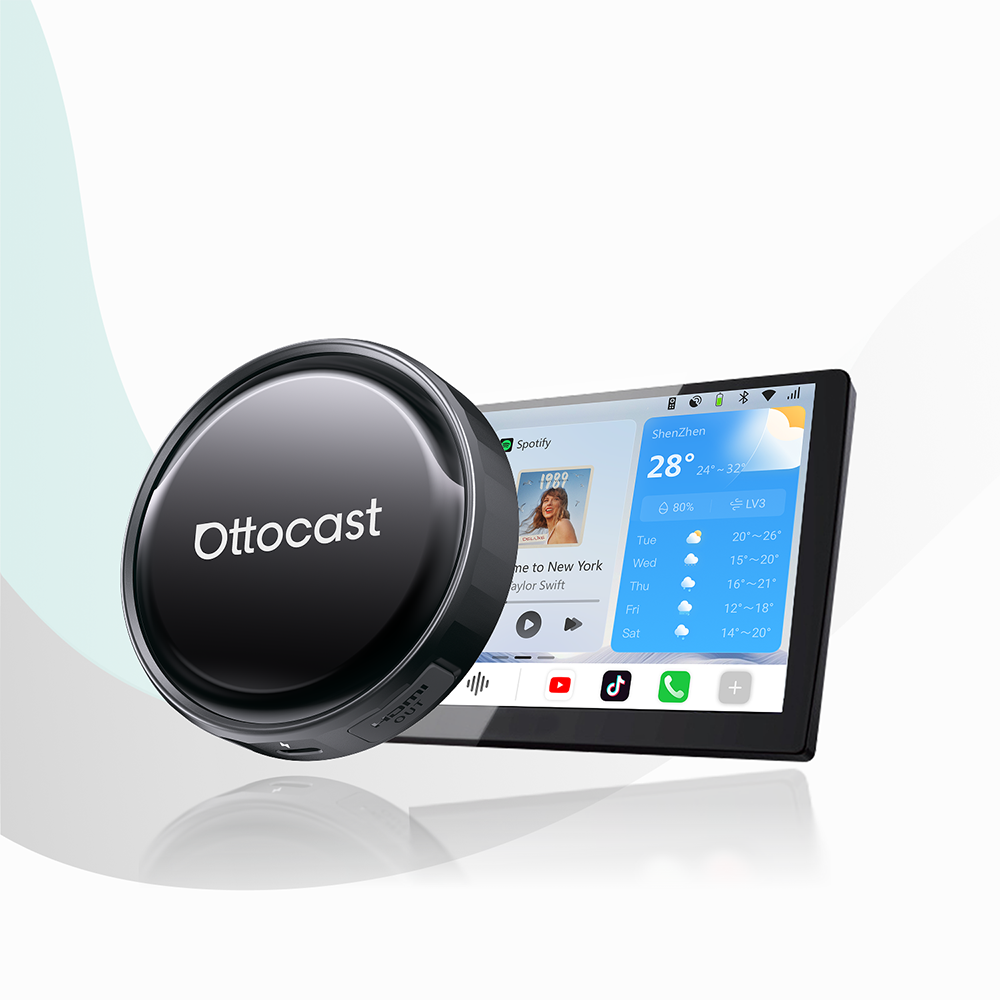
Un adattatore CarPlay wireless elimina i cavi. Lo colleghi alla porta USB della tua auto. Poi si connette al tuo iPhone tramite Bluetooth e Wi-Fi. Questo significa niente più grovigli di fili ogni volta che guidi. Gli adattatori sono piccoli e facili da nascondere. Funzionano con auto che hanno già CarPlay cablato. Quindi, aggiorni senza sostituire tutto il sistema. Il consumo di batteria è minimo perché la connessione è efficiente. Alcuni adattatori supportano l’abbinamento rapido. Entri in auto e si connette automaticamente. Per esempio, prodotti come Ottocast. Mini Adattatore Wireless CarPlay Pico offrono un’installazione rapida. Ma verifica sempre se si adattano al modello della tua auto. Le opzioni wireless offrono libertà e comodità. Sono adatte a chi guida molto e odia il disordine.

Touchscreen Capacitivo vs Resistivo: Differenze Chiave
I touchscreen per i sistemi auto si dividono in due tipi principali. I touchscreen capacitivi rispondono a tocchi leggeri. Usano campi elettrici generati dal dito. Quindi, si sentono come gli schermi degli smartphone. Sono lisci e supportano gesti multitouch. Puoi pizzicare per ingrandire facilmente le mappe. Ma potrebbero non funzionare bene con i guanti. I touchscreen resistivi richiedono pressione per registrare gli input. Hanno strati che si toccano quando premuti. Quindi, funzionano con qualsiasi oggetto, come uno stilo o una mano guantata. Ma sono meno reattivi. Gli schermi capacitivi sono comuni nelle unità principali moderne perché offrono una migliore esperienza utente. Quelli resistivi si trovano nelle opzioni economiche. Quando scegli, pensa alle tue esigenze. Se guidi in climi freddi, il resistivo potrebbe fare al caso tuo. Ma la maggior parte preferisce il capacitivo per l’uso quotidiano.
Perché il Controllo Vocale / Funzionamento a Mani Libere è Importante
Il controllo vocale ti permette di usare CarPlay senza toccare lo schermo. Dai comandi a Siri, per esempio "Riproduci la mia playlist" o "Naviga a casa". Questo mantiene le mani sul volante. L'uso a mani libere riduce le distrazioni. Quindi, è più sicuro per tutti sulla strada. Molti sistemi includono microfoni per una chiara captazione vocale. La cancellazione del rumore di fondo aiuta nel traffico intenso. Puoi anche fare chiamate o inviare messaggi così. L'integrazione con CarPlay rende tutto naturale. Ma una buona configurazione assicura precisione. Microfoni scadenti causano fraintendimenti. Le funzioni vocali fanno risparmiare tempo e migliorano la concentrazione. Trasformano la tua auto in un assistente intelligente su ruote.
Single-DIN vs Double-DIN: scegliere la dimensione giusta
Le unità principali sono disponibili in dimensioni single-DIN o double-DIN. Le unità single-DIN sono più piccole e si adattano a slot stretti. Misurano circa 5 cm di altezza. Quindi, sono adatte alle auto più vecchie con spazio limitato. Spesso hanno schermi base o nessuno schermo. Le unità double-DIN sono il doppio di altezza, circa 10 cm. Permettono display più grandi per una migliore visibilità. La maggior parte delle unità Apple CarPlay aftermarket moderne sono double-DIN. Ma controlla prima il tuo cruscotto. Alcune auto necessitano di adattatori per unità più grandi. Single-DIN funziona per configurazioni semplici. Double-DIN offre più funzioni come la riproduzione video. La scelta dipende dal design del veicolo. Una corretta misura previene problemi di installazione.
Installazione Passaggi per CarPlay aftermarket
L'installazione di Apple CarPlay aftermarket inizia con la raccolta degli strumenti. Ti servono cacciaviti e connettori per fili. Prima, rimuovi la vecchia radio. Scollega la batteria per sicurezza. Poi, estrai il pannello del cruscotto. Collega la nuova unità principale o l'adattatore all'alimentazione e agli altoparlanti. Usa i cablaggi per abbinare i fili. Per gli adattatori wireless, collegali alla porta USB. Testa la connessione con il tuo iPhone. Se è un'unità principale, fissala in posizione. Rimonta il cruscotto. Gli installatori professionisti gestiscono cablaggi complessi. Ma il fai-da-te funziona per adattatori semplici. Segui sempre i manuali per evitare danni. Un'installazione corretta garantisce prestazioni affidabili.
Controlli di compatibilità prima dell'acquisto
Controlla la marca e il modello della tua auto per la compatibilità. Non tutti i veicoli supportano le aggiunte CarPlay. Osserva il sistema di infotainment esistente. Ha una porta USB? Per le unità principali, misura la dimensione dello slot. Anche le versioni del software sono importanti. Il tuo iPhone deve avere iOS compatibile con il dispositivo. Adattatori come l'Ottocast U2AIR Pro Wireless CarPlay Adapter elencano le auto compatibili. Leggi le recensioni di altri utenti. Questo aiuta a individuare problemi. Configurazioni incompatibili sono uno spreco di denaro. Quindi, la ricerca fa risparmiare tempo e frustrazione. Le combinazioni giuste offrono un'integrazione fluida.
Migliorare l'audio con CarPlay
CarPlay migliora l'impianto audio della tua auto. Trasmette musica da app come Apple Music. Controlli volume e tracce tramite schermo o voce. Le impostazioni dell'equalizzatore regolano la qualità del suono. Ma gli altoparlanti limitano l'uscita. Aggiornare gli amplificatori aiuta se necessario. Le connessioni wireless mantengono la chiarezza audio. Nessun cavo significa meno interferenze. Ascolta podcast o audiolibri a mani libere. Questo rende i viaggi lunghi più piacevoli. CarPlay si integra anche con i comandi al volante. Così regoli senza distogliere lo sguardo. Un audio migliore migliora l'esperienza complessiva.
Funzionalità di navigazione nelle configurazioni aftermarket
La navigazione è un vantaggio chiave di Apple CarPlay. Usa Apple Maps o app di terze parti come Waze. Gli aggiornamenti sul traffico in tempo reale ti guidano. Le indicazioni vocali ti mantengono concentrato. Gli schermi grandi mostrano percorsi chiari. Ma la forza del segnale GPS è importante. Alcuni dispositivi hanno antenne integrate. Gli adattatori wireless si affidano al GPS del telefono. Le istruzioni passo-passo appaiono sul display. Puoi cercare facilmente le destinazioni. Questo supera i vecchi sistemi di navigazione integrati. Gli aggiornamenti avvengono tramite il telefono. Così le mappe restano aggiornate senza costi aggiuntivi.
Opzioni multimediali oltre le basi
Il CarPlay aftermarket supporta più della musica e delle mappe. Puoi accedere ai video in alcune configurazioni. Ma solo quando l'auto è parcheggiata per sicurezza. App come YouTube funzionano tramite mirroring. Le AI box aggiungono funzionalità extra. Per esempio, il OttoAibox P3 Pro CarPlay AI Box consente il download di app. Questo amplia l'intrattenimento. Collega dispositivi esterni tramite HDMI. Trasmetti da tablet o console. Ma concentrati sulla sicurezza stradale. Il multimedia mantiene felici i passeggeri durante i viaggi. Trasforma la tua auto in un teatro mobile.

Manutenzione del sistema CarPlay
Mantieni il sistema aggiornato per le migliori prestazioni. Controlla gli aggiornamenti del firmware. Pulisci regolarmente lo schermo. La polvere influisce sulla risposta al tocco. Fissa i cavi per evitare disconnessioni. Per il wireless, assicurati di avere un segnale Wi-Fi forte. Riavvia i dispositivi in caso di problemi. Esegui il backup dei dati del telefono. Questo protegge le impostazioni. La manutenzione regolare ne prolunga la durata. Risolvi problemi comuni come caricamenti lenti. Spesso un reset li risolve. Una buona cura garantisce un uso affidabile.
Personalizzazione dell'interfaccia CarPlay
Personalizza CarPlay per adattarlo al tuo stile. Riorganizza le icone delle app sullo schermo. Scegli gli sfondi se supportati. Imposta le app predefinite per musica o navigazione. Le impostazioni vocali regolano le risposte di Siri. Alcuni dispositivi permettono di cambiare tema. Questo personalizza l'aspetto. Ma mantienilo semplice per un accesso rapido. La personalizzazione migliora l'usabilità. Passi meno tempo a cercare. Adattalo alle tue esigenze quotidiane.
Consigli di sicurezza per l’uso di CarPlay
Dai sempre priorità alla sicurezza con CarPlay. Usa il controllo vocale per la maggior parte delle operazioni. Evita di digitare mentre guidi. Monta lo schermo all’altezza degli occhi. Questo riduce gli sguardi lontano dalla strada. Imposta scorciatoie per azioni frequenti. Le chiamate a mani libere evitano di tenere il telefono. Rispetta il codice della strada. Le distrazioni causano incidenti. CarPlay aiuta se usato correttamente. Ma nulla sostituisce una guida attenta.
Integrazione con altri dispositivi
CarPlay funziona con più di iPhone. Collega Apple Watch per notifiche. Alcune configurazioni supportano iPad. Ma il telefono è principale. Dispositivi Bluetooth come auricolari si abbinano facilmente. Questo aggiunge flessibilità. Condividi musica con i passeggeri. L’integrazione crea un ecosistema connesso. Semplifica la tecnologia in auto.
Errori comuni da evitare
Non saltare i controlli di compatibilità. Parti sbagliate portano a resi. Ignora il cablaggio durante l’installazione. Connessioni allentate causano guasti. Ignora gli aggiornamenti. I bug del software vecchio persistono. Usa adattatori economici. Potrebbero non durare. Evita questi errori per un’esperienza migliore.
FAQ
Cos’è Apple CarPlay aftermarket?
Apple CarPlay aftermarket aggiunge l’interfaccia Apple alle auto senza supporto di fabbrica. Usa adattatori o unità principali per integrare il telefono.
Come funziona un adattatore CarPlay wireless?
Si collega alla USB della tua auto e si connette wireless al tuo iPhone. Questo elimina i cavi per un uso più semplice.
Qual è la differenza tra schermi touch capacitivi e resistivi?
Gli schermi capacitivi rispondono a tocchi leggeri e sono lisci al tatto. Quelli resistivi richiedono pressione ma funzionano con i guanti.
Perché scegliere il controllo vocale in CarPlay?
Il controllo vocale ti permette di operare senza mani. Migliora la sicurezza mantenendo l’attenzione sulla strada.
Cosa sono le unità single-DIN e double-DIN?
Le unità single-DIN sono piccole per slot stretti. Le double-DIN sono più grandi per schermi più ampi e più funzionalità.
Come faccio a sapere se la mia auto supporta CarPlay aftermarket?
Controlla le porte USB e la dimensione del cruscotto del tuo modello. Leggi le specifiche del prodotto per la compatibilità.
Posso installarlo da solo?
Sì, per adattatori semplici. Ma le unità principali potrebbero richiedere assistenza professionale.
Quali app funzionano con CarPlay?
Navigazione come Mappe, musica come Spotify e app di messaggistica. Vengono mostrati solo quelli approvati.
Scarica la batteria del mio telefono?
Il wireless potrebbe consumare più energia. Ma gli adattatori efficienti minimizzano questo consumo.
Come aggiorno il mio sistema CarPlay?
Aggiorna il tuo iPhone e controlla il firmware del dispositivo. Questo risolve problemi e aggiunge funzionalità.
Potrebbe piacerti anche