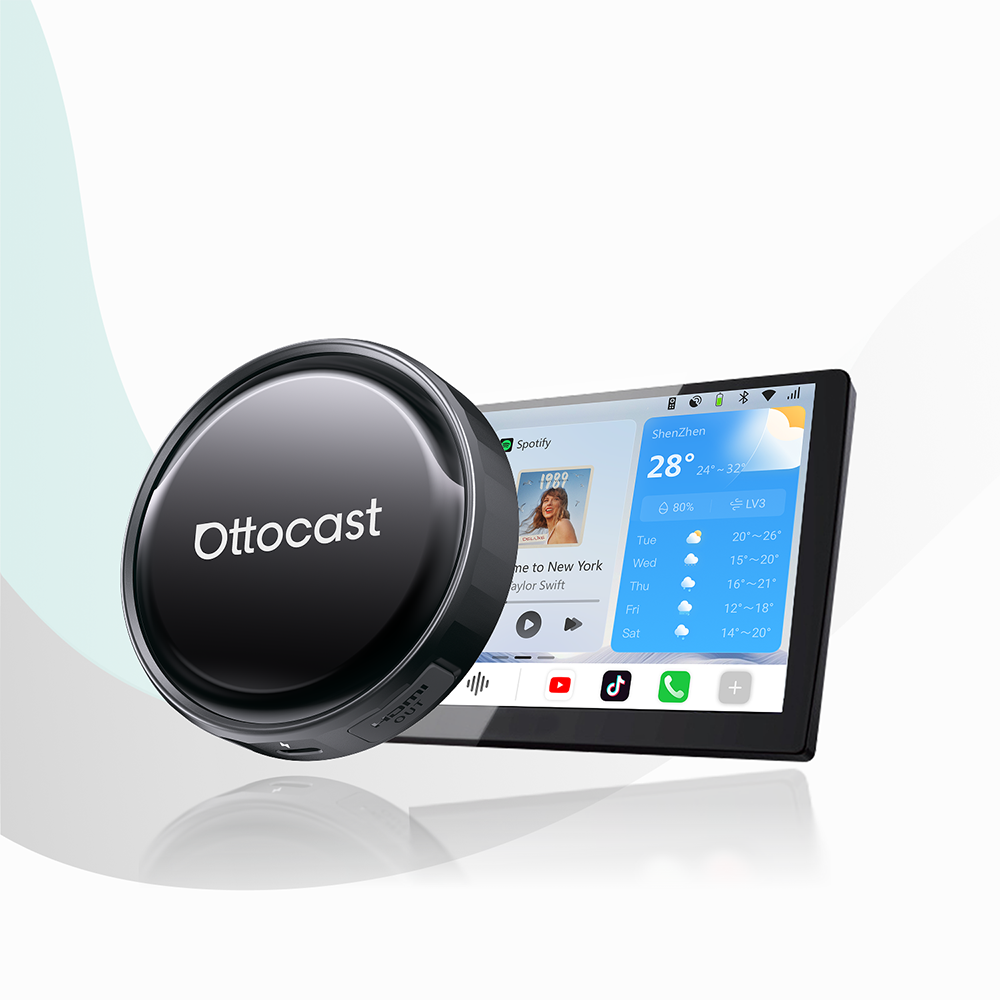
यदि आप अपनी ड्राइविंग अनुभव को अपग्रेड करना चाहते हैं और अपनी कार को 21वीं सदी के लिए आधुनिक बनाना चाहते हैं, तो Ottocast AI बॉक्स एक उत्कृष्ट विकल्प हैं। आज, हम तीन लोकप्रिय उत्पादों के बारे में बात करेंगे और उनकी तुलना करेंगे।
हम Ottocast P3 Pro से शुरू कर सकते हैं। यह उन ड्राइवरों के लिए एक पसंदीदा विकल्प है जो उच्च प्रोसेसिंग स्पीड और नवीनतम Android 13 सॉफ़्टवेयर चाहते हैं।
फिर, मानक P3 है। यदि आपको अपनी कार में बाहरी स्क्रीन के लिए बहुमुखी HDMI कनेक्टिविटी की आवश्यकता है, तो यह एक श्रेष्ठ विकल्प है।
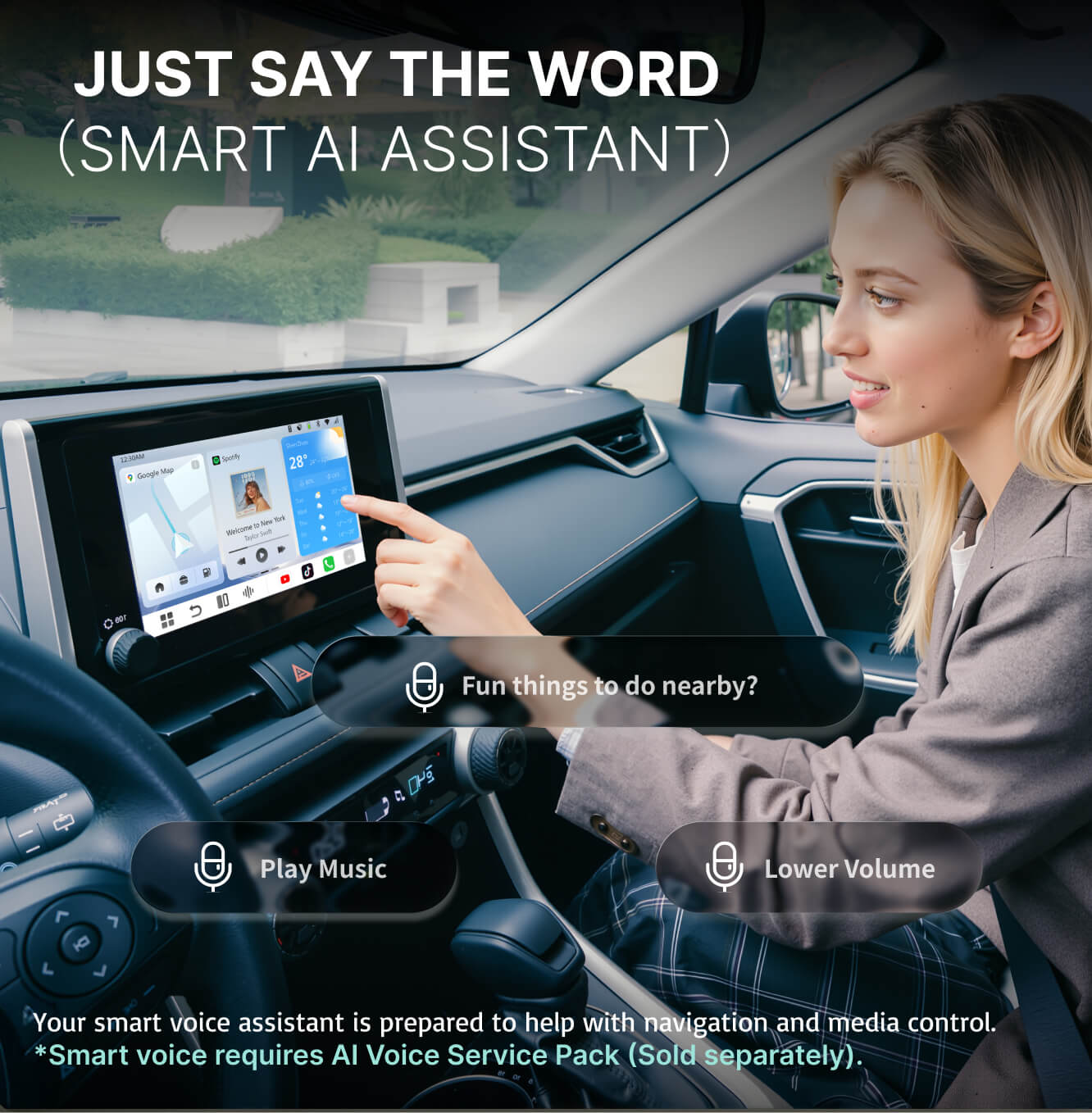
अंत में, यदि आप एक वॉयस-फर्स्ट, AI-संचालित इंटरफ़ेस के साथ एकीकृत डिस्प्ले को प्राथमिकता देते हैं, तो आप NanoAI देख सकते हैं। यह एक बहुत ही अनोखा, अगली पीढ़ी का इंटरैक्शन मॉडल प्रदान करता है।
तीनों डिवाइस आपकी कार में स्वतंत्र कंप्यूटर के रूप में काम करते हैं, और इनका काम फैक्ट्री-वायर्ड CarPlay को पूरी तरह से खुला इकोसिस्टम में बदलना है।
पूरे Ottocast AI बॉक्स संग्रह को यहाँ देखें!
आपके अगले अपग्रेड के लिए मुख्य बातें
- · स्वतंत्र कार्यक्षमता: AI बॉक्स साधारण एडाप्टर्स से अलग होते हैं। ये AI बॉक्स अपना खुद का ऑपरेटिंग सिस्टम (OS) चलाते हैं, जिससे आप Netflix, YouTube, और Disney+ जैसे ऐप सीधे अपनी कार में डाउनलोड कर सकते हैं।
- · प्रदर्शन पदानुक्रम: P3 Pro फैक्ट्री से अपग्रेडेड Snapdragon चिपसेट के साथ आता है। इसमें 8GB RAM भी है। यह सब इसे बेस P3 मॉडल से कहीं तेज़ और अधिक स्थिर बनाता है।
- · कनेक्टिविटी उत्कृष्टता: P3 कनेक्टिविटी किंग है। इसमें HDMI आउटपुट है, जो आपकी कार की स्क्रीन को सभी पीछे की सीट मॉनिटरों पर मिरर करने देता है।
- · AI एकीकरण: NanoAI उत्पाद एक विशेष उपकरण है जो वॉयस-केंद्रित नेविगेशन और इंटरैक्शन के लिए डिज़ाइन किया गया है। यदि आप एक भविष्यवादी, हैंड्स-फ्री अनुभव चाहते हैं तो यह परफेक्ट है।
- · टिकाऊ निर्माण: हर यूनिट को -20°C से 70°C तक के चरम तापमान में ऑटोमोटिव-ग्रेड टिकाऊपन सुनिश्चित करने के लिए परीक्षण किया जाता है।
Ottocast क्या है और ये उत्पाद लाइनअप में कहाँ फिट होते हैं
 यहाँ Ottocast में, एक कंपनी के रूप में, हम ऑटोमोटिव कनेक्टिविटी बाजार में एक प्रमुख शक्ति बनने का प्रयास करते हैं। कैसे? फैक्ट्री हेड यूनिट्स की समस्या को हल करने के लिए डिज़ाइन किए गए बहु-स्तरीय उत्पाद इकोसिस्टम बनाकर।
हम इसे "क्लोज्ड सिस्टम" समस्या कहते हैं। सामान्यतः, ड्राइवर केवल उस सॉफ़्टवेयर तक सीमित थे जो उनकी कार के साथ आता था। हमने इस दृष्टिकोण को तीन अलग-अलग उत्पाद स्तरों को पेश करके बदला:
- · Otto Wireless (बेसिक एडाप्टर्स),
- · Otto Media (स्ट्रीमिंग एडाप्टर्स),
- · और Otto Plus (उच्च-प्रदर्शन AI बॉक्स)।
आज हम जिन तीन उत्पादों के बारे में बात करेंगे (P3, P3 Pro, और NanoAI) वे प्रतिष्ठित Otto Plus श्रेणी से संबंधित हैं।
ये केवल साधारण कनवर्टर नहीं हैं। ये शक्तिशाली, स्वतंत्र कंप्यूटर मॉड्यूल हैं जो, एक तरह से, वायर्ड कारप्ले प्रोटोकॉल को हाईजैक करते हैं और आपके डैशबोर्ड पर एक पूर्ण iPhone या Android इंटरफ़ेस प्रोजेक्ट करते हैं।
यह लाइनअप उपयोगकर्ताओं को काम के लिए सही उपकरण चुनने में मदद करने के लिए हार्डवेयर-स्तरीय वर्गीकरण प्रणाली का प्रतिनिधित्व करता है।
Ottocast P3 (मानक संस्करण) को एक बुनियादी उच्च-स्तरीय AI बॉक्स माना जाता है। इसे आपकी कार में एक पूर्ण-स्केल मीडिया सेंटर बनाने के लिए डिज़ाइन किया गया था। इसका मुख्य विक्रय बिंदु इसके पोर्ट्स की विविधता है (विशेष रूप से पूरे वाहन के लिए एक मीडिया हब के रूप में कार्य करने की क्षमता)।
दूसरी ओर Ottocast P3 Pro, 2026 का प्रमुख मॉडल है। यह यूआई लैग्स और बूट समय को कम करने के वर्षों के शोध का परिणाम है। एक अधिक आधुनिक आर्किटेक्चर के साथ और
OttoDrive 3.0 इंटरफ़ेस, यह उन पावर उपयोगकर्ताओं की जरूरतों को पूरा करता है जो एक साथ नेविगेशन, संगीत, और डायग्नोस्टिक ऐप्स के बीच मल्टीटास्क करते हैं।
और फिर NanoAI दर्शन में एक बदलाव का प्रतिनिधित्व करता है। यह एक AI-संचालित सिस्टम है क्योंकि यह वॉयस कमांड और संदर्भ-सचेत सहायता को प्राथमिकता देता है। यह अक्सर कार की मौजूदा स्क्रीन को पूरक करने के लिए अपना समर्पित हार्डवेयर इंटरफ़ेस लेकर आता है।
Ottocast उत्पाद पारिस्थितिकी तंत्र के बारे में और जानें.
वायरलेस एडाप्टर बनाम AI बॉक्स: वह अंतर जिसे खरीदारों को समझना चाहिए
हम इस तुलना को इस तालिका से शुरू कर सकते हैं:
| मॉडल | प्राथमिक उपयोगकर्ता प्रोफ़ाइल | विशेष विशेषता | सॉफ्टवेयर संस्करण |
|---|---|---|---|
| Ottocast P3 | परिवार और मीडिया प्रेमी | HDMI आउटपुट (मल्टी-स्क्रीन) | Android 12 |
| Ottocast P3 Pro | प्रदर्शन उत्साही | सबसे तेज़ चिपसेट और OttoDrive 3.0 | Android 13 |
| NanoAI | टेक-फॉरवर्ड ड्राइवर | AI वॉइस और एकीकृत डिस्प्ले | AI-फोकस OS |
और अब, आइए कुछ गहराई से विश्लेषण करें।
कई कार प्रेमियों के लिए एक बहुत आम भ्रम का बिंदु यह सवाल है:
एक AI बॉक्स की कीमत मानक वायरलेस एडाप्टर से इतना अधिक क्यों होती है?
अगर आप वास्तव में P3, P3 Pro, और NanoAI के मूल्य को समझना चाहते हैं, तो आपको इन दो उत्पाद श्रेणियों के बीच के बड़े तकनीकी अंतर को समझना होगा।
मानक वायरलेस एडाप्टर (ब्रिज)
एक मानक वायरलेस एडाप्टर, जैसे मिनी वायरलेस कारप्ले/एंड्रॉइड ऑटो एडाप्टर, का एक ही काम होता है, और वह है आपके फोन (कारप्ले या एंड्रॉइड ऑटो) से डेटा लेना और उसे वायरलेस तरीके से आपकी कार के हेड यूनिट को भेजना। लेकिन इसका अपना कोई दिमाग नहीं होता। इसका मतलब है कि यह ऐप्स नहीं चला सकता, इसका कोई स्टोरेज नहीं है, और अगर आपका फोन मौजूद नहीं है, तो यह डिवाइस बिल्कुल कुछ नहीं करता। आप इसे एक निष्क्रिय उपकरण कह सकते हैं।
Ottocast AI बॉक्स (कंप्यूटर)
एक AI बॉक्स, दूसरी ओर (जैसे P3 Pro), एक सक्रिय, स्वतंत्र कंप्यूटर होता है। इसमें एक समर्पित प्रोसेसर (CPU), समर्पित मेमोरी (RAM), और स्टोरेज (ROM) होता है। जब आप इसे प्लग इन करते हैं, तो यह अपना ऑपरेटिंग सिस्टम बूट करता है।
लाभ देखें:
- · ऐप स्वतंत्रता: नेटफ्लिक्स या यूट्यूब देखने के लिए आपको फोन की जरूरत नहीं है। ये ऐप्स खुद बॉक्स में इंस्टॉल होते हैं।
- · डुअल कनेक्टिविटी: इन बॉक्सों में डुअल वाई-फाई और सिम कार्ड स्लॉट होते हैं। एक वाई-फाई चैनल आपकी कार से संवाद करता है, और दूसरा बॉक्स को हाई-स्पीड इंटरनेट प्रदान करता है।
- · मल्टीटास्किंग: इस डिवाइस में एक वास्तविक प्रोसेसर है, और इसलिए आप स्प्लिट-स्क्रीन मोड का उपयोग कर सकते हैं। उदाहरण के लिए, आप बाईं ओर Google Maps और दाईं ओर वीडियो स्ट्रीम चला सकते हैं (बिल्कुल, यात्रियों के लिए)।
तो, मूल रूप से, यदि आप आज हम जिन तीन उत्पादों की बात कर रहे हैं उनमें से कोई भी चुनते हैं, तो आप मूल रूप से अपने डैशबोर्ड में एक उच्च-स्तरीय टैबलेट स्थापित कर रहे हैं जो आपकी मौजूदा स्क्रीन और टच नियंत्रणों का उपयोग कर सकता है। बढ़िया, है ना?
CarPlay और Android Auto के बारे में उनके आधिकारिक पृष्ठों पर अधिक जानें।
त्वरित उत्पाद स्नैपशॉट: P3, P3 Pro, और NanoAI एक नजर में
| मॉडल | प्राथमिक उपयोगकर्ता प्रोफ़ाइल | विशेष विशेषता | सॉफ्टवेयर संस्करण |
|---|---|---|---|
| Ottocast P3 | परिवार और मीडिया प्रेमी | HDMI आउटपुट (मल्टी-स्क्रीन) | Android 12 |
| Ottocast P3 Pro | प्रदर्शन उत्साही | सबसे तेज़ चिपसेट और OttoDrive 3.0 | Android 13 |
| NanoAI | टेक-फॉरवर्ड ड्राइवर | AI वॉइस और एकीकृत डिस्प्ले | AI-फोकस OS |
AI बॉक्स का पूरा तुलना Ottocast.com पर देखें.
गहराई से समीक्षा: Ottocast P3 AI बॉक्स (कनेक्टिविटी किंग)

Ottocast P3 उन उपयोगकर्ताओं के लिए बनाया गया है जो चाहते हैं कि उनकी कार केवल बिंदु A से बिंदु B तक जाने का साधन न हो, बल्कि एक मोबाइल मनोरंजन केंद्र हो। जबकि यह सच है कि यह P3 Pro की तुलना में एक पुरानी पीढ़ी है, हार्डवेयर की बहुमुखी प्रतिभा कुछ क्षेत्रों में बेजोड़ है।
HDMI आउटपुट की शक्ति
जैसा कि उल्लेख किया गया है, P3 की प्रमुख विशेषता HDMI आउटपुट पोर्ट है। यह सुविधा आपको P3 से कार के किसी भी अन्य स्क्रीन पर वीडियो सिग्नल भेजने की अनुमति देती है। यदि आप पीछे की सीट पर बच्चों वाले माता-पिता हैं, तो यह एक बड़ा बदलाव है। आप नेविगेशन के लिए P3 को अपने डैशबोर्ड पर चला सकते हैं और साथ ही हेडरेस्ट मॉनिटरों पर फिल्म भी चला सकते हैं।
हार्डवेयर विनिर्देश और उपयोगकर्ता अनुभव
P3 Android 12 पर चलता है, जो अभी भी बेहद स्थिर है और Google Play Store पर पाए जाने वाले 99% ऐप्स का समर्थन करता है। इसमें एक मजबूत डुअल-Wi-Fi मॉड्यूल है जो सुनिश्चित करता है कि आपकी कार से कनेक्शन मजबूत रहे जबकि आपका इंटरनेट कनेक्शन (जैसे हॉटस्पॉट का उपयोग करते हुए) तेज़ बना रहे।
- · मेमोरी: यह आमतौर पर 4GB या 8GB RAM के साथ कॉन्फ़िगर किया जाता है, और यह मानक मीडिया स्ट्रीमिंग को आसानी से संभालता है।
- · स्टोरेज: आपको Google से ऑफ़लाइन मानचित्र डाउनलोड करने या लंबी सड़क यात्राओं के लिए फिल्में सहेजने के लिए पर्याप्त जगह मिलती है, जहां आपका कनेक्शन हमेशा स्थिर नहीं होगा।
P3 कौन खरीदे?
P3 एक बेहतरीन सर्वांगीण विकल्प है। यदि आप भौतिक पोर्ट्स और अपनी डिस्प्ले को अन्य मॉनिटरों तक बढ़ाने की क्षमता को महत्व देते हैं, तो P3 तार्किक विकल्प है। यह एक परखा-परखा उत्पाद है जिसे कई फर्मवेयर अपडेट के माध्यम से परिष्कृत किया गया है ताकि यह सुनिश्चित किया जा सके कि डिवाइस विभिन्न प्रकार के वाहनों के साथ संगत हो।
Ottocast P3 की कीमत और उपलब्धता जांचें.
गहराई से समीक्षा: Ottocast P3 Pro (प्रदर्शन नेता)

यदि P3 आपका मीडिया हब है, तो P3 Pro वह सुपरकंप्यूटर है जो आपके साथ ड्राइव करते समय हमेशा आपके साथ रहता है। यह डिवाइस उन ड्राइवरों के लिए डिज़ाइन किया गया है जो लंबे लोडिंग स्क्रीन या धीमे नेविगेशन को देखना नहीं चाहते।
यह उत्पाद 2026 के Ottocast लाइनअप की चरम सीमा है।
Android 13 और OttoDrive 3.0 की छलांग
P3 Pro उन कुछ AI बॉक्सों में से एक है जो पूरी तरह से Android 13 को लागू करता है। और यह केवल एक संख्या परिवर्तन नहीं है। Android 13 बेहतर मेमोरी प्रबंधन और उन्नत सुरक्षा भी लाता है। इस उत्पाद में हमारे स्वामित्व वाले OttoDrive 3.0 इंटरफ़ेस भी शामिल है।
OttoDrive 3.0 को सरलता से एक कार-फर्स्ट UI के रूप में परिभाषित किया गया है। यह आपकी डैशबोर्ड से चिपके टैबलेट जैसा दिखने के बजाय बड़े, टच-फ्रेंडली विजेट्स और एक कस्टमाइजेबल साइडबार प्रदान करता है जो आपके सबसे अधिक उपयोग किए जाने वाले ऐप्स (Spotify, Maps, Waze) को ठीक वहीं रखता है जहां आपकी उंगलियां उन्हें खोजती हैं।
Snapdragon प्रोसेसिंग पावर
P3 Pro का दिल एक उन्नत Snapdragon-स्तरीय चिपसेट है। AI बॉक्स की दुनिया में, प्रोसेसर सबसे महत्वपूर्ण घटक होता है। एक सस्ता प्रोसेसर GPS को रुक-रुक कर चलाएगा या जब आप दूसरा ऐप खोलेंगे तो संगीत में बाधा आएगी। P3 Pro चिपसेट भारी ऐप्स जैसे हाई-डेफिनिशन वीडियो स्ट्रीमिंग और जटिल 3D नेविगेशन को एक साथ बिना किसी परेशानी के संभालता है।
- · गति: पिछले मॉडलों की तुलना में बूट समय में 30% तक कमी आई है।
- · स्थिरता: उच्च प्रदर्शन RAM सुनिश्चित करता है कि ऐप्स पृष्ठभूमि में खुले रहें, जिससे आपके संगीत और मानचित्रों के बीच तुरंत स्विचिंग संभव हो।
कौन P3 Pro खरीदे?
P3 Pro उन ड्राइवरों के लिए है जो सबसे बेहतरीन चाहते हैं। यदि आप हर दिन अपनी कार में कई घंटे बिताते हैं, या यदि आप अक्सर जटिल ऐप्स का उपयोग करते हैं, तो इस उन्नत हार्डवेयर में निवेश आपके लिए पूरी तरह से निराशा-मुक्त अनुभव लेकर आएगा।
Ottocast P3 Pro की कीमत और उपलब्धता जांचें.
गहराई से समीक्षा: NanoAI (इंटरैक्शन का भविष्य)

NanoAI के बारे में सबसे पहली बात जो आपको जाननी चाहिए वह यह है कि यह आपकी कार के लिए टैबलेट बनने की कोशिश नहीं कर रहा है। यह ड्राइव करते समय आपका व्यक्तिगत सहायक बनने की कोशिश कर रहा है। साथ ही यह Ottocast पोर्टफोलियो में सबसे भविष्य-दृष्टि वाला डिवाइस है।
एक समर्पित AI इंटरफ़ेस
NanoAI को अनूठा बनाने वाली बात इसका एकीकृत डिस्प्ले और AI-संचालित वॉइस इंटरैक्शन पर ध्यान है। जबकि P3 और P3 Pro सब कुछ के लिए कार की मौजूदा स्क्रीन पर निर्भर करते हैं, NanoAI अक्सर अपने हार्डवेयर फीडबैक तंत्र के साथ आता है। इसे आपके आदेश सुनने वाले मस्तिष्क के रूप में डिज़ाइन किया गया है।
वॉइस-फर्स्ट दर्शन
NanoAI उन्नत माइक्रोफोन और AI प्रोसेसिंग का उपयोग करता है ताकि प्राकृतिक भाषा को समझ सके। "Navigate to 123 Main Street" कहने के बजाय, आप अधिक स्वाभाविक रूप से बोल सकते हैं, और सिस्टम अपने एकीकृत AI लॉजिक का उपयोग करके आपकी मंशा निर्धारित करता है। इसे भौतिक स्पर्श को कम करने के लिए डिज़ाइन किया गया है, जिससे आपकी नजरें सड़क पर और हाथ स्टीयरिंग व्हील पर बने रहें।
सुरक्षा और अनुपालन
चूंकि NanoAI को अधिक इंटरैक्टिव बनाने के लिए डिज़ाइन किया गया है, Ottocast ने यह सुनिश्चित करने के लिए कड़ी मेहनत की है कि यह सख्त सुरक्षा मानकों को पूरा करे। इसमें उन्नत इलेक्ट्रोमैग्नेटिक कम्पैटिबिलिटी (EMC) है, जिसका मतलब है कि यह आपकी कार के मौजूदा सेंसर, रडार, या सुरक्षा प्रणालियों (जैसे ADAS) के साथ हस्तक्षेप नहीं करेगा। यह सब बहुत महत्वपूर्ण है।
यहाँ NanoAI को क्रियाशील देखें.
ऑटोमोटिव-ग्रेड टिकाऊपन: हुड के नीचे क्या होता है?

Ottocast की आंतरिक इंजीनियरिंग का एक सबसे सूचनात्मक पहलू है हमारा ऑटोमोटिव-ग्रेड परीक्षण। एक उपभोक्ता स्मार्टफोन जिसे आप शायद अपनी जेब में रखते हैं, के विपरीत, एक AI बॉक्स हमेशा आपकी कार के डैशबोर्ड पर रहता है, और यह वास्तव में इलेक्ट्रॉनिक्स के लिए सबसे कठोर वातावरणों में से एक है।
अत्यधिक तापमान सहनशीलता
गर्मी में, कार के अंदर का तापमान 60°C (140°F) या उससे अधिक हो सकता है। सर्दियों में, यह जमाव बिंदु से बहुत नीचे गिर सकता है। इसलिए सभी Ottocast AI बॉक्स को निम्नलिखित के लिए परीक्षण किया जाता है:
- · भंडारण परीक्षण: -30°C से 80°C
- · परिचालन परीक्षण: -20°C से 70°C
यह सुनिश्चित करता है कि जब सूरज आपकी डैशबोर्ड पर पड़े तो प्रोसेसर धीमा न हो, और ठंडे सर्दियों की सुबह बूट करने में विफल न हो।
कंपन और झटका सुरक्षा
कारें लगातार कंपन करती रहती हैं। हजारों मील के बाद, ये कंपन आंतरिक घटकों को ढीला कर सकते हैं। इसलिए हमने P3, P3 Pro, और NanoAI को 4 से 12 घंटे तक लगातार उच्च-आवृत्ति कंपन के साथ परीक्षण किया ताकि आंतरिक सोल्डरिंग और कनेक्शन सुरक्षित रहें।
सर्ज और पावर स्थिरता
जब आप इंजन चालू करते हैं, तो कार के इलेक्ट्रिकल सिस्टम में वोल्टेज का एक बड़ा सर्ज होता है। एक सस्ता इलेक्ट्रॉनिक डिवाइस इन सर्ज के बाद जल सकता है (जलकर काम करना बंद कर सकता है)। इसलिए Ottocast यूनिट्स में Ignition Protection होता है जो 200V तक के सर्ज को सहन कर सकता है।
इसके अलावा, इन तीनों उत्पादों को परीक्षण के दौरान 10,000 बार पावर साइकिल से गुजारा गया है ताकि यह सुनिश्चित किया जा सके कि सॉफ़्टवेयर अचानक पावर लॉस या स्पाइक के दौरान भी सही काम करे।
तकनीकी तुलना: हार्डवेयर और परीक्षण डेटा
कई परीक्षणों के बाद, हमने आपके लिए यह शीट तैयार की है जहाँ आप तीनों उपकरणों के कुछ महत्वपूर्ण मेट्रिक्स जांच सकते हैं।
| विशेषता | P3 AI बॉक्स | P3 Pro AI बॉक्स | NanoAI |
|---|---|---|---|
| ऑपरेटिंग सिस्टम | Android 12 | Android 13 | AI-कस्टम OS |
| RAM / ROM | 8GB / 128GB | 8GB / 128GB (अपग्रेडेड) | 4GB / 64GB |
| HDMI पोर्ट | हाँ (आउटपुट) | नहीं | नहीं |
| चिपसेट स्तर | मिड-हाई | फ्लैगशिप उच्च | AI-अनुकूलित |
| UI प्रकार | क्लासिक Otto | OttoDrive 3.0 | वॉइस-केंद्रित |
| सर्ज सुरक्षा | 200V | 200V | 200V |
| वाइब्रेशन टेस्ट | 12 घंटे | 12 घंटे | 12 घंटे |
| ESD सुरक्षा | 8KV एयर डिस्चार्ज | 8KV एयर डिस्चार्ज | 8KV एयर डिस्चार्ज |
अपने Ottocast को सेटअप करना: एक चरण-दर-चरण मार्गदर्शिका
 चाहे आप कोई भी मॉडल चुनें, सेटअप प्रक्रिया सरल है। इसे प्लग एंड प्ले के रूप में डिज़ाइन किया गया है। हालांकि, क्योंकि ये जटिल कंप्यूटर हैं, एक विशिष्ट क्रम का पालन करने से प्रारंभिक कनेक्शन सबसे अच्छा सुनिश्चित होता है।
चरण 1: संगतता जांच
सबसे पहले, सुनिश्चित करें कि आपकी कार में फैक्ट्री-वायर्ड Apple CarPlay है। यदि आपकी कार में केवल Android Auto है, या यदि इसमें केवल वायरलेस CarPlay है, तो ये बॉक्स सही ढंग से काम नहीं कर सकते। Ottocast आपकी वाहन की जांच में मदद के लिए एक विस्तृत संगतता सूची प्रदान करता है।
चरण 2: भौतिक कनेक्शन
Ottocast AI बॉक्स को अपनी कार के प्राथमिक USB पोर्ट में प्लग करें (जो केवल चार्जिंग के लिए नहीं, बल्कि डेटा के लिए है)। बॉक्स में दिया गया उच्च गुणवत्ता वाला केबल उपयोग करें। घर का कोई भी रैंडम चार्जिंग केबल उपयोग करने से कनेक्शन ड्रॉप हो सकता है क्योंकि डेटा ट्रांसफर दरें खराब हो सकती हैं।
चरण 3: पहली बूट
जब आप पहली बार P3 या P3 Pro प्लग इन करते हैं, तो इसे बूट होने में लगभग 30 से 45 सेकंड लगेंगे। यह आपकी कार की स्क्रीन रिज़ॉल्यूशन और टच प्रोटोकॉल निर्धारित करेगा। एक बार Ottocast लोगो दिखने पर, आपको होम स्क्रीन पर स्वागत किया जाएगा।
चरण 4: कनेक्टिविटी (SIM या हॉटस्पॉट)
अपने डिवाइस का अधिकतम लाभ उठाने के लिए, आपको ऑनलाइन जाना होगा। यहां आपके पास दो विकल्प हैं:
- · SIM कार्ड: यूनिट के साइड में 4G/5G SIM कार्ड डालें। यह सबसे अच्छा तरीका है क्योंकि यह बॉक्स को पूरी तरह से स्वतंत्र बनाता है।
- · फोन हॉटस्पॉट: AI बॉक्स की सेटिंग्स पेज पर जाएं और अपने फोन के वाई-फाई हॉटस्पॉट से कनेक्ट करें।
अपने कार के CarPlay और Android Auto के लिए आधिकारिक Ottocast पेज पर संगतता जांचें.
वास्तविक प्रदर्शन: 2026 में क्या उम्मीद करें
 जब आप इन डिवाइसों को सड़क पर ले जाते हैं, तो प्रदर्शन स्तरों में अंतर बहुत स्पष्ट हो जाता है।
UI प्रतिक्रिया क्षमता
P3 Pro पर, OttoDrive 3.0 इंटरफ़ेस एक आधुनिक फ्लैगशिप स्मार्टफोन जितना स्मूद महसूस होता है। मेनू में स्वाइप करना और ऐप्स खोलना तुरंत होता है। P3 पर, हालांकि अभी भी बहुत तेज़ है, भारी ऐप्स जैसे Netflix और Google Maps के बीच स्विच करते समय आधे सेकंड की देरी महसूस हो सकती है।
GPS सटीकता
सभी Ottocast AI बॉक्स में बिल्ट-इन GPS मॉड्यूल होते हैं। वे संभव होने पर आपकी कार के मौजूदा GPS एंटीना से जुड़ते हैं, लेकिन उनके अपने आंतरिक एंटेना भी होते हैं। यह डुअल-सोर्स पोजिशनिंग सुनिश्चित करता है कि गूगल मैप्स पर आपकी स्थिति तब भी स्थिर रहे जब आप ऊंची इमारतों वाले शहरी कैन्यन या लंबे सुरंगों से गुजर रहे हों।
कनेक्टिविटी स्थिरता
डुअल वाई-फाई का समावेश एक बड़ा तकनीकी लाभ है। कार में, आपका फोन आमतौर पर वायरलेस कारप्ले के लिए बॉक्स से वाई-फाई के माध्यम से जुड़ा होता है, जबकि बॉक्स को इंटरनेट के लिए भी वाई-फाई स्रोत से जुड़ना होता है। सस्ते बॉक्स इसे एक एंटीना से करने की कोशिश करते हैं, जिससे क्रैश हो जाते हैं। Ottocast दो अलग-अलग एंटेना का उपयोग करता है ताकि ये कार्य स्वतंत्र रूप से हो सकें, जिससे आपका संगीत नेविगेशन अपडेट होने पर भी बंद न हो।
निर्णय: कौन सा Ottocast AI बॉक्स आपको चुनना चाहिए?
विशिष्ट आवश्यकताओं के आधार पर, विनिर्देशों, आंतरिक परीक्षण डेटा और वास्तविक उपयोग मामलों की तुलना करने के बाद निर्णय लिया जाता है।
यदि आप चुनें Ottocast P3 तो...
आपका परिवार है और आप पीछे की स्क्रीन पर यात्रियों का मनोरंजन बनाए रखने के लिए HDMI आउटपुट का उपयोग करना चाहते हैं। यह पूरे वाहन के लिए सबसे अच्छा मीडिया हब है और फीचर्स और कीमत का शानदार संतुलन प्रदान करता है। यह उन लोगों के लिए कनेक्टिविटी का राजा है जिन्हें भौतिक पोर्ट्स की आवश्यकता होती है।
Ottocast P3 Pro चुनें यदि...
आप सबसे तेज़, सबसे आधुनिक अनुभव चाहते हैं। यदि आप एक पावर यूजर हैं जो Android 13, OttoDrive 3.0, और बिना लैग के इंटरफ़ेस को महत्व देते हैं, तो P3 Pro अंतिम विकल्प है। यह एक कारण से फ्लैगशिप है। यह कच्चे प्रदर्शन के लिए बनाया गया है।
यदि आप...
आप एक न्यूनतमवादी हैं जो AI के भविष्य को अपनाना चाहते हैं। यदि आप वॉयस कमांड का उपयोग करना पसंद करते हैं और एक ऐसा डिवाइस चाहते हैं जो केवल कंप्यूटर की तरह नहीं बल्कि एक बुद्धिमान सहायक की तरह महसूस हो, तो NanoAI एक विशेष अनुभव प्रदान करता है जो बाजार में अनोखा है।
आपकी पसंद चाहे जो भी हो, एक साधारण एडाप्टर से AI बॉक्स में जाना एक महत्वपूर्ण उन्नयन है जो आपकी कार के अंदरूनी हिस्से को एक आधुनिक, कनेक्टेड स्थान में बदल देता है।
अक्सर पूछे जाने वाले प्रश्न
Ottocast AI बॉक्स क्या है?
AI बॉक्स एक स्टैंडअलोन एंड्रॉइड कंप्यूटर है जो आपकी कार के USB पोर्ट में प्लग होता है। यह कार की मौजूदा स्क्रीन का उपयोग करके पूर्ण एंड्रॉइड OS प्रदान करता है, जिससे आप अपने फोन से स्वतंत्र रूप से Play Store के किसी भी ऐप को चला सकते हैं।
क्या यह गर्मी में बाहर पार्क करने पर टिकेगा?
हाँ। हर Ottocast यूनिट को ऑटोमोटिव-ग्रेड टिकाऊपन के लिए परीक्षण किया गया है। इन्हें 80°C तक भंडारण और 70°C तक सक्रिय संचालन के लिए रेट किया गया है, जिससे ये उच्च तापमान में पिघलेंगे या खराब नहीं होंगे।
क्या लगातार कार इंजन स्टार्ट करने से यह खराब होगा?
नहीं। Ottocast डिवाइस इग्निशन प्रोटेक्शन के साथ बनाए गए हैं। इन्हें 10,000 पावर-साइकिल के लिए परीक्षण किया गया है और ये इंजन के क्रैंक होने पर होने वाले 200V तक के वोल्टेज सर्ज को सहन कर सकते हैं।
क्या डिवाइस सर्दियों में स्थैतिक झटकों के प्रति संवेदनशील है?
नहीं। इनमें उच्च मानक ESD (इलेक्ट्रोस्टैटिक डिस्चार्ज) सुरक्षा होती है जो 8KV तक होती है, जो सूखे, ठंडे वातावरण में सामान्य स्थैतिक बिजली से आंतरिक मदरबोर्ड की रक्षा करती है।
क्या NanoAI बिना फोन के काम करता है?
हाँ। क्योंकि इसमें अपना OS और स्वतंत्र डेटा कनेक्टिविटी विकल्प (जैसे SIM कार्ड) हैं, यह पूरी तरह से बिना फोन के भी कार में काम कर सकता है।
क्या P3 Pro, P3 से तेज़ है?
हाँ। P3 Pro एक अधिक आधुनिक Snapdragon-स्तरीय चिपसेट और ऑप्टिमाइज़्ड OttoDrive 3.0 इंटरफ़ेस का उपयोग करता है, जिससे बूट समय तेज़ होता है और टच अनुभव अधिक प्रतिक्रियाशील होता है।
क्या आप YouTube और Netflix देख सकते हैं?
हाँ। मानक CarPlay के विपरीत जो सुरक्षा के लिए वीडियो ऐप्स को ब्लॉक करता है, एक AI बॉक्स आपको स्ट्रीमिंग ऐप्स इंस्टॉल करने और देखने की अनुमति देता है (जो वाहन पार्क होने पर या यात्रियों के लिए उपयोग के लिए हैं)।
क्या इसके लिए वायर्ड CarPlay की जरूरत है?
हाँ। अधिकांश Ottocast AI बॉक्स के लिए वाहन में फैक्ट्री-वायर्ड Apple CarPlay फ़ंक्शन होना आवश्यक है ताकि स्क्रीन के साथ “हैंडशेक” किया जा सके।
क्या मैं स्प्लिट-स्क्रीन का उपयोग कर सकता हूँ?
हाँ, P3 और P3 Pro एंड्रॉइड के मूल स्प्लिट-स्क्रीन मोड का समर्थन करते हैं, जिससे आप एक साथ दो ऐप्स (जैसे Spotify और Google Maps) को साइड-बाय-साइड दिखा सकते हैं।
क्या इसके लिए सदस्यता आवश्यक है?
नहीं। Ottocast हार्डवेयर का उपयोग करने के लिए कोई मासिक शुल्क नहीं है। हालांकि, यदि आप इंटरनेट के लिए SIM कार्ड का उपयोग करते हैं, तो आपको अपने सेलुलर प्रदाता से डेटा प्लान की आवश्यकता होगी।
आपको यह भी पसंद आ सकता है